> For the complete documentation index, see [llms.txt](https://docs.cherryai.com.cn/llms.txt). Markdown versions of documentation pages are available by appending `.md` to page URLs; this page is available as [Markdown](https://docs.cherryai.com.cn/pre-basic/settings/notification.md).
# 通知
通知设置控制 **软件在后台运行时如何提醒你**。当你切到别的窗口工作,Cherry Studio 可以在关键事件完成时弹出系统通知,避免你干等或错过结果。
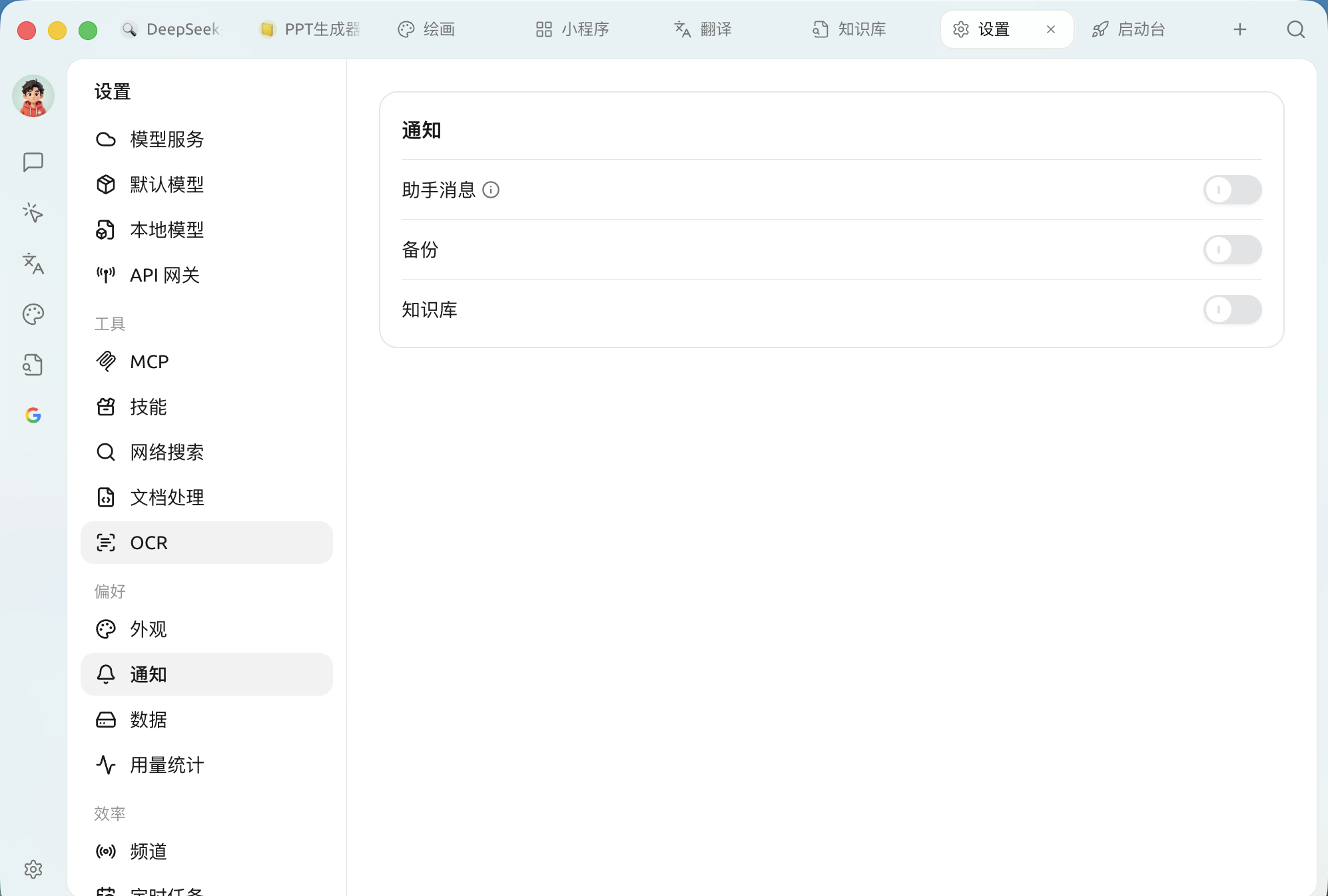
打开 `设置 → 通知`,这里有三个独立开关:
通知设置面板
| 开关 | 什么时候提醒你 | 建议 |
| -------- | ---------------------------------------------- | -------------------------- |
| **助手消息** | AI 回复 **成功**、且生成 **耗时超过 30 秒** 时才提醒(开关旁有 ⓘ 说明) | **开启**。用推理模型或生成长文时,不必盯着屏幕等 |
| **备份** | 自动 / 手动备份完成时 | **开启**。确认数据已安全存档 |
| **知识库** | 用于知识库相关任务(如索引构建)完成后的提醒 | **开启**。建库通常较耗时,完成后收到提醒更省心 |
{% hint style="info" %}
这些通知走的是操作系统的通知中心。如果完全收不到提醒,请检查系统层面是否允许 Cherry Studio 发送通知(macOS 的"通知"、Windows 的"通知和操作")。
{% endhint %}
***
### 获取帮助与提交反馈
如果您在配置或使用过程中遇到任何疑问、Bug 或有功能改进建议,请参考 [反馈与建议](/question-contact/suggestions.md) 中提供的官方渠道。
---
# Agent Instructions
This documentation is published with GitBook. GitBook is the documentation platform designed so that both humans and AI agents can read, navigate, and reason over technical content effectively. Learn more at gitbook.com.
## Querying This Documentation
If you need additional information that is not directly available in this page, you can query the documentation dynamically by asking a question.
Perform an HTTP GET request on the current page URL with the `ask` query parameter, and the optional `goal` query parameter:
```
GET https://docs.cherryai.com.cn/pre-basic/settings/notification.md?ask=&goal=
```
`ask` is the immediate question: it should be specific, self-contained, and written in natural language.
`goal` is optional and describes the broader end goal you are ultimately trying to accomplish on behalf of the user. GitBook uses it to tailor the answer towards what is most useful for that goal.
The response will contain a direct answer to the question and relevant excerpts and sources from the documentation.
Use this mechanism when the answer is not explicitly present in the current page, you need clarification or additional context, or you want to retrieve related documentation sections.