> For the complete documentation index, see [llms.txt](https://docs.cherryai.com.cn/llms.txt). Markdown versions of documentation pages are available by appending `.md` to page URLs; this page is available as [Markdown](https://docs.cherryai.com.cn/pre-basic/settings/display.md).
# 外观
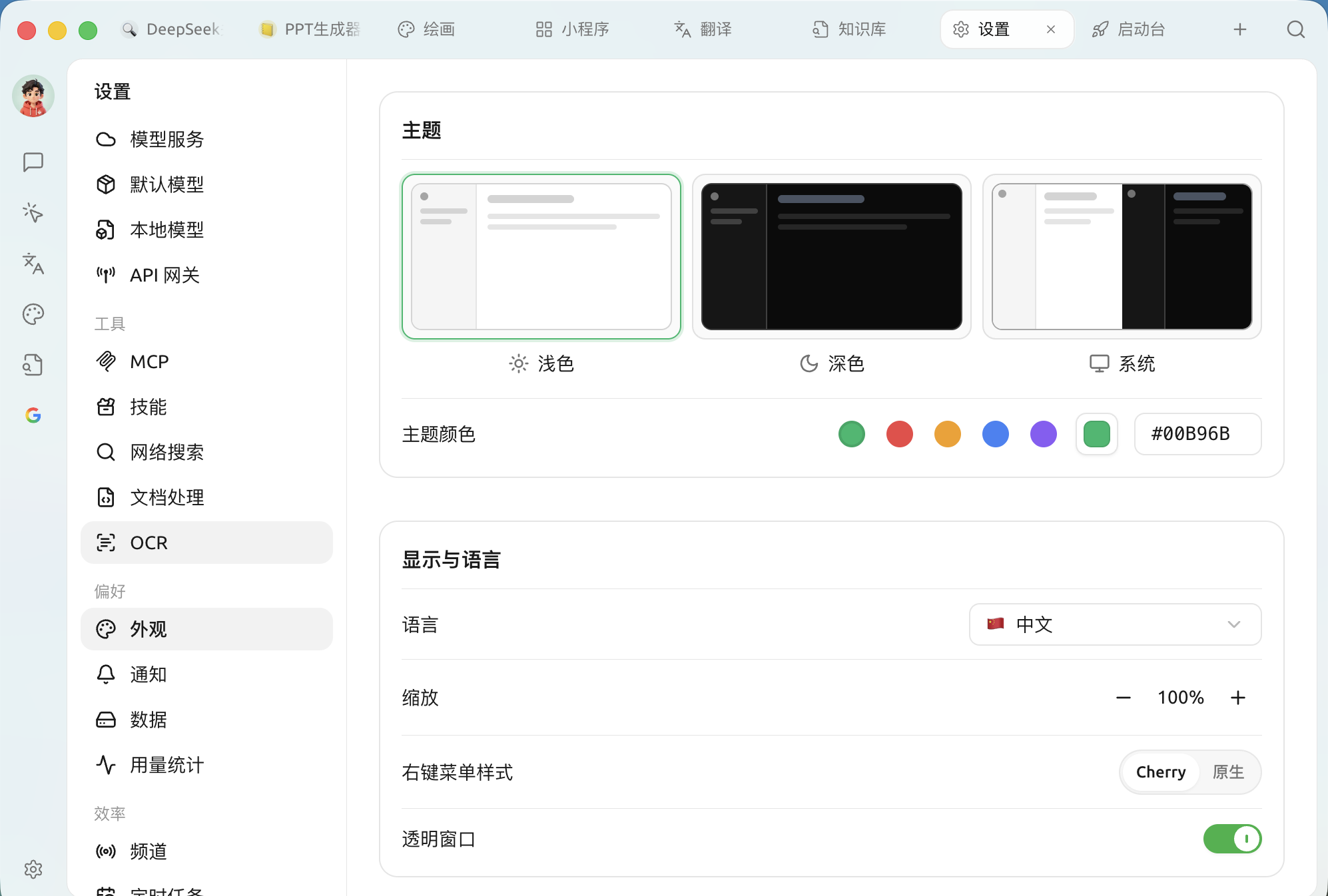
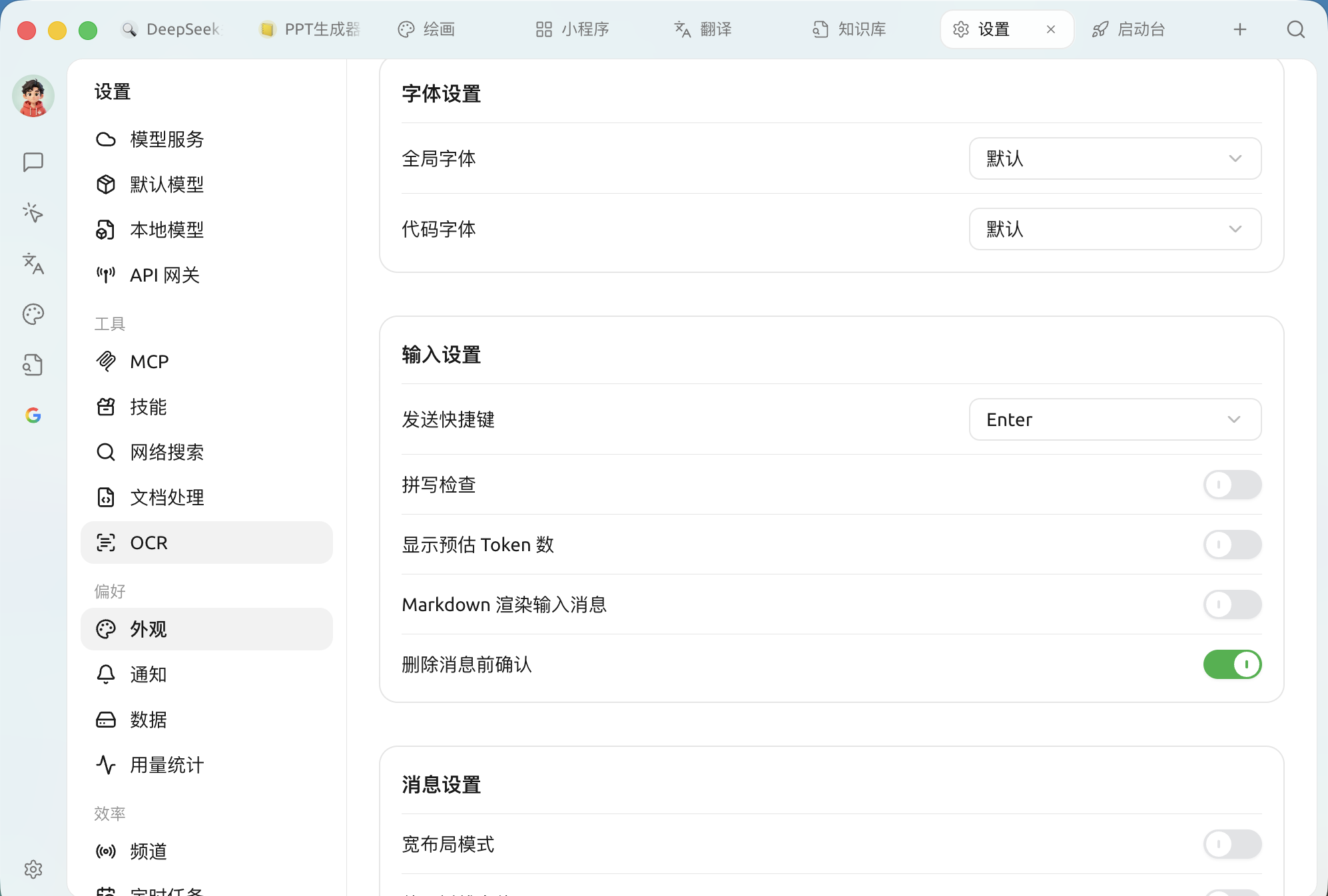
外观设置集中了 **界面长什么样、消息怎么显示、代码与公式怎么渲染** 这一整套偏好。打开 `设置 → 外观`,从上到下依次是主题、显示与语言、字体、输入、消息、公式、代码块等分区。
> 不满足于这里的选项?还可以走 [自定义 CSS](/pre-basic/settings/display/custom-css.md) 深度定制。
### 主题与主题颜色
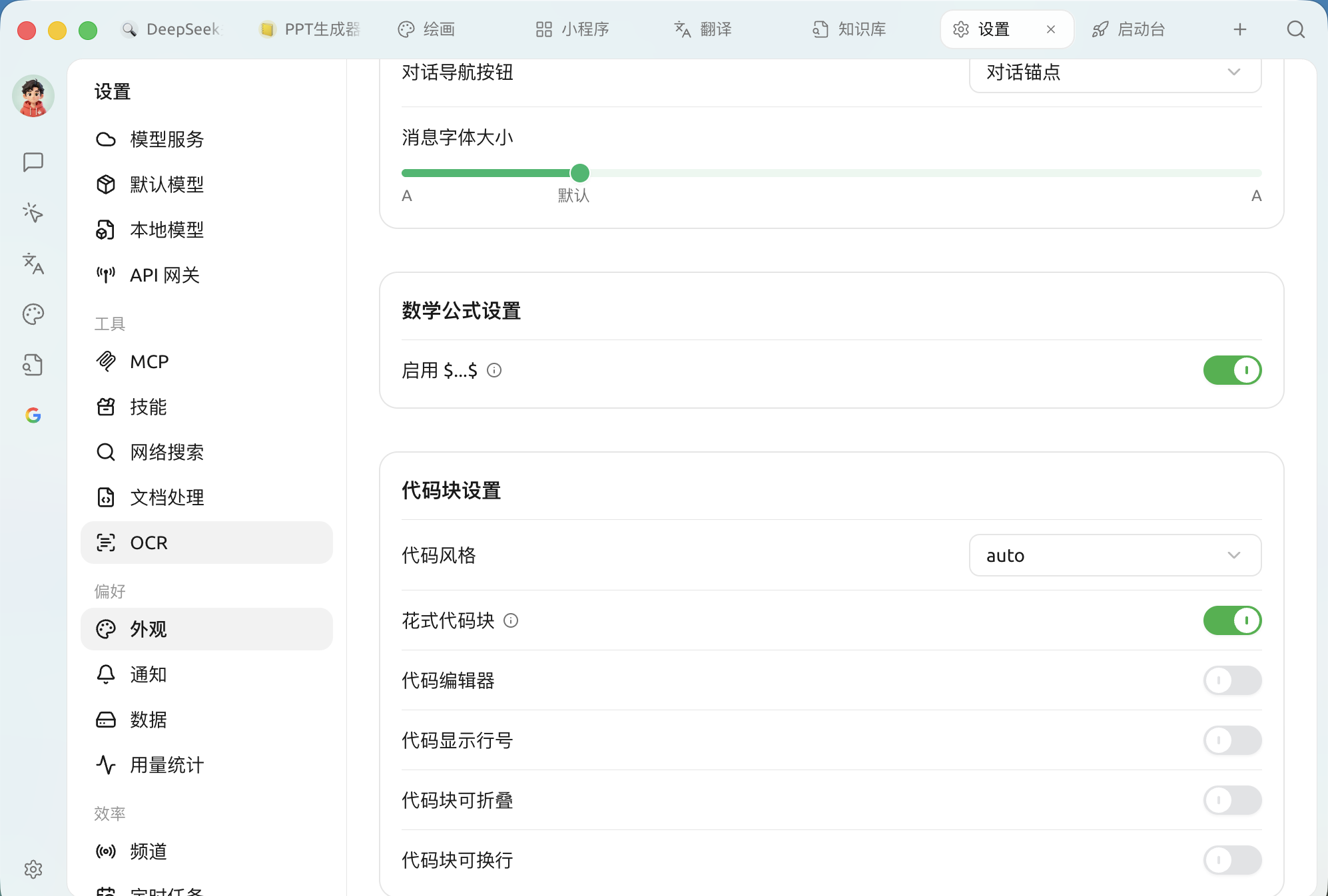
| 设置项 | 说明 |
| ---------- | ------------------------ |
| **代码风格** | 代码高亮配色方案(默认 `auto` 跟随主题) |
| **花式代码块** | 更精致的代码块外观 |
| **代码编辑器** | 用可编辑的代码编辑器样式显示代码 |
| **代码显示行号** | 代码块左侧显示行号 |
| **代码块可折叠** | 较长代码自动折叠 |
| **代码块可换行** | 单行过长时自动换行,避免横向滚动 |
> 打开 **代码编辑器** 后,还会多出 **高亮当前行 / 折叠控件 / 自动补全 / 快捷键** 四个子开关,进一步控制编辑器行为。
### 代码执行
* **代码执行**:允许在对话中直接运行模型生成的代码片段。
* **启用预览工具**:为 mermaid 等代码块渲染后的图表产物提供即时预览。
{% hint style="warning" %}
代码执行会在你的电脑上运行模型生成的代码。仅在你理解并信任相关内容时开启。
{% endhint %}
### 自定义 CSS
面板底部的编辑器可直接写入自定义 CSS,对界面做更细致的个性化调整。写法与示例见 [自定义 CSS](/pre-basic/settings/display/custom-css.md);想恢复默认见 [清除 CSS 设置](/pre-basic/settings/display/clear-css.md)。
***
### 获取帮助与提交反馈
如果您在配置或使用过程中遇到任何疑问、Bug 或有功能改进建议,请参考 [反馈与建议](/question-contact/suggestions.md) 中提供的官方渠道。
---
# Agent Instructions
This documentation is published with GitBook. GitBook is the documentation platform designed so that both humans and AI agents can read, navigate, and reason over technical content effectively. Learn more at gitbook.com.
## Querying This Documentation
If you need additional information that is not directly available in this page, you can query the documentation dynamically by asking a question.
Perform an HTTP GET request on the current page URL with the `ask` query parameter, and the optional `goal` query parameter:
```
GET https://docs.cherryai.com.cn/pre-basic/settings/display.md?ask=&goal=
```
`ask` is the immediate question: it should be specific, self-contained, and written in natural language.
`goal` is optional and describes the broader end goal you are ultimately trying to accomplish on behalf of the user. GitBook uses it to tailor the answer towards what is most useful for that goal.
The response will contain a direct answer to the question and relevant excerpts and sources from the documentation.
Use this mechanism when the answer is not explicitly present in the current page, you need clarification or additional context, or you want to retrieve related documentation sections.