> For the complete documentation index, see [llms.txt](https://docs.cherryai.com.cn/llms.txt). Markdown versions of documentation pages are available by appending `.md` to page URLs; this page is available as [Markdown](https://docs.cherryai.com.cn/docs/zhong-wen-fan-ti/pre-basic/providers/a-li-yun-bai-lian.md).
# 阿里雲百煉
1. 登入 [阿里云百煉](https://bailian.console.aliyun.com/?tab=model#/api-key),如果冇阿里云帳號就要註冊。
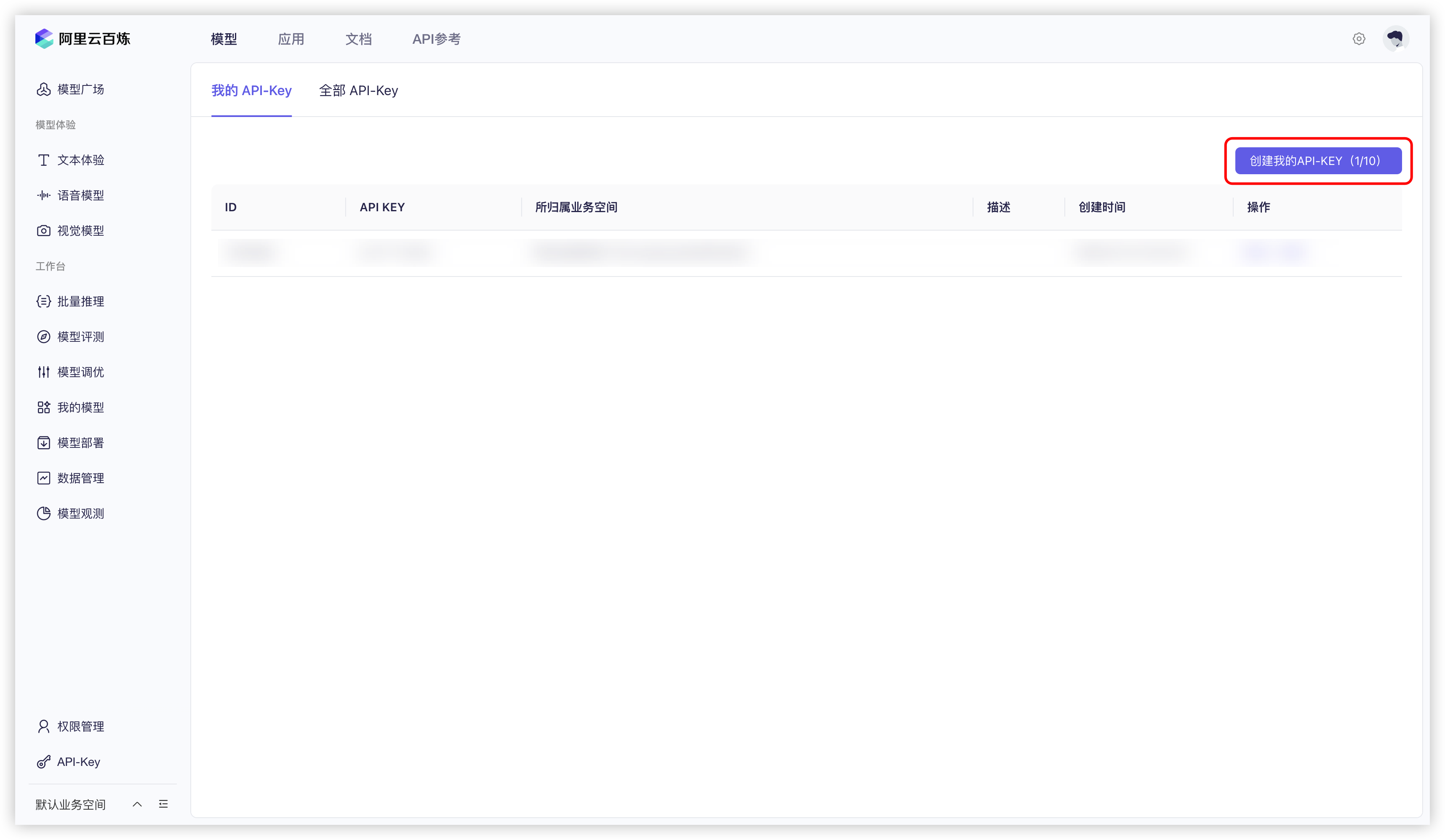
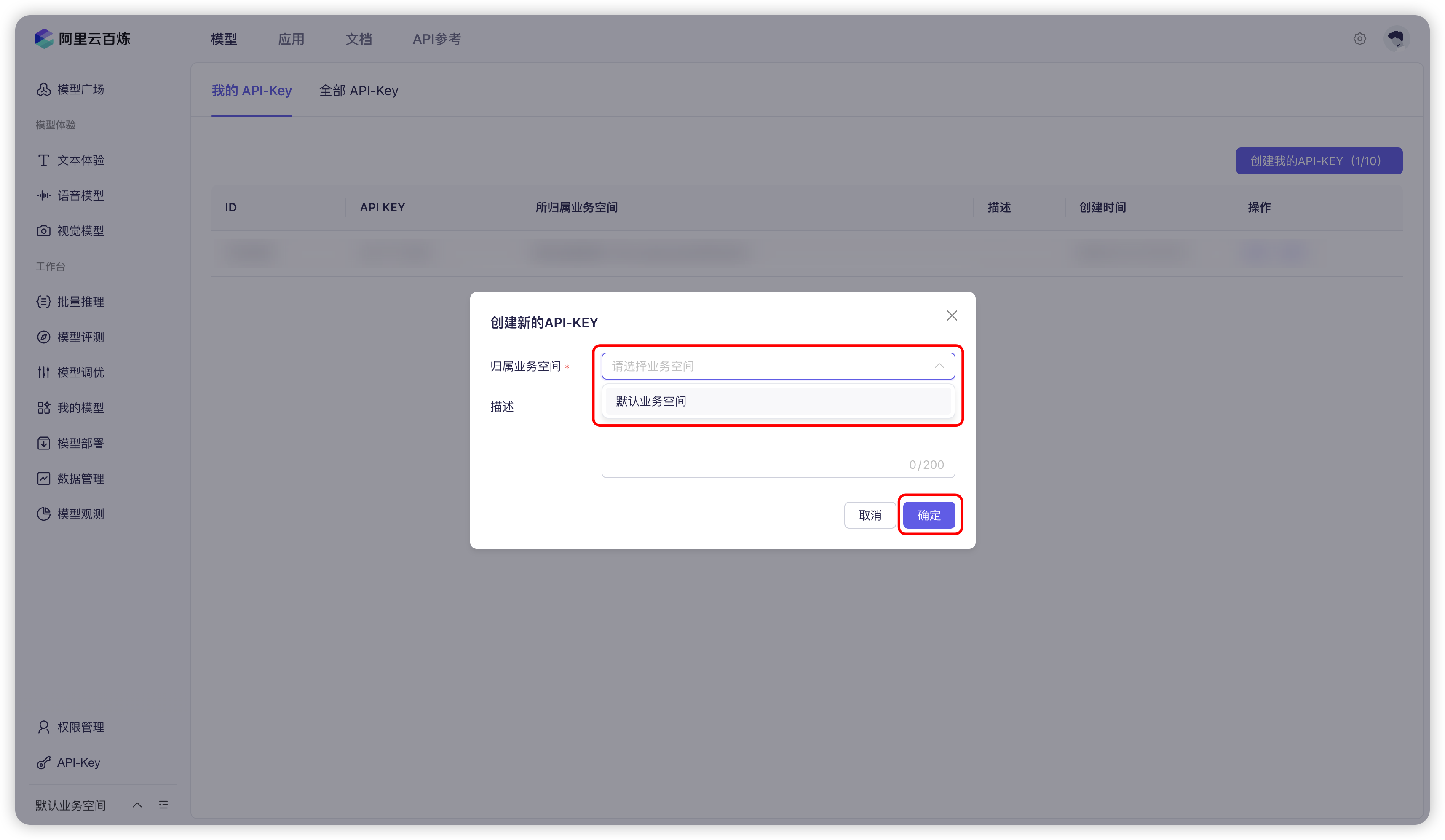
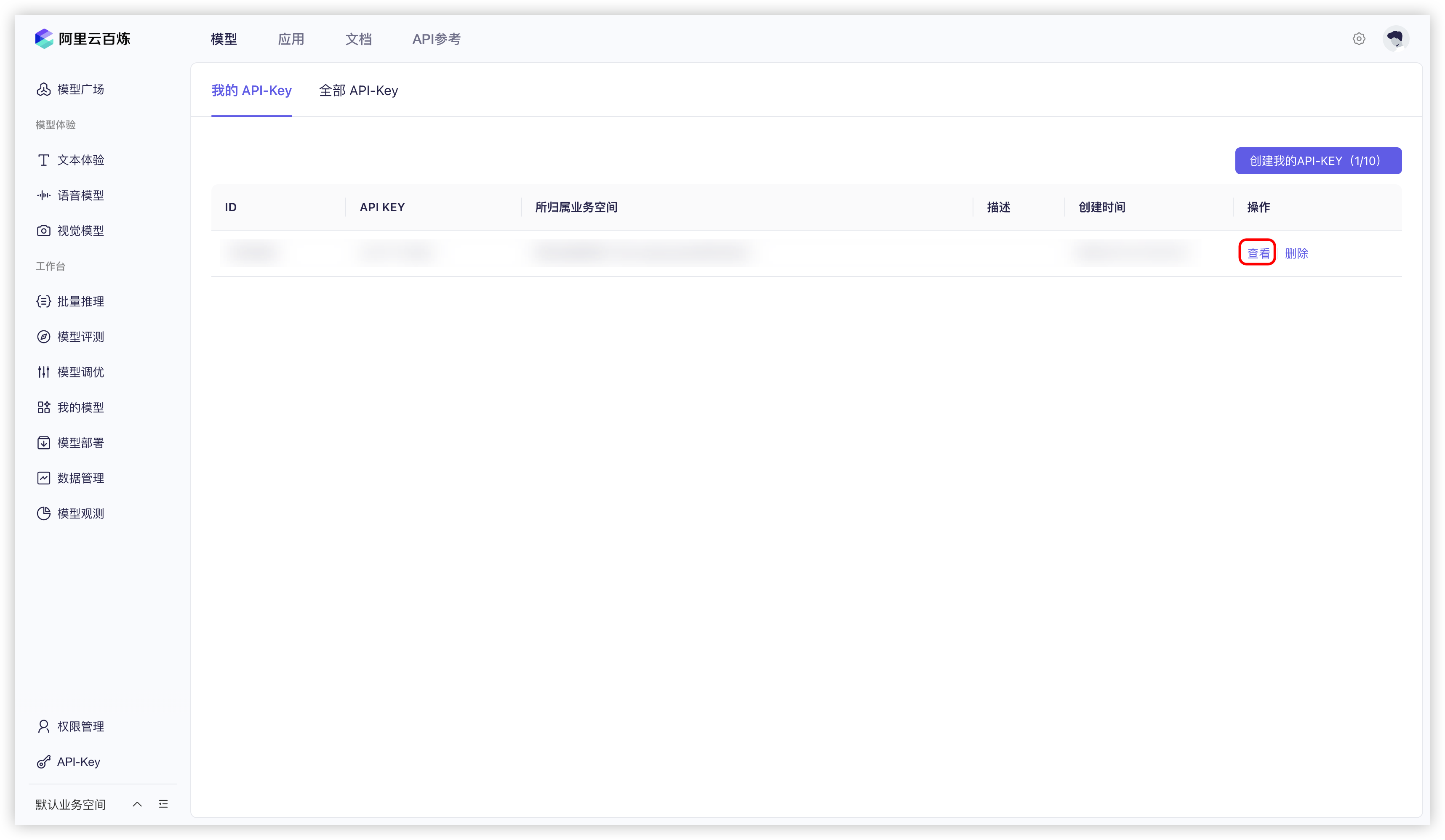
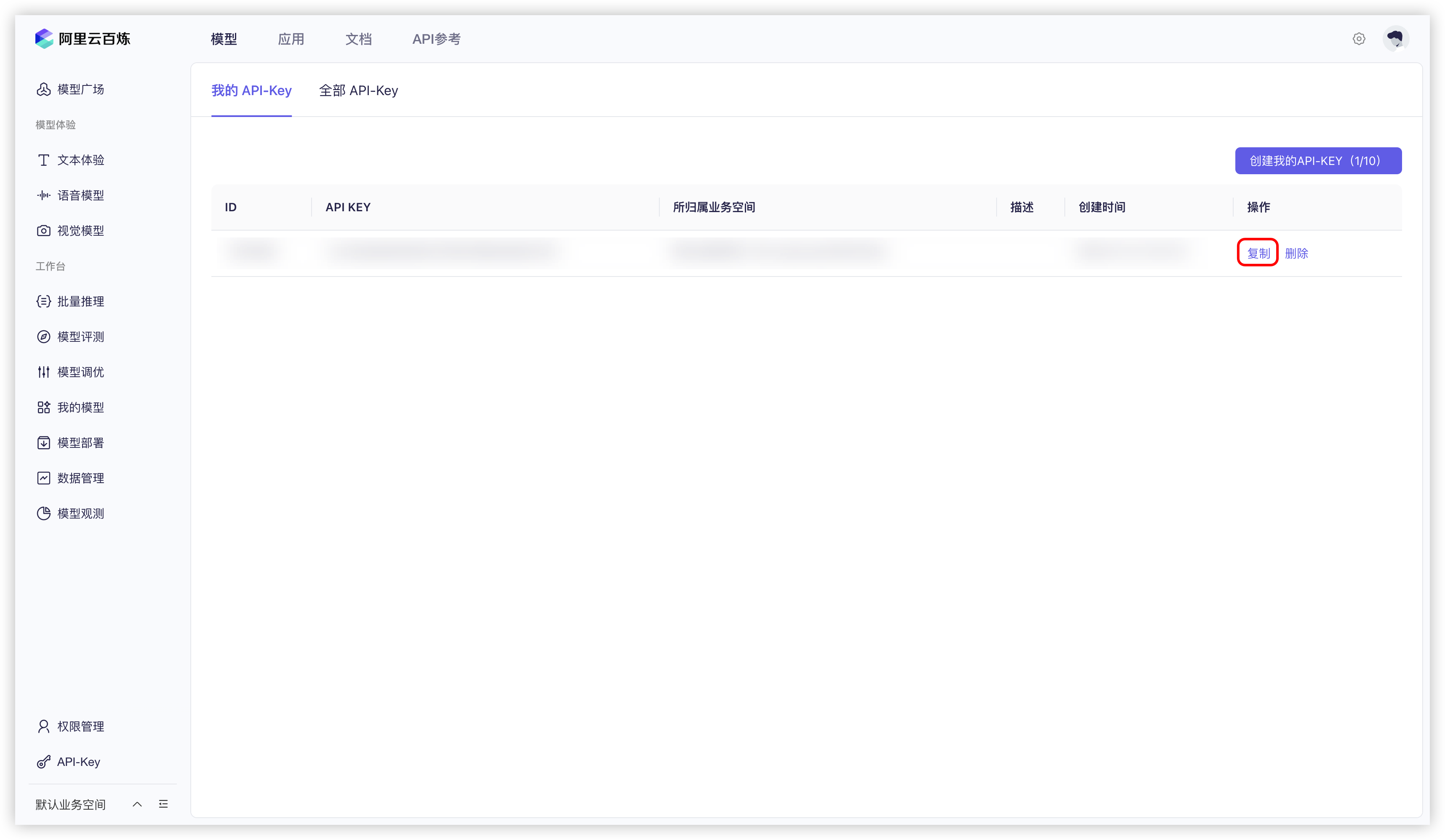
2. 撳右上角嘅 `建立我嘅 API-KEY` 按鈕。
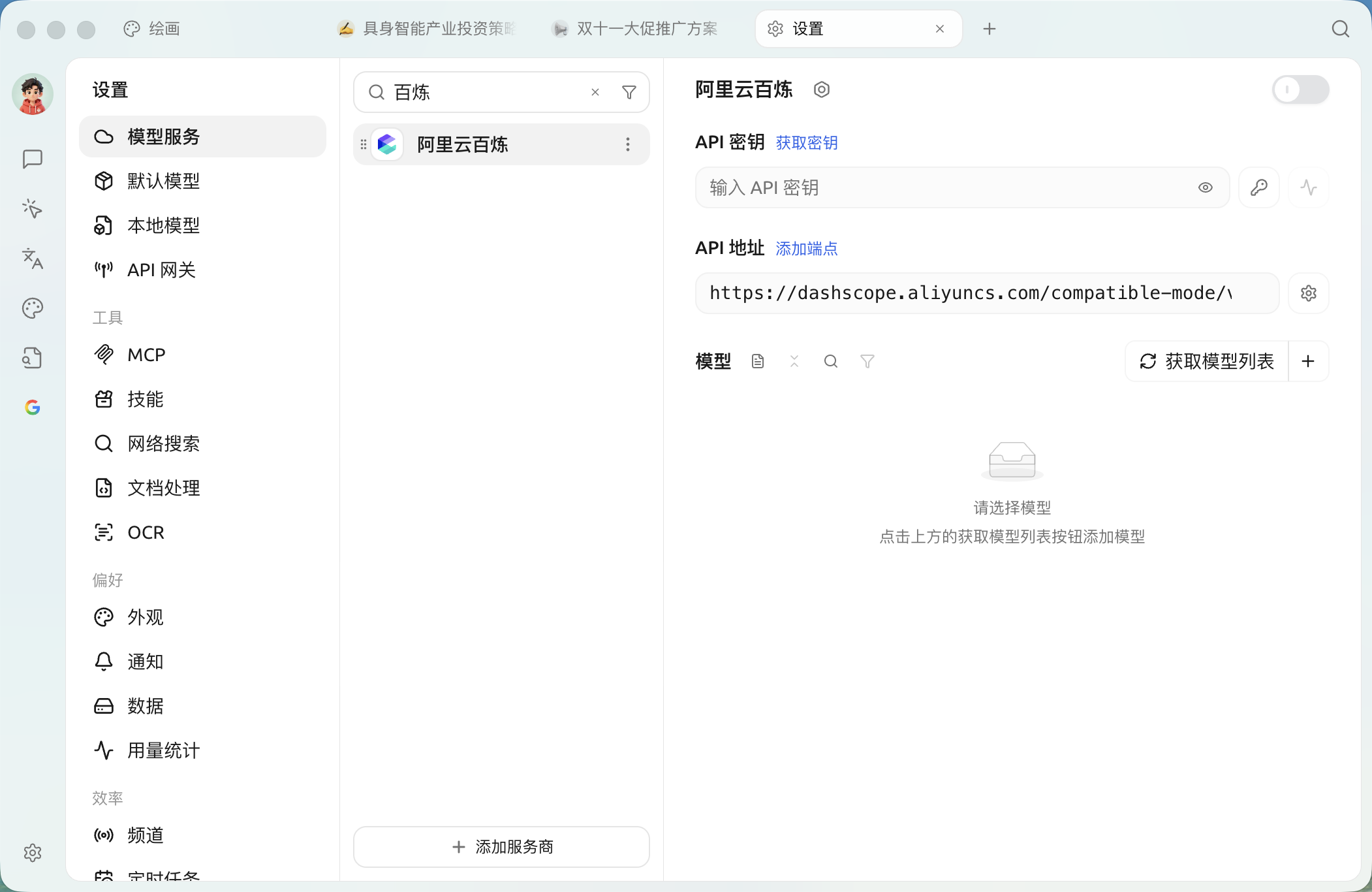
8. 可以跟住 [模型服務](/docs/zhong-wen-fan-ti/pre-basic/providers/providers.md) 入面嘅介紹調整相關設定,然後就可以用喇。
## 原生連網同網址讀取
阿里云百煉入面支援連網能力嘅模型可以用原生網絡搜尋,部分 Qwen 模型仲支援 URL 內容讀取。揀模型嘅時候以名稱旁邊嘅 🌐 圖示為準,具體能力可能會隨百煉模型更新。
喺對話入面打開 🌐 之後,如果【設定】→【網絡搜尋】入面嘅【優先使用已配置嘅搜尋服務】保持開啟,Cherry Studio 會優先使用已配置嘅搜尋服務;關閉呢個選項之後,先會優先使用模型原生能力。詳見 連網模式。
{% hint style="info" %}
如果發現模型列表入面冇阿里云百煉嘅模型,請確認已經跟住 [模型服務](/docs/zhong-wen-fan-ti/pre-basic/providers/providers.md) 入面嘅介紹添加模型,並開啟咗呢個供應商。
{% endhint %}
***
### 攞幫助同提交意見
如果您喺配置或使用過程中遇到任何疑問、Bug 或有功能改善建議,請參考 [反饋與建議](/docs/zhong-wen-fan-ti/question-contact/suggestions.md) 入面提供嘅官方渠道。
---
# Agent Instructions
This documentation is published with GitBook. GitBook is the documentation platform designed so that both humans and AI agents can read, navigate, and reason over technical content effectively. Learn more at gitbook.com.
## Querying This Documentation
If you need additional information that is not directly available in this page, you can query the documentation dynamically by asking a question.
Perform an HTTP GET request on the current page URL with the `ask` query parameter, and the optional `goal` query parameter:
```
GET https://docs.cherryai.com.cn/docs/zhong-wen-fan-ti/pre-basic/providers/a-li-yun-bai-lian.md?ask=&goal=
```
`ask` is the immediate question: it should be specific, self-contained, and written in natural language.
`goal` is optional and describes the broader end goal you are ultimately trying to accomplish on behalf of the user. GitBook uses it to tailor the answer towards what is most useful for that goal.
The response will contain a direct answer to the question and relevant excerpts and sources from the documentation.
Use this mechanism when the answer is not explicitly present in the current page, you need clarification or additional context, or you want to retrieve related documentation sections.