> For the complete documentation index, see [llms.txt](https://docs.cherryai.com.cn/llms.txt). Markdown versions of documentation pages are available by appending `.md` to page URLs; this page is available as [Markdown](https://docs.cherryai.com.cn/docs/zhong-wen-fan-ti/advanced-basic/developer-tools/code-cli.md).
# 編碼拍檔(Code CLI)
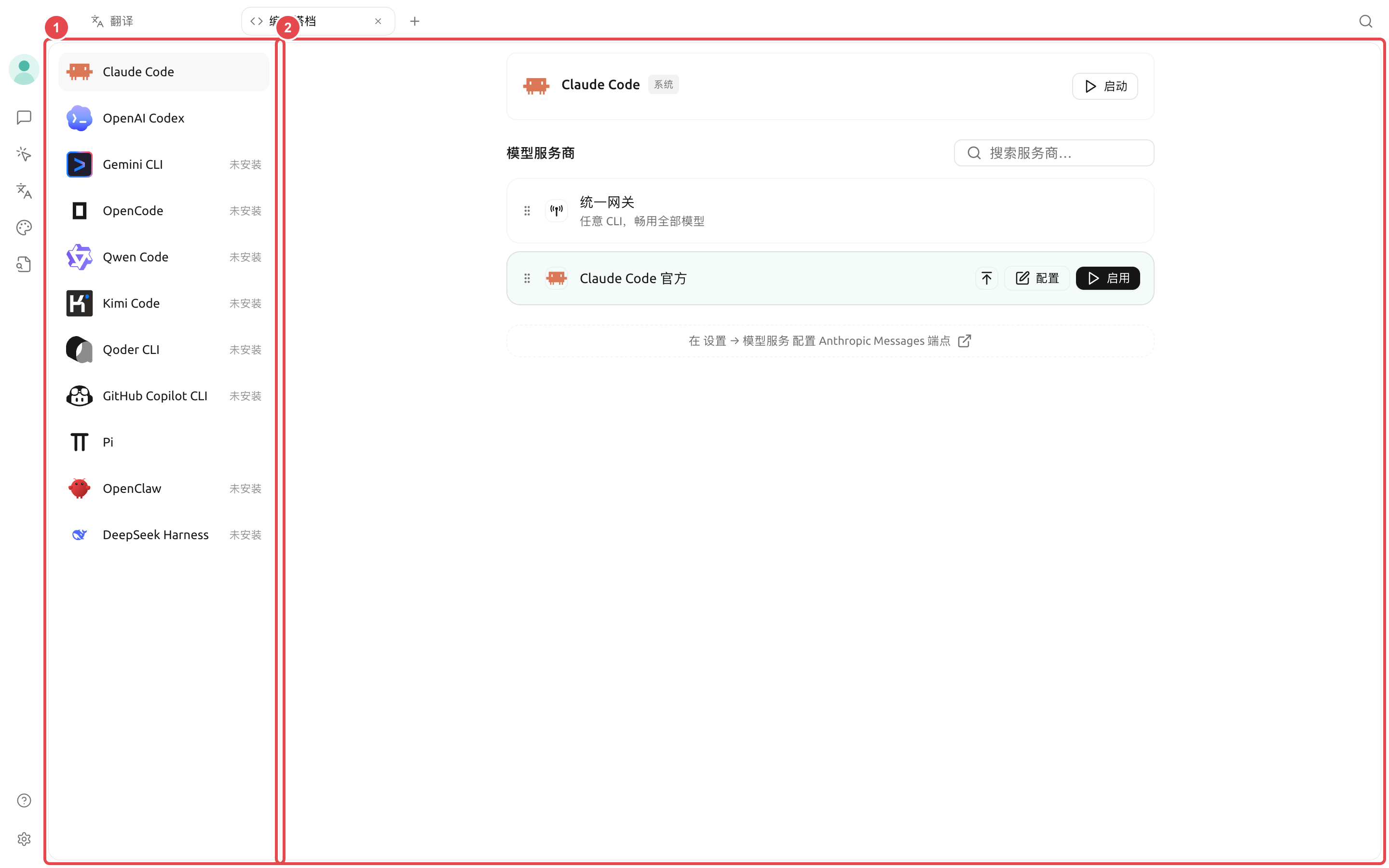
【編碼拍檔】用嚟安裝、配置同啟動常見編程命令列工具。Cherry Studio 會分辨應用代管版本、系統 PATH 入面已經有嘅版本,同工具自己嘅帳號登入,唔會自動覆蓋系統安裝。
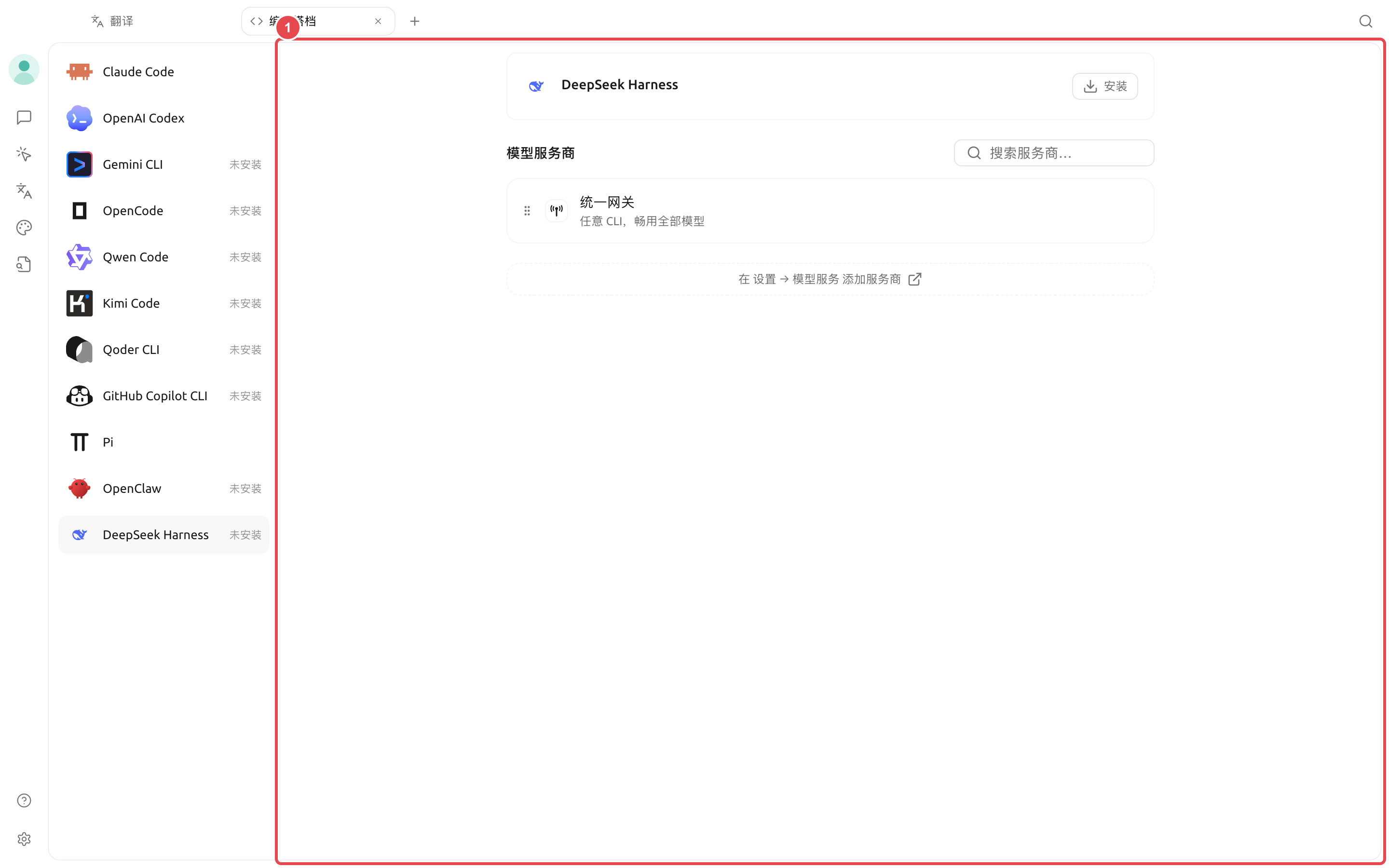
① 未安裝時先完成代管安裝;安裝後配置相容服務商、預設權限同 Agent 模式,再啟動 Web UI。
DeepSeek Harness 同普通終端 CLI 嘅流程唔同:安裝並揀服務商之後,由 Cherry Studio 代管運行,亦可以打開獨立 Web UI。參數入面可以揀預設 Agent 模式同預設權限:
| 配置 | 適合情況 | 注意事項 |
| -------- | --------------------------- | -------------- |
| 【標準】 | 檔案、Shell、檢索、技能、計劃同子代理都可能會用到 | 工具面最大,先用受控權限 |
| 【PTC 代碼】 | 需要透過 Code Mode 組合多步工具操作 | 更適合複雜編碼任務 |
| 【極簡】 | 只需要持久 Shell 同文本編輯器 | 依賴少,能力範圍都更細 |
| 【只讀】 | 檢查項目、唔寫檔 | 有風險操作仍然會要求確認 |
| 【工作區寫入】 | 允許修改而家 DSH 工作區 | 唔代表可以存取工作區外嘅檔案 |
| 【完全存取】 | 隔離、可信、可恢復嘅環境 | 唔會要求操作確認,風險最高 |
### 安裝來源要分清
| 來源 | Cherry Studio 會做咩 | 你應該點樣維護 |
| ---------------- | ----------------- | ------------------- |
| Cherry Studio 代管 | 安裝、更新同卸載對應代管副本 | 喺【編碼拍檔】或者【環境依賴】入面管理 |
| 系統 PATH | 偵測並直接使用,唔覆蓋 | 用原本嘅套件管理器更新或者卸載 |
| 工具官方帳號 | 保留工具自己嘅登入流程 | 喺工具介面管理帳號同授權 |
{% hint style="warning" %}
卸載 Cherry Studio 代管副本之後,如果系統入面仲有同名可執行檔,頁面會自動退回系統版本。行為有變化時,先確認而家用緊邊一種來源。
{% endhint %}
### 用戶案例:喺項目目錄啟動編碼工具
開發者先選定而家項目目錄,揀一個已經驗證過嘅模型連接,再啟動 Pi 或其他 CLI。第一條命令只會讀取倉庫狀態;確認帳號、模型同目錄冇錯之後,再允許工具修改檔案同執行檢查。
點解搵唔到已經安裝咗嘅終端或者 CLI?
Cherry Studio 會從登入環境同標準位置偵測工具。確認命令喺登入終端入面可以運行,之後重啟應用程式刷新環境。便攜式或者非標準路徑目前需要從該終端手動啟動。
點解搵唔到已經安裝咗嘅終端或者 CLI?
Cherry Studio 會從登入環境同標準位置偵測工具。確認命令喺登入終端入面可以運行,之後重啟應用程式刷新環境。便攜式或者非標準路徑目前需要從該終端手動啟動。
---
# Agent Instructions
This documentation is published with GitBook. GitBook is the documentation platform designed so that both humans and AI agents can read, navigate, and reason over technical content effectively. Learn more at gitbook.com.
## Querying This Documentation
If you need additional information that is not directly available in this page, you can query the documentation by asking a question.
Perform an HTTP GET request on the following URL with the `ask` and `goal` query parameters:
```
GET https://docs.cherryai.com.cn/docs/zhong-wen-fan-ti/advanced-basic/developer-tools/code-cli.md?ask=&goal=
```
`ask` is the immediate question: it should be specific, self-contained, and written in natural language.
`goal` is what the user is ultimately trying to achieve, the reason they need the answer. Sharing it helps GitBook give you a better, more relevant answer. A goal is most helpful when it describes the outcome the user wants rather than restating the question. For example, with `ask=how do I create an API token`, a goal like `automate deployments from our CI pipeline` lets GitBook tailor the answer to that use case.
The response will contain a direct answer to the question and relevant excerpts and sources from the documentation.
Use this mechanism when the answer is not explicitly present in the current page, you need clarification or additional context, or you want to retrieve related documentation sections.