> For the complete documentation index, see [llms.txt](https://docs.cherryai.com.cn/llms.txt). Markdown versions of documentation pages are available by appending `.md` to page URLs; this page is available as [Markdown](https://docs.cherryai.com.cn/docs/russian/pre-basic/settings/notification.md).
# Уведомления
Управление настройками уведомлений **Как приложение будет уведомлять вас, когда оно работает в фоновом режиме**。Когда вы переключаетесь на другое окно для работы, Cherry Studio может показывать системные уведомления по завершении важных событий, чтобы вам не пришлось просто ждать или пропустить результат.
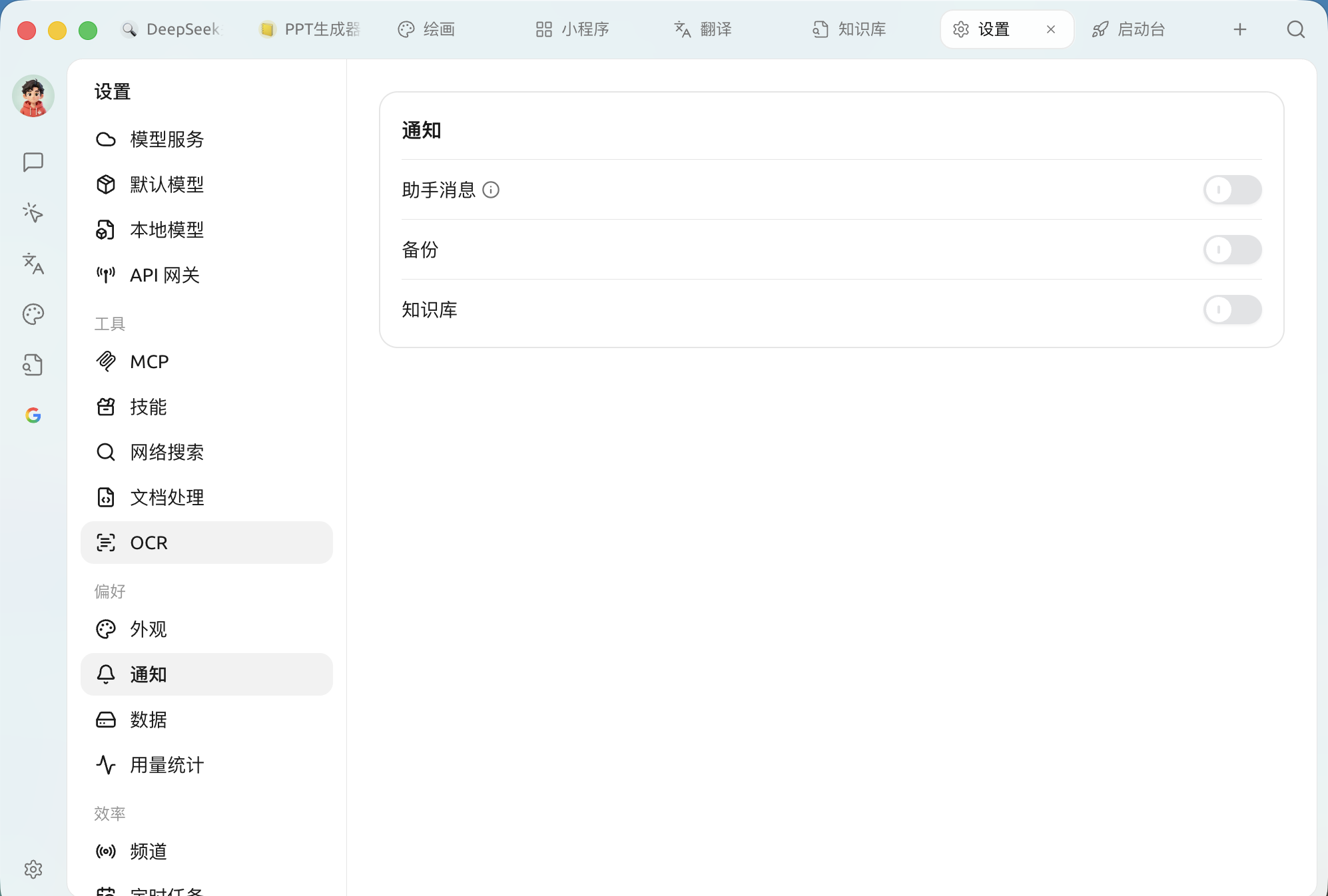
Включить `Настройки → Уведомления`,здесь есть три отдельных переключателя:
Панель настроек уведомлений
| Переключатель | Когда уведомлять вас | Рекомендация |
| ------------------------- | ----------------------------------------------------------------------------------------------------------------------------------- | ---------------------------------------------------------------------------------------------------------------------- |
| **Сообщения помощника** | Ответы ИИ **Успех**、и если генерация **занимает более 30 секунд** тогда только уведомлять (рядом с переключателем есть пояснение ⓘ) | **Включить**。При использовании модели рассуждений или при генерации длинного текста не нужно смотреть на экран и ждать |
| **Резервное копирование** | Когда автоматическое / ручное резервное копирование завершено | **Включить**。Убедитесь, что данные безопасно сохранены в архиве |
| **База знаний** | Используется для уведомлений после завершения задач, связанных с базой знаний (например, построения индекса) | **Включить**。Создание базы обычно занимает довольно много времени, и получать уведомление по завершении удобнее |
{% hint style="info" %}
Эти уведомления проходят через центр уведомлений операционной системы. Если вы вообще не получаете уведомления, проверьте, разрешено ли на системном уровне Cherry Studio отправлять уведомления (в macOS — «Уведомления», в Windows — «Уведомления и действия»).
{% endhint %}
***
### Получить помощь и отправить отзыв
Если у вас в процессе настройки или использования возникнут какие-либо вопросы, баги или предложения по улучшению функций, пожалуйста, обратитесь к [Отзывы и предложения](/docs/russian/question-contact/suggestions.md) официальным каналам, указанным там.
---
# Agent Instructions
This documentation is published with GitBook. GitBook is the documentation platform designed so that both humans and AI agents can read, navigate, and reason over technical content effectively. Learn more at gitbook.com.
## Querying This Documentation
If you need additional information that is not directly available in this page, you can query the documentation by asking a question.
Perform an HTTP GET request on the following URL with the `ask` and `goal` query parameters:
```
GET https://docs.cherryai.com.cn/docs/russian/pre-basic/settings/notification.md?ask=&goal=
```
`ask` is the immediate question: it should be specific, self-contained, and written in natural language.
`goal` is what the user is ultimately trying to achieve, the reason they need the answer. Sharing it helps GitBook give you a better, more relevant answer. A goal is most helpful when it describes the outcome the user wants rather than restating the question. For example, with `ask=how do I create an API token`, a goal like `automate deployments from our CI pipeline` lets GitBook tailor the answer to that use case.
The response will contain a direct answer to the question and relevant excerpts and sources from the documentation.
Use this mechanism when the answer is not explicitly present in the current page, you need clarification or additional context, or you want to retrieve related documentation sections.