> For the complete documentation index, see [llms.txt](https://docs.cherryai.com.cn/llms.txt). Markdown versions of documentation pages are available by appending `.md` to page URLs; this page is available as [Markdown](https://docs.cherryai.com.cn/docs/russian/pre-basic/settings/display.md).
# Внешний вид
Настройки внешнего вида сосредоточены **как выглядит интерфейс, как отображаются сообщения, как рендерятся код и формулы** вся эта система предпочтений. Откройте `Настройки → Внешний вид` — сверху вниз идут разделы: тема, отображение и язык, шрифты, ввод, сообщения, формулы, блоки кода и т. д.
> Не хватает вариантов здесь? Можно также перейти к [Пользовательскому CSS](/docs/russian/pre-basic/settings/display/custom-css.md) для глубокой настройки.
### Тема и цвет темы
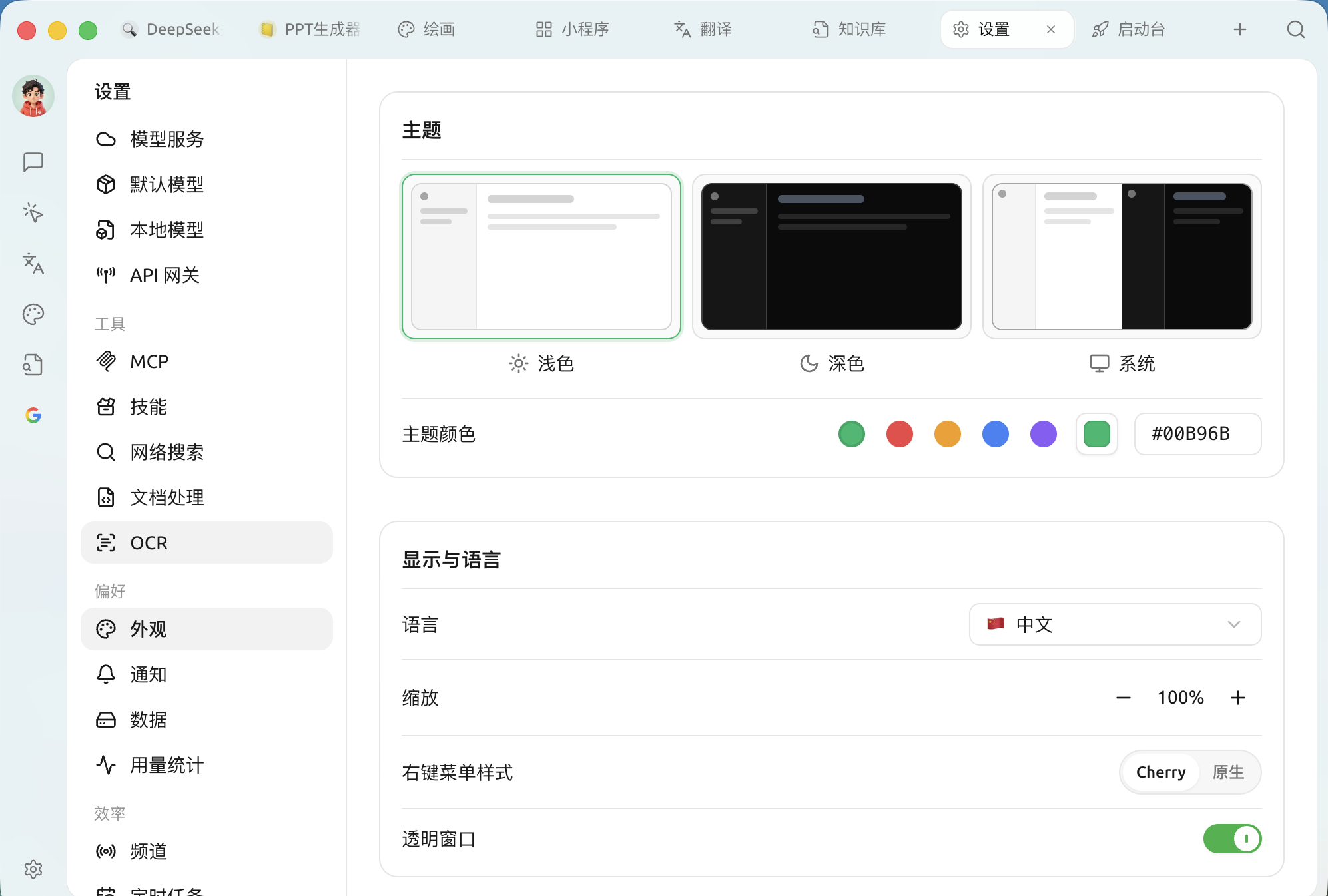
Тема, цвет темы и язык интерфейса
* **Тема**: между **светлой / тёмной / системной** режимами («Системная» следует светлой/тёмной теме операционной системы).
* **Цвет темы**: выберите основной цвет интерфейса; доступны несколько предустановленных цветов, а справа можно ввести шестнадцатеричное значение цвета (например `#00B96B`) для настройки.
### Отображение и язык
| Пункты настроек | Описание |
| --------------------------- | ----------------------------------------------------------------------------------------------------------------------------------------------------------- |
| **Язык** | Язык отображения интерфейса, поддерживаются упрощённый китайский, традиционный китайский, английский, японский, немецкий, французский и многие другие языки |
| **Масштаб** | Общий коэффициент масштабирования интерфейса; можно изменить, если экран большой/маленький или текст кажется слишком мелким |
| **Стиль контекстного меню** | Между фирменным меню Cherry и системным **родным** контекстным меню |
| **Прозрачное окно** | Включить полупрозрачный эффект матового стекла окна (**только в macOS**; на некоторых видеокартах может влиять на производительность) |
### Настройки шрифта
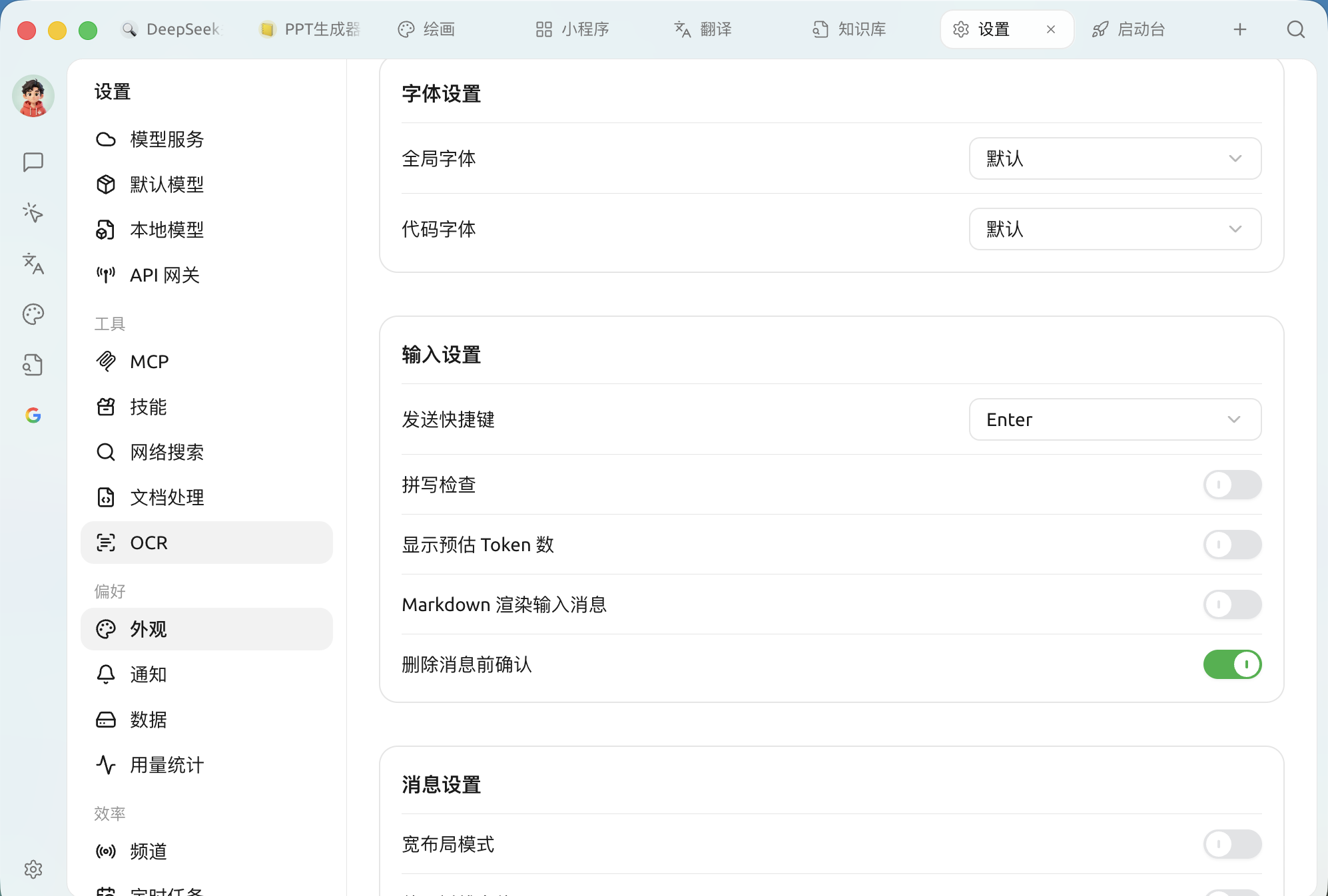
* **Глобальный шрифт**: шрифт всего интерфейса; по умолчанию используется системный шрифт, можно заменить на любой понравившийся.
* **Шрифт кода**: моноширинный шрифт, используемый для блоков кода.
Рекомендации по шрифтам см. [Рекомендации по шрифтам](/docs/russian/pre-basic/settings/display/font.md).
### Настройки ввода
Настройки шрифтов, ввода и отображения сообщений
| Пункты настроек | Описание |
| -------------------------------------------- | ------------------------------------------------------------------------------------------------------------------------------------------------------------------------------------ |
| **Горячая клавиша отправки** | Установите клавишу отправки сообщения (например `Enter`、`Shift+Enter` и т. д.) |
| **Проверка орфографии** | При вводе на английском показывать красную волнистую линию под орфографическими ошибками; если в основном используете китайский, можно отключить, чтобы избежать ложных срабатываний |
| **Показывать примерное число токенов** | Показывать в поле ввода примерное число токенов, которое потребует введённый текст (только для справки, не для фактического расчёта) |
| **Рендерить введённые сообщения в Markdown** | Если выключить, отправляемые вами сообщения не будут рендериться в Markdown, будет рендериться только ответ модели |
| **Подтверждать перед удалением сообщения** | При удалении сообщения сначала показывать подтверждение, чтобы избежать случайного удаления |
### Настройки сообщений
Управляет тем, как ответы ИИ отображаются в области диалога:
| Пункты настроек | Описание |
| --------------------------------------------- | -------------------------------------------------------------------------------------------------- |
| **Режим широкого макета** | Сделать содержимое сообщений занимающим более широкую область |
| **Использовать шрифт с засечками** | Основной текст переключается на шрифт с засечками, чтение длинных текстов становится комфортнее |
| **Автоматически сворачивать ход рассуждений** | Модели с поддержкой рассуждений автоматически сворачивают процесс размышления после его завершения |
| **Показывать оглавление сообщения** | Создавать оглавление с переходами для более длинных ответов |
| **Стиль сообщений** | в **пузырями** и **минималистичный** Переключение между двумя стилями |
| **Стиль ответов нескольких моделей** | Расположение при сравнении нескольких моделей, например **горизонтальное расположение** |
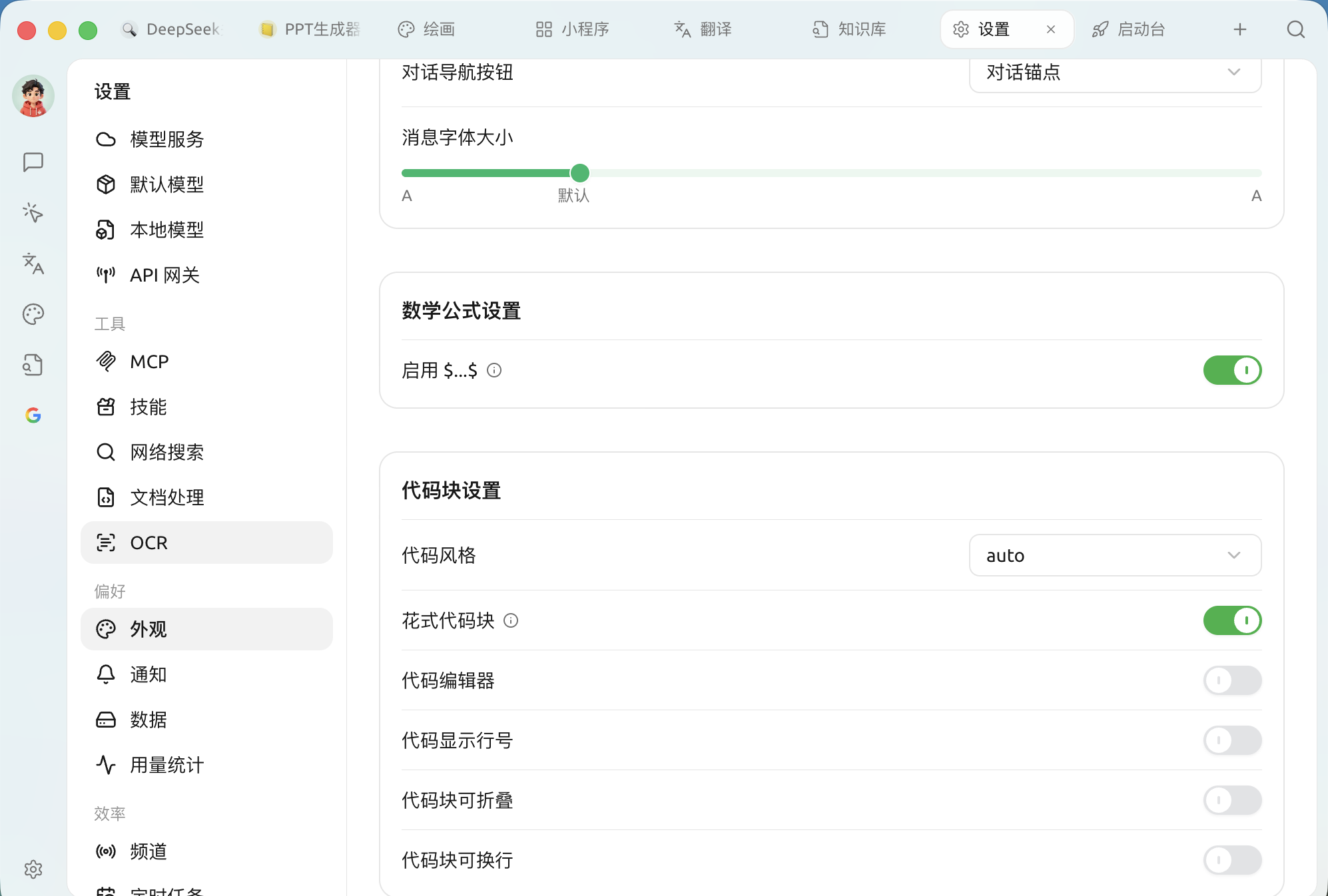
| **Кнопки навигации по диалогу** | Способ быстрого перехода в длинном диалоге, например **якоря диалога** |
| **Размер шрифта сообщений** | Перетащите ползунок, чтобы изменить размер шрифта в области диалога |
### Математические формулы
* **Включить `$...$`**: после включения распознаются встроенные математические формулы (содержимое, заключённое в `$` и рендерится как формула).
### Настройки блоков кода
Настройки математических формул и блоков кода
| Пункты настроек | Описание |
| ---------------------------------- | --------------------------------------------------------------------------------------------------- |
| **Стиль кода** | Схема цветов подсветки кода (по умолчанию `auto` следует теме) |
| **Эффектные блоки кода** | Более изящный внешний вид блоков кода |
| **Редактор кода** | Показывать код в виде редактируемого редактора кода |
| **Показывать номера строк в коде** | Показывать номера строк слева от блока кода |
| **Блоки кода можно сворачивать** | Длинный код сворачивается автоматически |
| **Блоки кода могут переноситься** | Если строка слишком длинная, она автоматически переносится, чтобы избежать горизонтальной прокрутки |
> Включить **Редактор кода** , после этого появятся ещё **подсветка текущей строки / элементы сворачивания / автодополнение / горячие клавиши** четыре дополнительных переключателя для дальнейшего управления поведением редактора.
### Выполнение кода
* **Выполнение кода**: разрешить напрямую запускать фрагменты кода, сгенерированные моделью, в диалоге.
* **Включить инструменты предпросмотра**: предоставлять мгновенный предпросмотр для диаграмм, рендеренных из блоков кода, таких как mermaid.
{% hint style="warning" %}
Выполнение кода запускает код, сгенерированный моделью, на вашем компьютере. Включайте только если понимаете и доверяете этому содержимому.
{% endhint %}
### Пользовательскому CSS
В редакторе внизу панели можно напрямую писать пользовательский CSS, чтобы более тонко настраивать интерфейс. Описание и примеры см. [Пользовательскому CSS](/docs/russian/pre-basic/settings/display/custom-css.md); чтобы вернуть настройки по умолчанию, см. [Очистить настройки CSS](/docs/russian/pre-basic/settings/display/clear-css.md).
***
### Получить помощь и отправить отзыв
Если у вас в процессе настройки или использования возникнут какие-либо вопросы, баги или предложения по улучшению функций, пожалуйста, обратитесь к [Отзывы и предложения](/docs/russian/question-contact/suggestions.md) официальным каналам, указанным там.
---
# Agent Instructions
This documentation is published with GitBook. GitBook is the documentation platform designed so that both humans and AI agents can read, navigate, and reason over technical content effectively. Learn more at gitbook.com.
## Querying This Documentation
If you need additional information that is not directly available in this page, you can query the documentation dynamically by asking a question.
Perform an HTTP GET request on the current page URL with the `ask` query parameter, and the optional `goal` query parameter:
```
GET https://docs.cherryai.com.cn/docs/russian/pre-basic/settings/display.md?ask=&goal=
```
`ask` is the immediate question: it should be specific, self-contained, and written in natural language.
`goal` is optional and describes the broader end goal you are ultimately trying to accomplish on behalf of the user. GitBook uses it to tailor the answer towards what is most useful for that goal.
The response will contain a direct answer to the question and relevant excerpts and sources from the documentation.
Use this mechanism when the answer is not explicitly present in the current page, you need clarification or additional context, or you want to retrieve related documentation sections.