> For the complete documentation index, see [llms.txt](https://docs.cherryai.com.cn/llms.txt). Markdown versions of documentation pages are available by appending `.md` to page URLs; this page is available as [Markdown](https://docs.cherryai.com.cn/docs/russian/pre-basic/providers/siliconcloud.md).
# SiliconFlow
## 1. Настройка сервиса моделей SiliconCloud
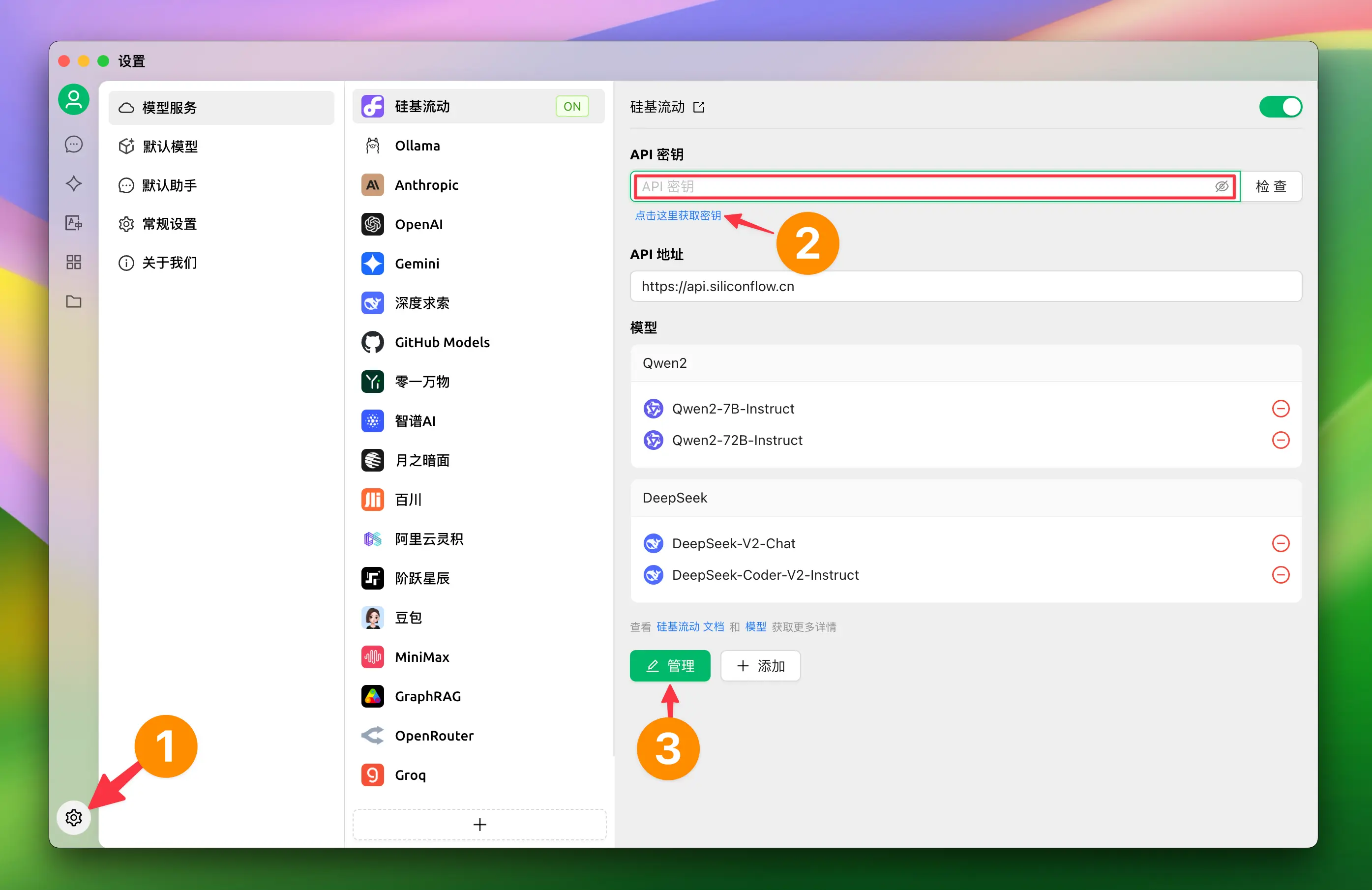
#### [](https://docs.siliconflow.cn/usercases/use-siliconcloud-in-cherry-studio#2-1) 1.2 Нажмите «Настройки» в левом нижнем углу и в разделе сервиса моделей выберите 【硅基流动】
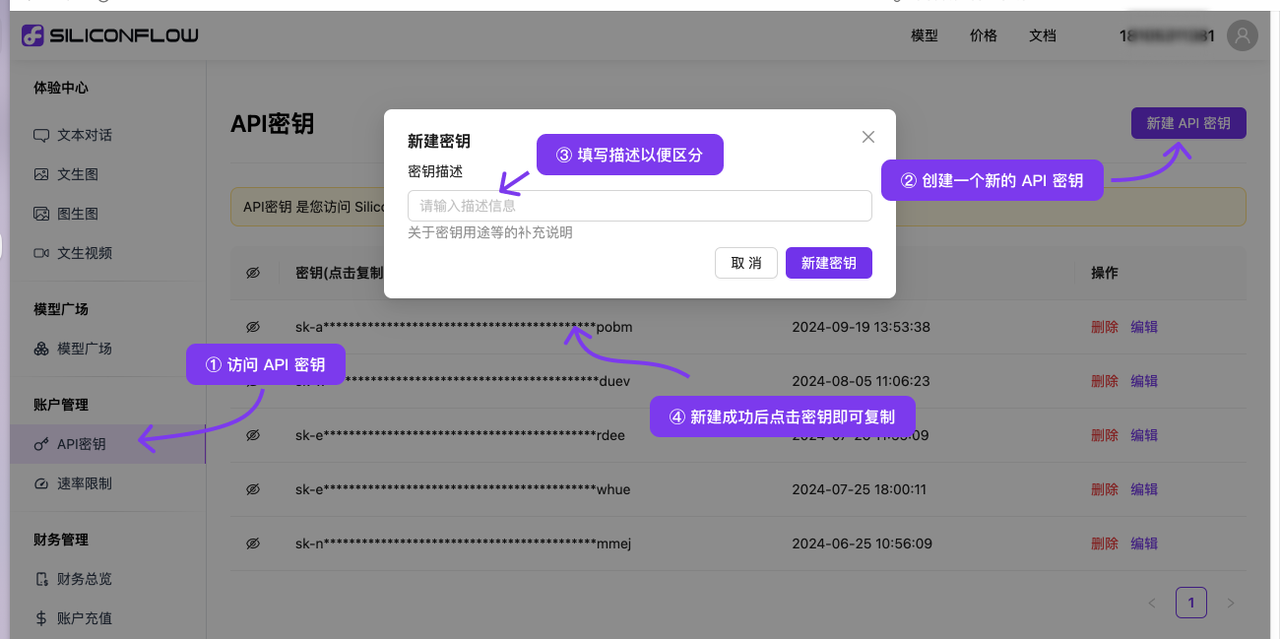
#### [](https://docs.siliconflow.cn/usercases/use-siliconcloud-in-cherry-studio#2-2-siliconcloud-api) 1.2 Перейдите по ссылке, чтобы получить API-ключ SiliconCloud
1. Войти [SiliconCloud](https://cloud.siliconflow.cn/)(Если вы не зарегистрированы, при первом входе аккаунт будет создан автоматически)
2. Перейти [API-ключ](https://cloud.siliconflow.cn/account/ak) Создайте новый или скопируйте существующий ключ
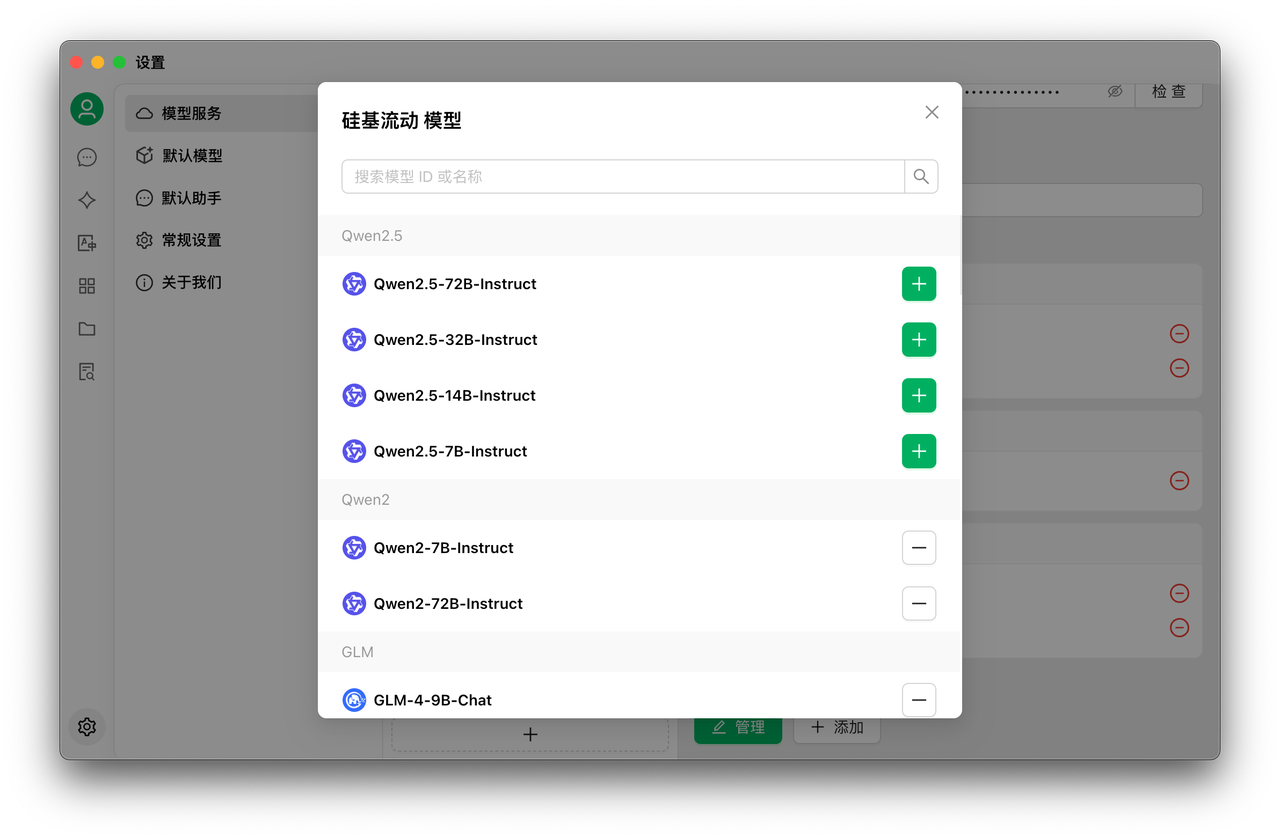
#### [](https://docs.siliconflow.cn/usercases/use-siliconcloud-in-cherry-studio#2-3) 1.3 Нажмите «Управление», чтобы добавить модель
## [](https://docs.siliconflow.cn/usercases/use-siliconcloud-in-cherry-studio#3) 2. Использование сервиса моделей
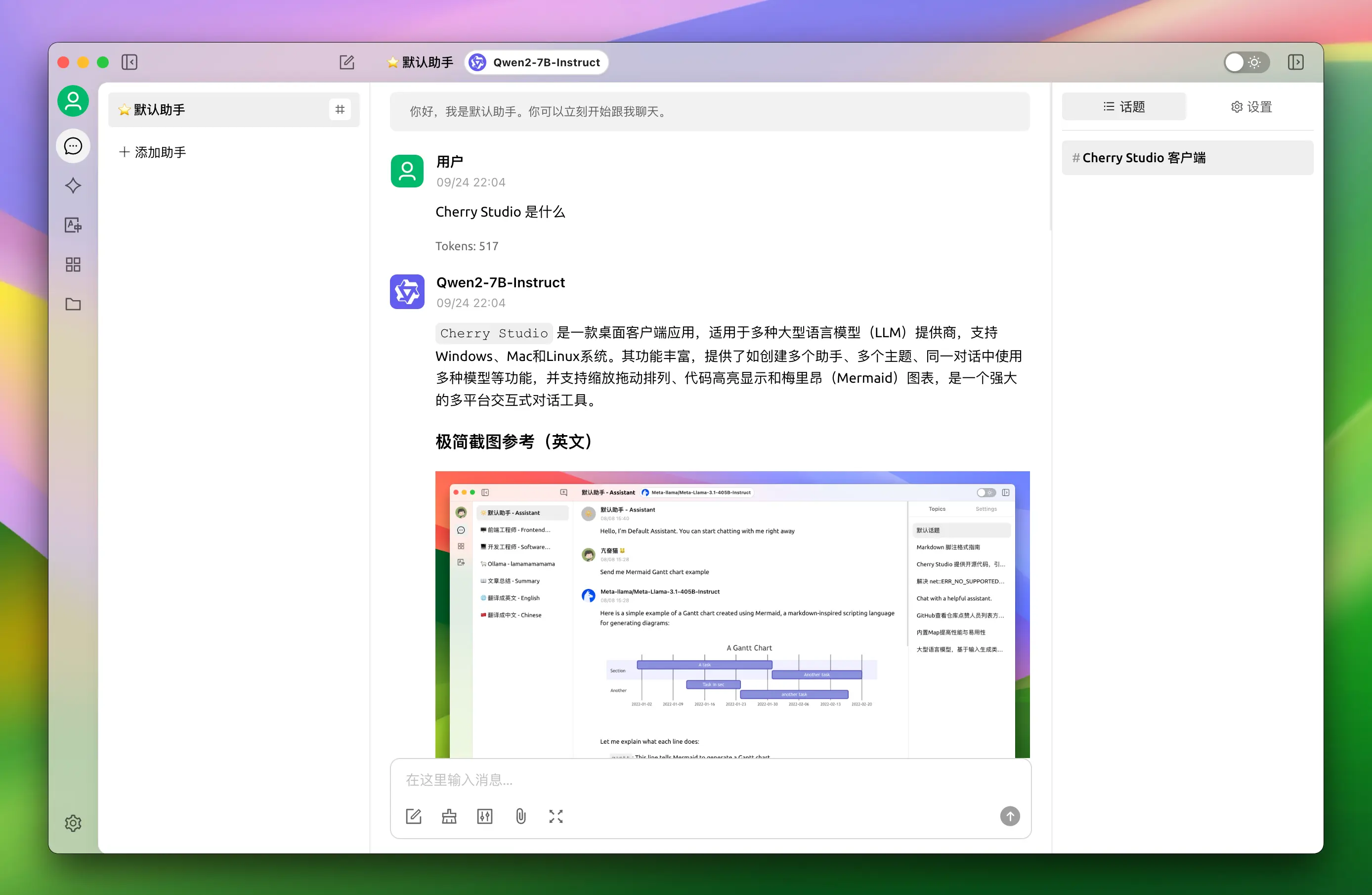
1. Нажмите кнопку «Чат» в левом меню
2. Чтобы начать чат, введите текст в поле ввода
3. Можно переключать модели, выбрав название модели в верхнем меню
***
### Получение помощи и отправка отзывов
Если у вас возникнут какие-либо вопросы, баги или предложения по улучшению функций в процессе настройки или использования, пожалуйста, [Отзывы и предложения](/docs/russian/question-contact/suggestions.md) через официальные каналы, указанные в разделе.
---
# Agent Instructions
This documentation is published with GitBook. GitBook is the documentation platform designed so that both humans and AI agents can read, navigate, and reason over technical content effectively. Learn more at gitbook.com.
## Querying This Documentation
If you need additional information that is not directly available in this page, you can query the documentation dynamically by asking a question.
Perform an HTTP GET request on the current page URL with the `ask` query parameter, and the optional `goal` query parameter:
```
GET https://docs.cherryai.com.cn/docs/russian/pre-basic/providers/siliconcloud.md?ask=&goal=
```
`ask` is the immediate question: it should be specific, self-contained, and written in natural language.
`goal` is optional and describes the broader end goal you are ultimately trying to accomplish on behalf of the user. GitBook uses it to tailor the answer towards what is most useful for that goal.
The response will contain a direct answer to the question and relevant excerpts and sources from the documentation.
Use this mechanism when the answer is not explicitly present in the current page, you need clarification or additional context, or you want to retrieve related documentation sections.