> For the complete documentation index, see [llms.txt](https://docs.cherryai.com.cn/llms.txt). Markdown versions of documentation pages are available by appending `.md` to page URLs; this page is available as [Markdown](https://docs.cherryai.com.cn/docs/jp/pre-basic/settings/notification.md).
# 通知
通知設定コントロール **ソフトウェアがバックグラウンドで動作しているときに、どのように通知するか**。別のウィンドウに切り替えて作業しているとき、Cherry Studio は重要なイベントが完了した際にシステム通知を表示し、待ちぼうけしたり結果を見逃したりするのを防ぎます。
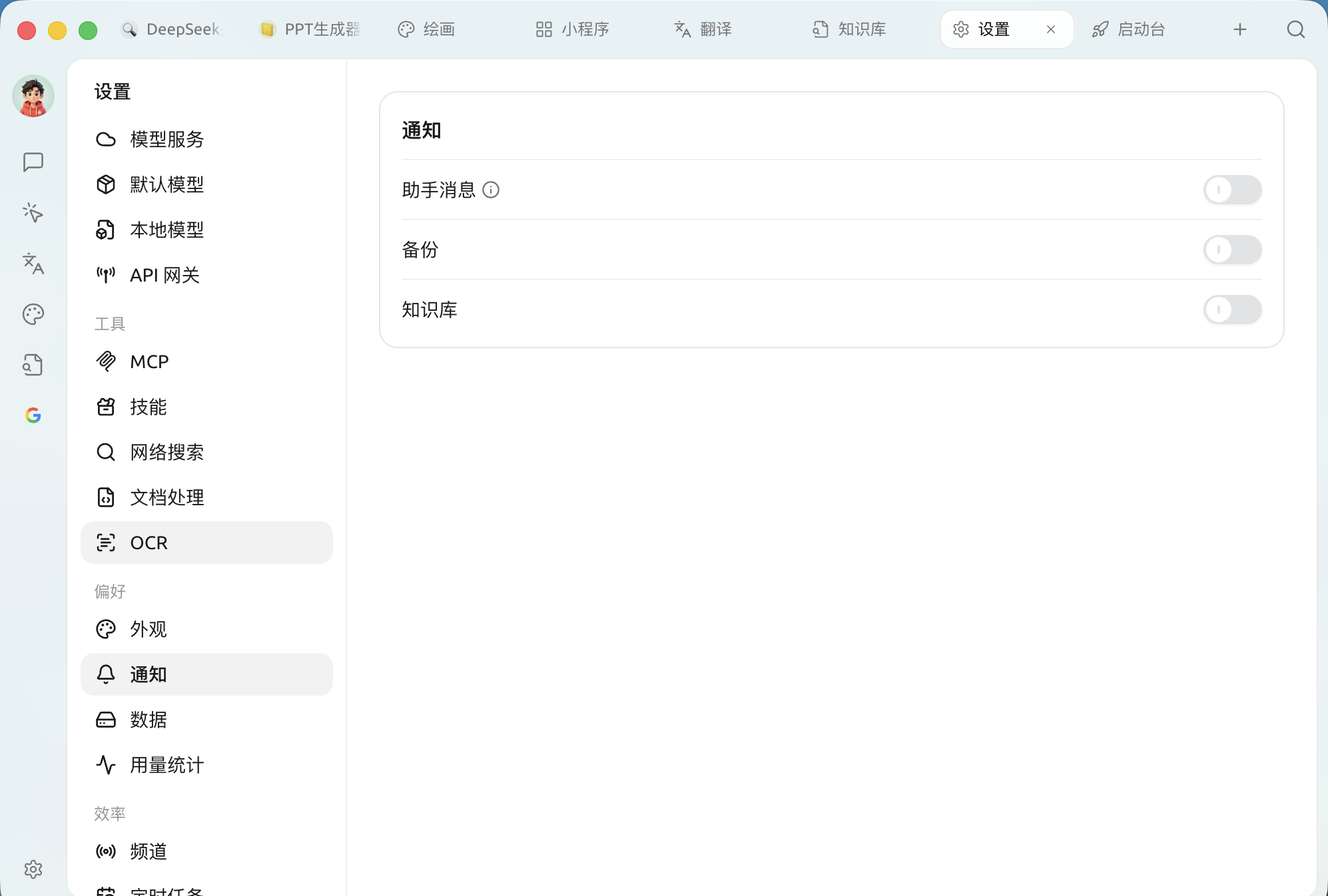
有効にすると `設定 → 通知`、ここには3つの個別スイッチがあります:
通知設定パネル
| スイッチ | いつ通知するか | おすすめ |
| --------------- | -------------------------------------------------------- | ------------------------------------------------ |
| **アシスタントメッセージ** | AI応答 **成功**、かつ生成 **に30秒以上かかる** 場合にのみ通知します(スイッチの横にⓘの説明あり) | **有効にする**。推論モデルや長文を生成するとき、画面を見つめて待つ必要はありません |
| **バックアップ** | 自動 / 手動バックアップ完了時 | **有効にする**。データが安全に保存されたことを確認します |
| **ナレッジベース** | ナレッジベース関連タスク(インデックス作成など)完了後の通知に使用します | **有効にする**。ナレッジベースの構築は通常時間がかかるため、完了後に通知を受け取ると安心です |
{% hint style="info" %}
これらの通知はオペレーティングシステムの通知センターを経由します。まったく通知が届かない場合は、システム側で Cherry Studio の通知送信が許可されているか確認してください(macOS の「通知」、Windows の「通知と操作」)。
{% endhint %}
***
### ヘルプの取得とフィードバックの送信
設定または使用中に不明点、バグ、機能改善の提案がある場合は、 [フィードバックと提案](/docs/jp/question-contact/suggestions.md) に記載の公式チャネルをご参照ください。
---
# Agent Instructions
This documentation is published with GitBook. GitBook is the documentation platform designed so that both humans and AI agents can read, navigate, and reason over technical content effectively. Learn more at gitbook.com.
## Querying This Documentation
If you need additional information that is not directly available in this page, you can query the documentation dynamically by asking a question.
Perform an HTTP GET request on the current page URL with the `ask` query parameter, and the optional `goal` query parameter:
```
GET https://docs.cherryai.com.cn/docs/jp/pre-basic/settings/notification.md?ask=&goal=
```
`ask` is the immediate question: it should be specific, self-contained, and written in natural language.
`goal` is optional and describes the broader end goal you are ultimately trying to accomplish on behalf of the user. GitBook uses it to tailor the answer towards what is most useful for that goal.
The response will contain a direct answer to the question and relevant excerpts and sources from the documentation.
Use this mechanism when the answer is not explicitly present in the current page, you need clarification or additional context, or you want to retrieve related documentation sections.