> For the complete documentation index, see [llms.txt](https://docs.cherryai.com.cn/llms.txt). Markdown versions of documentation pages are available by appending `.md` to page URLs; this page is available as [Markdown](https://docs.cherryai.com.cn/docs/jp/pre-basic/settings/display/font.md).

# おすすめフォント

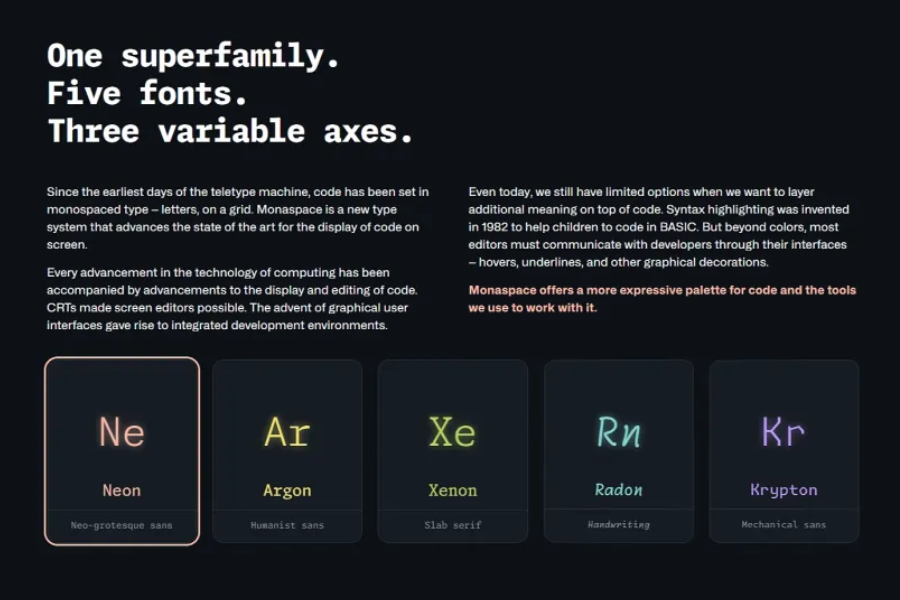
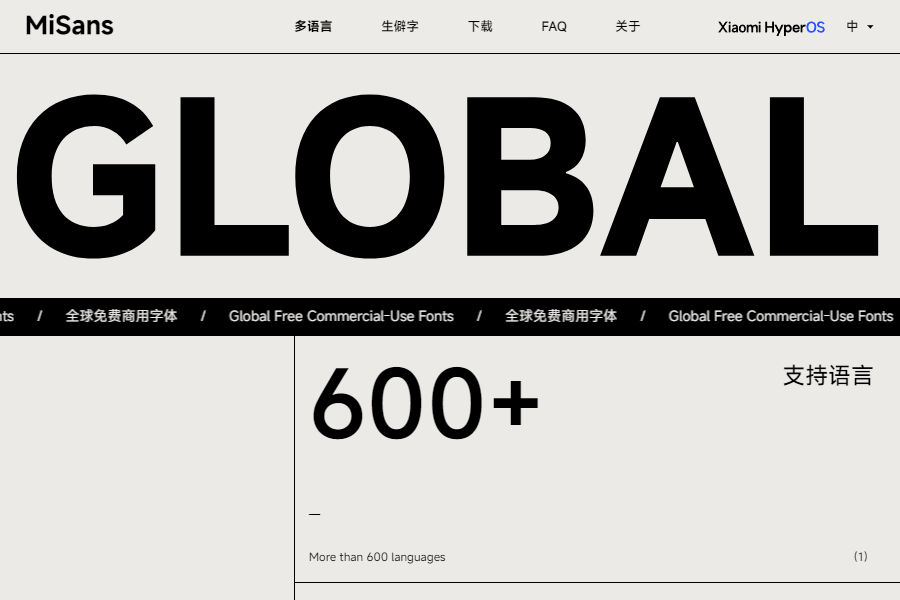
<table data-column-title-hidden data-view="cards"><thead><tr><th></th><th></th><th></th><th data-hidden data-type="content-ref"></th><th data-hidden data-type="content-ref"></th><th data-hidden data-type="files"></th><th data-hidden data-card-target data-type="content-ref"></th><th data-hidden data-card-cover data-type="files"></th><th data-hidden data-type="files"></th><th data-hidden><select></select></th><th data-hidden data-type="rating" data-max="5"></th><th data-hidden data-type="files"></th><th data-hidden data-type="rating" data-max="5"></th><th data-hidden data-type="content-ref"></th><th data-hidden data-type="files"></th><th data-hidden data-type="users" data-multiple></th><th data-hidden><select></select></th><th data-hidden data-type="users" data-multiple></th><th data-hidden data-type="checkbox"></th></tr></thead><tbody><tr><td><p><mark style="color:blue;"><strong>Monaspace</strong></mark></p><p><code>欧文フォント</code> <code>商用利用可</code></p></td><td>GitHub が Monaspace というオープンソースのフォントファミリーを発表しました。5種類のスタイルから選べます：Neon（モダンスタイル）、Argon（ヒューマニストスタイル）、Xenon（セリフスタイル）、Radon（手書き風スタイル）、Krypton（メカニカルスタイル）。</td><td></td><td></td><td></td><td></td><td><a href="https://github.com/githubnext/monaspace">https://github.com/githubnext/monaspace</a></td><td><a href="/files/941d32b98114f4bbbecc43f645c482749245bf77">/files/941d32b98114f4bbbecc43f645c482749245bf77</a></td><td></td><td></td><td>null</td><td></td><td>4</td><td></td><td></td><td></td><td></td><td></td><td>false</td></tr><tr><td><p><mark style="color:blue;"><strong>MiSans Global</strong></mark></p><p><code>多言語</code> <code>商用利用可</code></p></td><td><p>MiSans Global は、小米が主導し、蒙納字庫、漢儀字庫と共同で作り上げた、世界の言語向けフォントカスタマイズプロジェクトです。</p><p>これは非常に大きなフォントファミリーで、20以上の書記体系を網羅し、600以上の言語に対応しています。</p></td><td></td><td></td><td></td><td></td><td><a href="https://hyperos.mi.com/font/zh/">https://hyperos.mi.com/font/zh/</a></td><td><a href="/files/a93531cb7ac809efd64f055a4722383ac43e9253">/files/a93531cb7ac809efd64f055a4722383ac43e9253</a></td><td></td><td></td><td>null</td><td></td><td>null</td><td></td><td></td><td></td><td></td><td></td><td>false</td></tr></tbody></table>

***

### 💡 ヘルプの取得とフィードバックの送信

設定や使用中に疑問、バグ、または機能改善の提案がある場合は、 [フィードバックと提案](/docs/jp/question-contact/suggestions.md) に記載の公式チャネルをご参照ください。


---

# Agent Instructions
This documentation is published with GitBook. GitBook is the documentation platform designed so that both humans and AI agents can read, navigate, and reason over technical content effectively. Learn more at gitbook.com.

## Querying This Documentation
If you need additional information that is not directly available in this page, you can query the documentation dynamically by asking a question.

Perform an HTTP GET request on the current page URL with the `ask` query parameter, and the optional `goal` query parameter:

```
GET https://docs.cherryai.com.cn/docs/jp/pre-basic/settings/display/font.md?ask=<question>&goal=<endgoal>
```

`ask` is the immediate question: it should be specific, self-contained, and written in natural language.
`goal` is optional and describes the broader end goal you are ultimately trying to accomplish on behalf of the user. GitBook uses it to tailor the answer towards what is most useful for that goal.

The response will contain a direct answer to the question and relevant excerpts and sources from the documentation.

Use this mechanism when the answer is not explicitly present in the current page, you need clarification or additional context, or you want to retrieve related documentation sections.