> For the complete documentation index, see [llms.txt](https://docs.cherryai.com.cn/llms.txt). Markdown versions of documentation pages are available by appending `.md` to page URLs; this page is available as [Markdown](https://docs.cherryai.com.cn/docs/jp/pre-basic/settings/display/custom-css.md).

# カスタムCSS

カスタムCSSを使えば、ソースコードを変更せずにソフトの見た目を調整でき、フォントの変更、テーマカラーの変更、メッセージバブルの背景調整など、画面を自分の好みにより近づけられます。

### どこで設定するか

開く **【設定】→【外観】**、ページ下部にある **「カスタムCSS」** コード欄にスタイルを書き込めば、即時に反映されます。空欄のままなら、カスタムスタイルは読み込まれません。
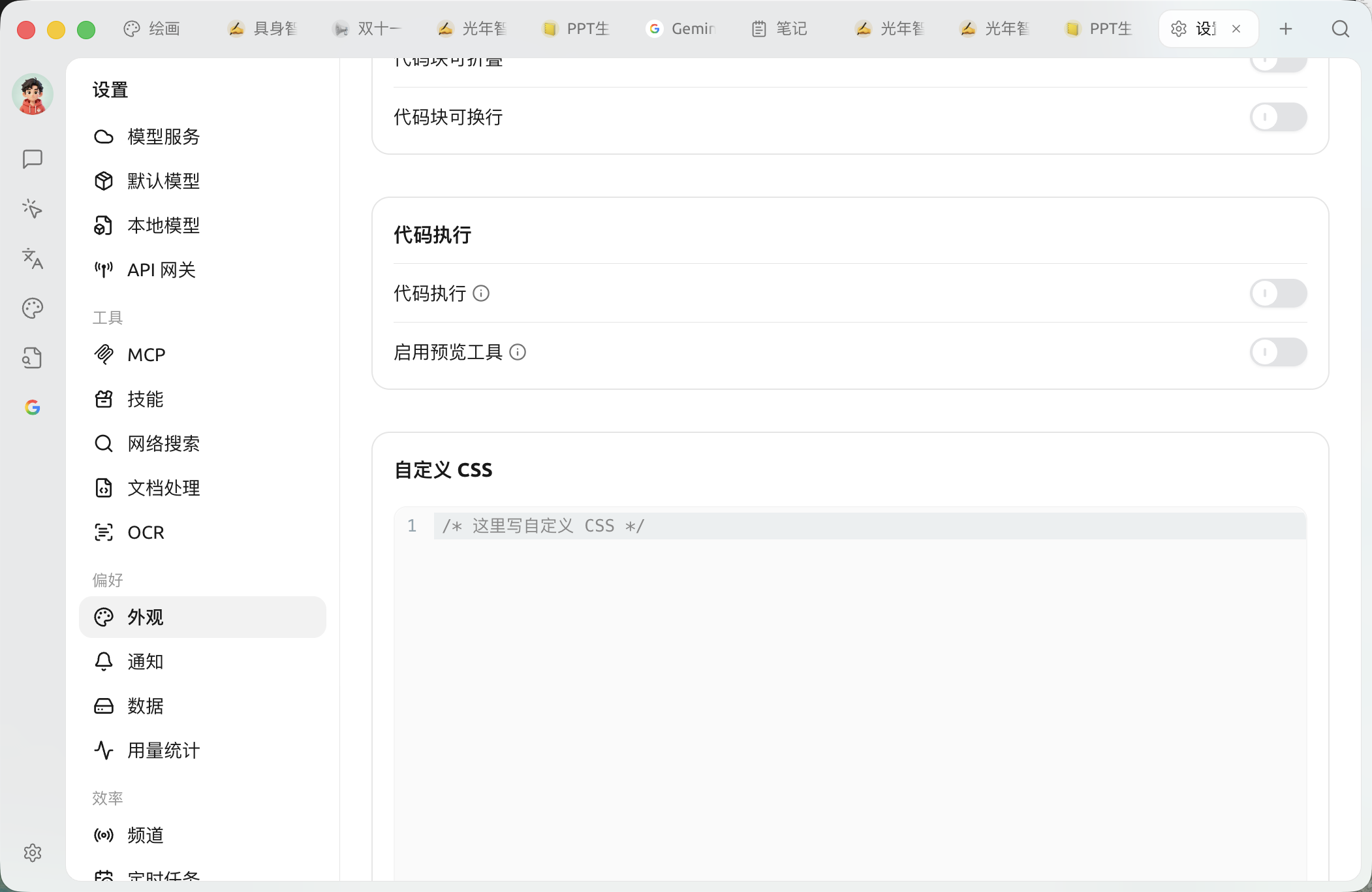
<figure><img src="https://3776196818-files.gitbook.io/~/files/v0/b/gitbook-x-prod.appspot.com/o/spaces%2F0Ut5BptC3t8CtSU1UWpM%2Fuploads%2Fgit-blob-b6adcd0ead703c7f46ba537135b1374f62e22267%2Fappearance-custom-css.png?alt=media" alt=""><figcaption><p>【設定】→【外観】ページ下部の「カスタムCSS」コード欄</p></figcaption></figure>

書き込んだCSSは、そのまま各ウィンドウの `<head>` 内に注入され、対応する `<style id="user-defined-custom-css">` 要素が作成されます。これはソフト内部のスタイル階層（cascade layer）に属さないため、同じセレクタ条件ではあなたのスタイルの優先度が標準スタイルより高くなり、多くの通常の宣言は `!important` を付けなくても上書きできます。

### 使えるサンプル

以下のコードは、現在実際に存在する変数とセレクタだけを使っています。

```css
/* 1. グローバルフォント */
body {
  font-family: "汉仪唐美人", sans-serif;
}

/* 2. テーマカラーとユーザーメッセージバブル背景（ライトテーマ / デフォルト） */
:root {
  --primary: #1a8f5a;
  --chat-user: rgba(26, 143, 90, 0.08);
}

/* 3. ダークテーマでは個別に上書き（ダークテーマに切り替えると根要素に .dark クラスが付く） */
.dark {
  --primary: #28b561;
  --chat-user: rgba(40, 181, 97, 0.12);
}

/* 4. メインコンテンツ領域の背景色を直接変更 */
#content-container {
  background-color: #f6f4ec;
}
```

### テーマ変数について

ソフトは配色を表すために、CSSのカスタムプロパティ（変数）を一式使っています。ライトテーマのデフォルト値は `:root` に定義され、ダークテーマの上書き値は `.dark` に定義されています。ダークテーマに切り替えると、ルート要素に `.dark` クラスが付与されます。したがって、ライト／ダークを分けたい場合は、旧来の `:root` と `.dark` セレクタではなく、 `theme-mode` 属性セレクタを使わずにそれぞれ記述してください。

よく使われる公開変数には次のようなものがあります：

| 変数                                     | 意味                     |
| -------------------------------------- | ---------------------- |
| `--background` / `--foreground`        | メイン背景色 / メイン前景（文字）色    |
| `--primary` / `--primary-foreground`   | テーマカラー / テーマカラー上の文字色   |
| `--card` / `--popover`                 | カード、ポップオーバーの背景色        |
| `--muted` / `--muted-foreground`       | 弱めの背景 / 弱めの文字色         |
| `--border` / `--input` / `--ring`      | 枠線、入力欄、フォーカス時のアウトライン色  |
| `--sidebar` 系                          | サイドバー関連の配色             |
| `--chat-user`                          | ユーザーメッセージバブルの背景色       |
| `--link`                               | リンク色                   |
| `--code-block` / `--inline-code`       | コードブロック / インラインコードの背景色 |
| `--font-family` / `--code-font-family` | グローバルフォント / コードフォント    |
| `--radius`                             | 角丸の基準値                 |

変数の完全な一覧とデフォルト値はソースコードを参照してください：

* インターフェーススタイルとコンテナ：<https://github.com/CherryHQ/cherry-studio/tree/main/src/renderer/assets/styles>
* テーマデザイントークン（設計変数）：<https://github.com/CherryHQ/cherry-studio/tree/main/packages/ui/src/styles>

### 旧スタイルシートを貼り付ける際の注意

旧バージョン向けに作成され、現在のUIと互換性のないスタイルシートを貼り付けた場合、ソフトが自動的に無効化し、カスタムCSS欄に案内を表示することがあります。その場合は、まず現在の変数とセレクタに合わせてスタイルを調整し、案内に従って先頭行のマークを削除して再有効化してください。

### 関連おすすめ

Cherry Studio テーマライブラリ： <https://github.com/boilcy/cherrycss>

中国風のCherry Studioテーマスキンをいくつか共有： <https://linux.do/t/topic/325119/129>

***

### 💡 ヘルプの取得とフィードバックの送信

設定や使用中に疑問、バグ、または機能改善の提案がある場合は、 [フィードバックと提案](/docs/jp/question-contact/suggestions.md) に記載の公式チャネルをご参照ください。


---

# Agent Instructions
This documentation is published with GitBook. GitBook is the documentation platform designed so that both humans and AI agents can read, navigate, and reason over technical content effectively. Learn more at gitbook.com.

## Querying This Documentation
If you need additional information that is not directly available in this page, you can query the documentation by asking a question.

Perform an HTTP GET request on the following URL with the `ask` and `goal` query parameters:

```
GET https://docs.cherryai.com.cn/docs/jp/pre-basic/settings/display/custom-css.md?ask=<question>&goal=<user_goal>
```

`ask` is the immediate question: it should be specific, self-contained, and written in natural language.
`goal` is what the user is ultimately trying to achieve, the reason they need the answer. Sharing it helps GitBook give you a better, more relevant answer. A goal is most helpful when it describes the outcome the user wants rather than restating the question. For example, with `ask=how do I create an API token`, a goal like `automate deployments from our CI pipeline` lets GitBook tailor the answer to that use case.

The response will contain a direct answer to the question and relevant excerpts and sources from the documentation.

Use this mechanism when the answer is not explicitly present in the current page, you need clarification or additional context, or you want to retrieve related documentation sections.
