> For the complete documentation index, see [llms.txt](https://docs.cherryai.com.cn/llms.txt). Markdown versions of documentation pages are available by appending `.md` to page URLs; this page is available as [Markdown](https://docs.cherryai.com.cn/docs/jp/pre-basic/settings/default-models.md).
# デフォルトモデル設定
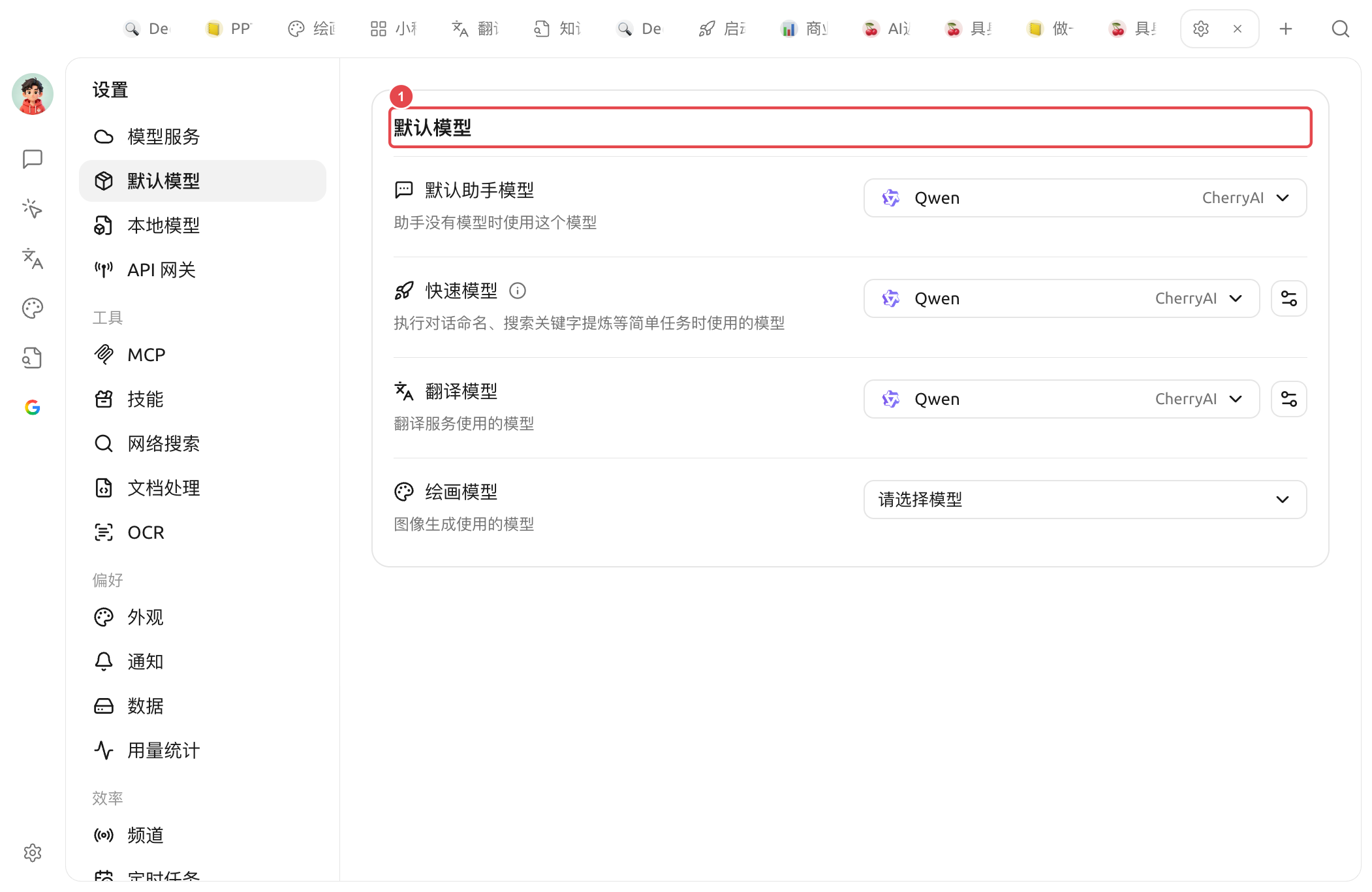
Cherry Studio は多くの場面で「ひとつモデルを選んで使う」必要があります(たとえば、会話の名前付け、プロンプトの最適化、翻訳、画像生成の補助など)。毎回「どのモデルを使う?」と聞くわけにはいきません。**デフォルトモデル設定** つまり、Cherry Studio にこう伝えます:**私が明示しないときは、どのモデルを使うか**。
> 注意:これらは「裏方の作業員」が使うモデルで、**あなたとチャットするためのモデルとは別でも構いません**。チャット用のメインモデルは各アシスタントごとに個別に設定します。
## 4つのデフォルトモデルはそれぞれ何を担当する?
### デフォルトアシスタントモデル
* **使う人**:アシスタントに自身のモデルが指定されていない場合、ここで設定したモデルが自動的に使われます
* **選び方**:普段よく使う、安定していて価格も妥当な会話モデルを選びます
### 高速モデル
* **使う人**:**会話の命名**、**検索キーワードの抽出** などの軽量で、最高レベルの知能を必要としない内部タスク
* **選び方**: **安くて速い** モデルで十分です。軽量モデルを推奨し、思考モデルは推奨しません
### 翻訳モデル
* **使う人**:チャット欄内のメッセージ翻訳、翻訳ページ;[選択テキスト支援](/docs/jp/cherry-studio/preview/selection-assistant.md) の翻訳操作
* **選び方**:普通の会話モデルで問題ありません;中英翻訳が多いなら、DeepSeek や Claude 系がより良い結果です
### 描画モデル
* **使う人**:画像生成(描画)でデフォルト使用するモデル
* **選び方**:設定済みの画像生成モデル(例:qwen-image 系列)を選びます
## ひと言でおすすめ
もし細かく考えたくないなら、下のように入力すればOKです:
| 項目 | おすすめ |
| -------------- | -------------------------------------------------- |
| デフォルトアシスタントモデル | あなたが最もよく使う会話モデル |
| 高速モデル | 安くて速い軽量モデル |
| 翻訳モデル | 指示に従える会話モデルなら何でもOKです(翻訳専用モデルを選んでも可。たとえば qwen-mt 系) |
| 描画モデル | あなたが設定済みの画像生成モデル |
迷ったら全部デフォルトのままにして、しばらく使ってみて、足りないものが分かったらそのとき戻って調整すれば大丈夫です。
***
### ヘルプの取得とフィードバックの送信
設定または使用中に不明点、バグ、機能改善の提案がある場合は、 [フィードバックと提案](/docs/jp/question-contact/suggestions.md) に記載の公式チャネルをご参照ください。
---
# Agent Instructions
This documentation is published with GitBook. GitBook is the documentation platform designed so that both humans and AI agents can read, navigate, and reason over technical content effectively. Learn more at gitbook.com.
## Querying This Documentation
If you need additional information that is not directly available in this page, you can query the documentation dynamically by asking a question.
Perform an HTTP GET request on the current page URL with the `ask` query parameter, and the optional `goal` query parameter:
```
GET https://docs.cherryai.com.cn/docs/jp/pre-basic/settings/default-models.md?ask=&goal=
```
`ask` is the immediate question: it should be specific, self-contained, and written in natural language.
`goal` is optional and describes the broader end goal you are ultimately trying to accomplish on behalf of the user. GitBook uses it to tailor the answer towards what is most useful for that goal.
The response will contain a direct answer to the question and relevant excerpts and sources from the documentation.
Use this mechanism when the answer is not explicitly present in the current page, you need clarification or additional context, or you want to retrieve related documentation sections.