> For the complete documentation index, see [llms.txt](https://docs.cherryai.com.cn/llms.txt). Markdown versions of documentation pages are available by appending `.md` to page URLs; this page is available as [Markdown](https://docs.cherryai.com.cn/docs/jp/pre-basic/providers/github-copilot.md).
# GitHub Copilot
GitHub Copilot を使用するには、まず GitHub アカウントを持ち、GitHub Copilot サービスに加入する必要があります。free 版のサブスクリプションでも構いませんが、free 版では最新の Claude 3.7 モデルはサポートされません。詳しくは [GitHub Copilot 公式サイト](https://github.com/features/copilot)を参照してください。
## Device Code を取得
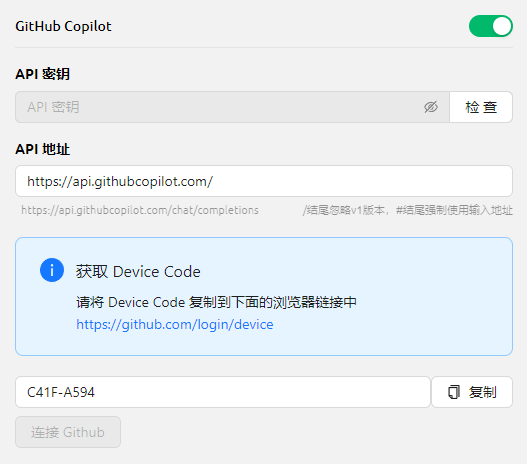
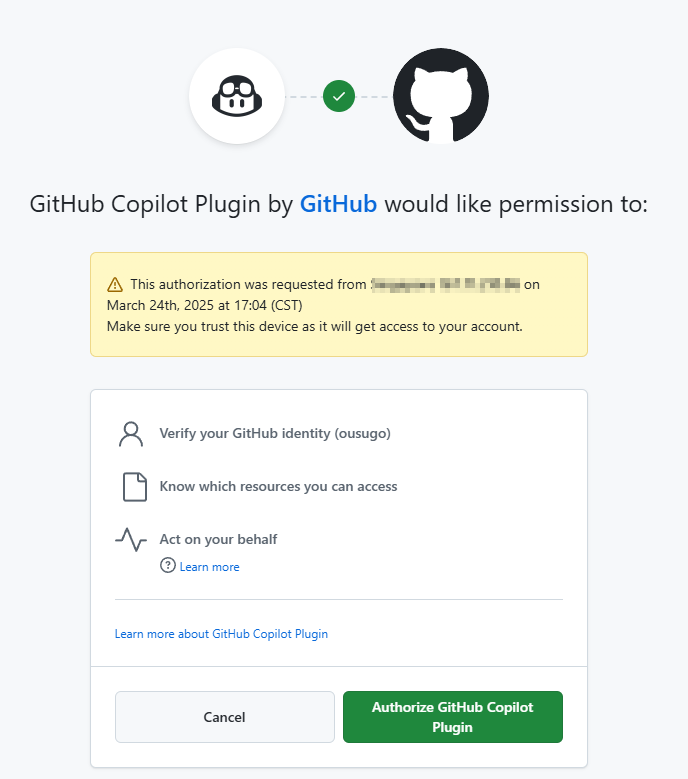
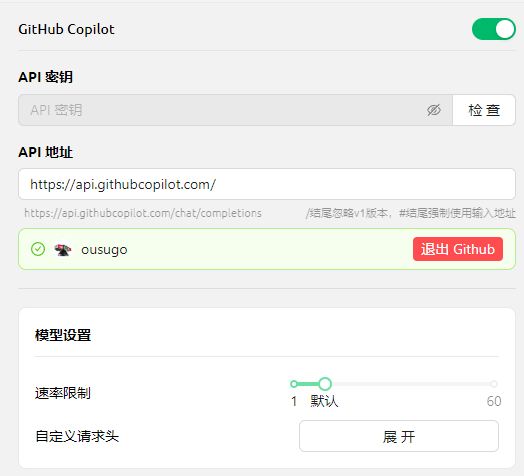
「GitHub にログイン」をクリックして、Device Code を取得し、コピーします。
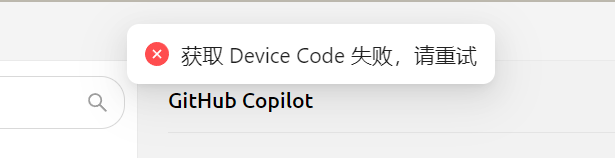
現在は Axios を使ってリクエストを構築しています。Axios は socks プロキシをサポートしていないため、システムプロキシまたは HTTP プロキシを使用してください。あるいは、CherryStudio でプロキシを設定せず、グローバルプロキシを使用してください。まず、Device Code の取得失敗を避けるため、ネットワーク接続が正常であることを確認してください。
***
### ヘルプの取得とフィードバックの送信
設定や使用中に疑問、バグ、または機能改善の提案がある場合は、 [フィードバックと提案](/docs/jp/question-contact/suggestions.md) に記載の公式チャネルをご参照ください。
---
# Agent Instructions
This documentation is published with GitBook. GitBook is the documentation platform designed so that both humans and AI agents can read, navigate, and reason over technical content effectively. Learn more at gitbook.com.
## Querying This Documentation
If you need additional information that is not directly available in this page, you can query the documentation dynamically by asking a question.
Perform an HTTP GET request on the current page URL with the `ask` query parameter, and the optional `goal` query parameter:
```
GET https://docs.cherryai.com.cn/docs/jp/pre-basic/providers/github-copilot.md?ask=&goal=
```
`ask` is the immediate question: it should be specific, self-contained, and written in natural language.
`goal` is optional and describes the broader end goal you are ultimately trying to accomplish on behalf of the user. GitBook uses it to tailor the answer towards what is most useful for that goal.
The response will contain a direct answer to the question and relevant excerpts and sources from the documentation.
Use this mechanism when the answer is not explicitly present in the current page, you need clarification or additional context, or you want to retrieve related documentation sections.