> For the complete documentation index, see [llms.txt](https://docs.cherryai.com.cn/llms.txt). Markdown versions of documentation pages are available by appending `.md` to page URLs; this page is available as [Markdown](https://docs.cherryai.com.cn/docs/jp/pre-basic/providers/a-li-yun-bai-lian.md).
# Alibaba Cloud 百炼
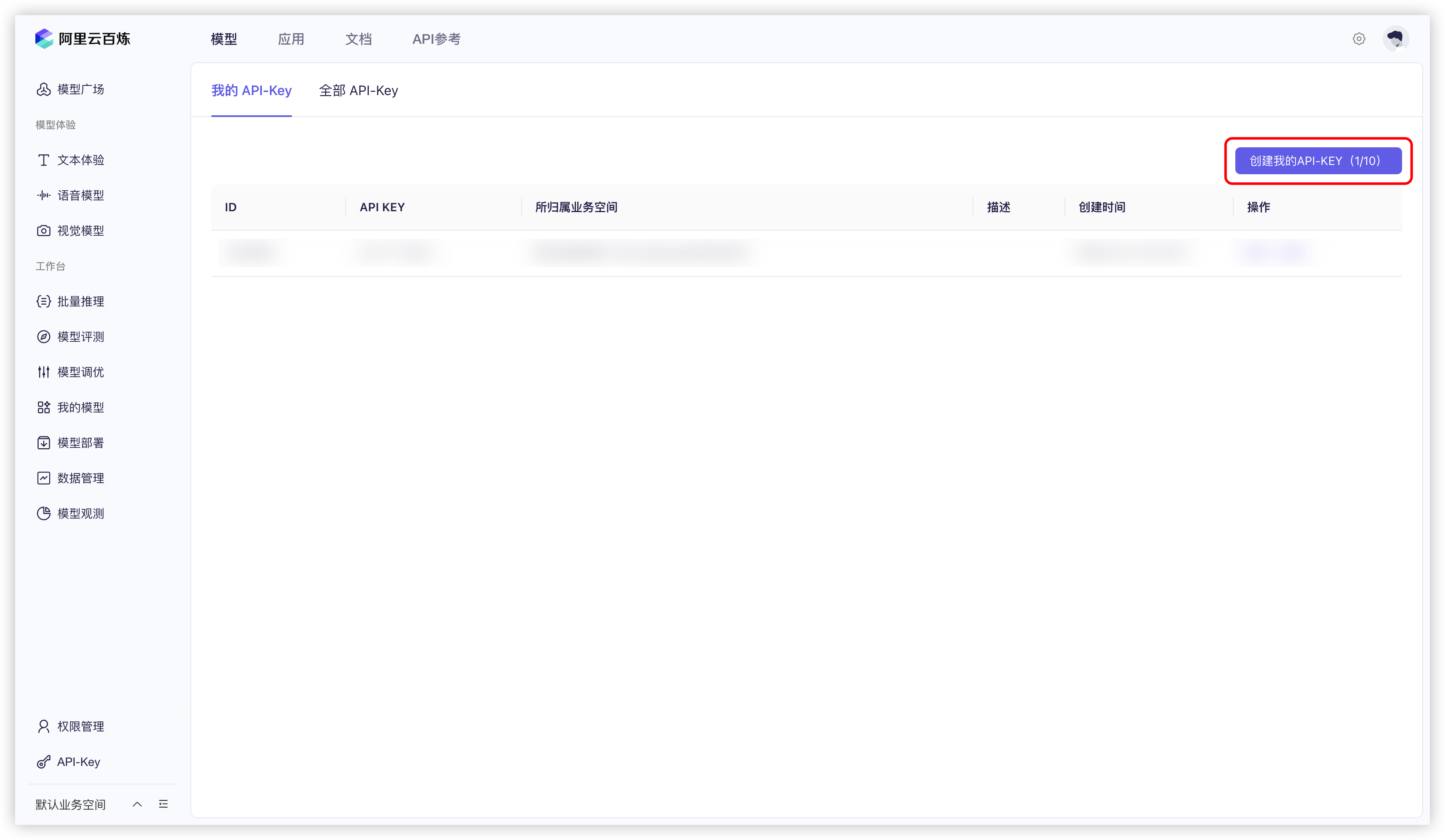
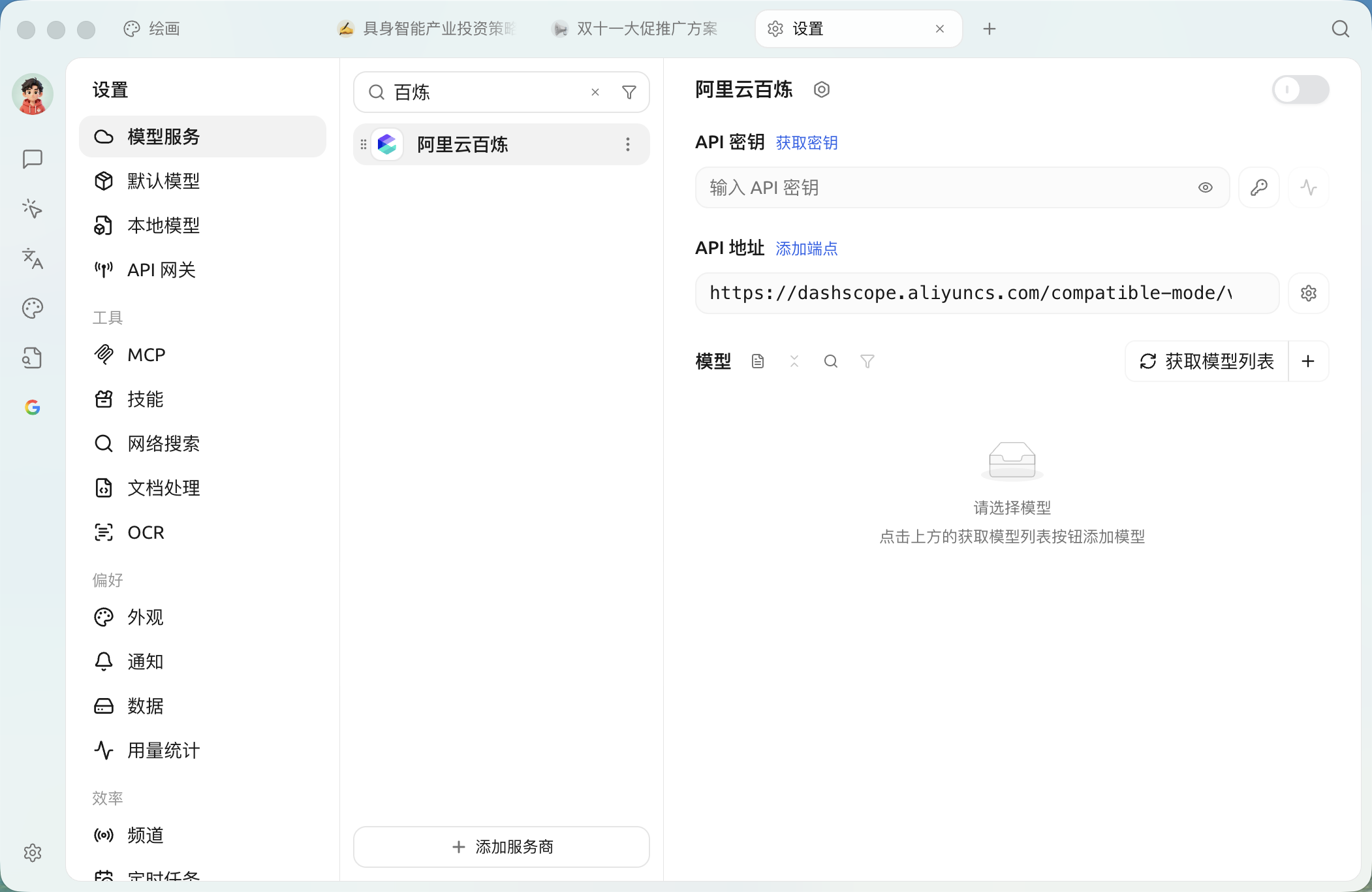
1. ログイン [Alibaba Cloud 百錬](https://bailian.console.aliyun.com/?tab=model#/api-key)Alibaba Cloud アカウントがない場合は、登録が必要です。
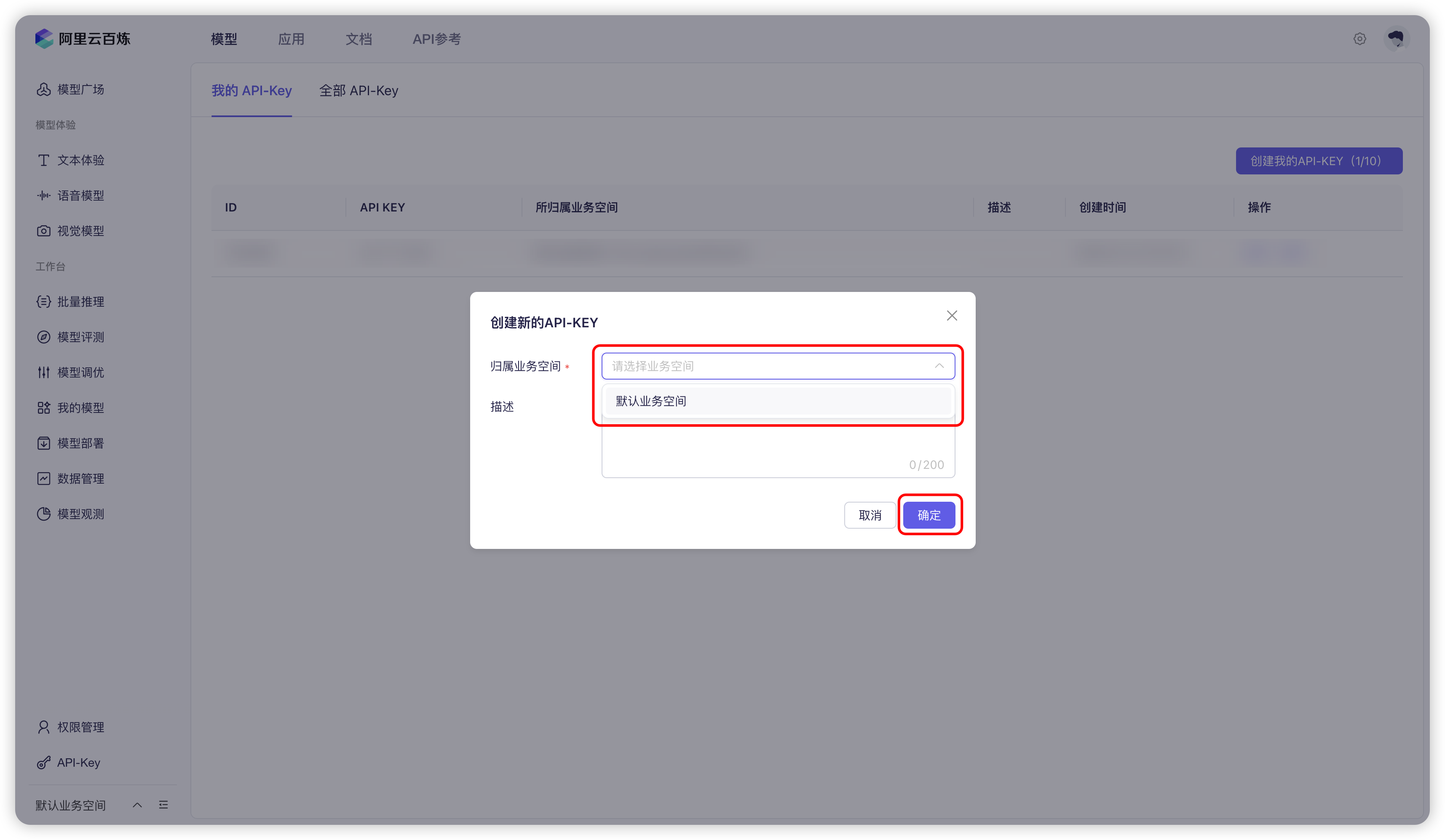
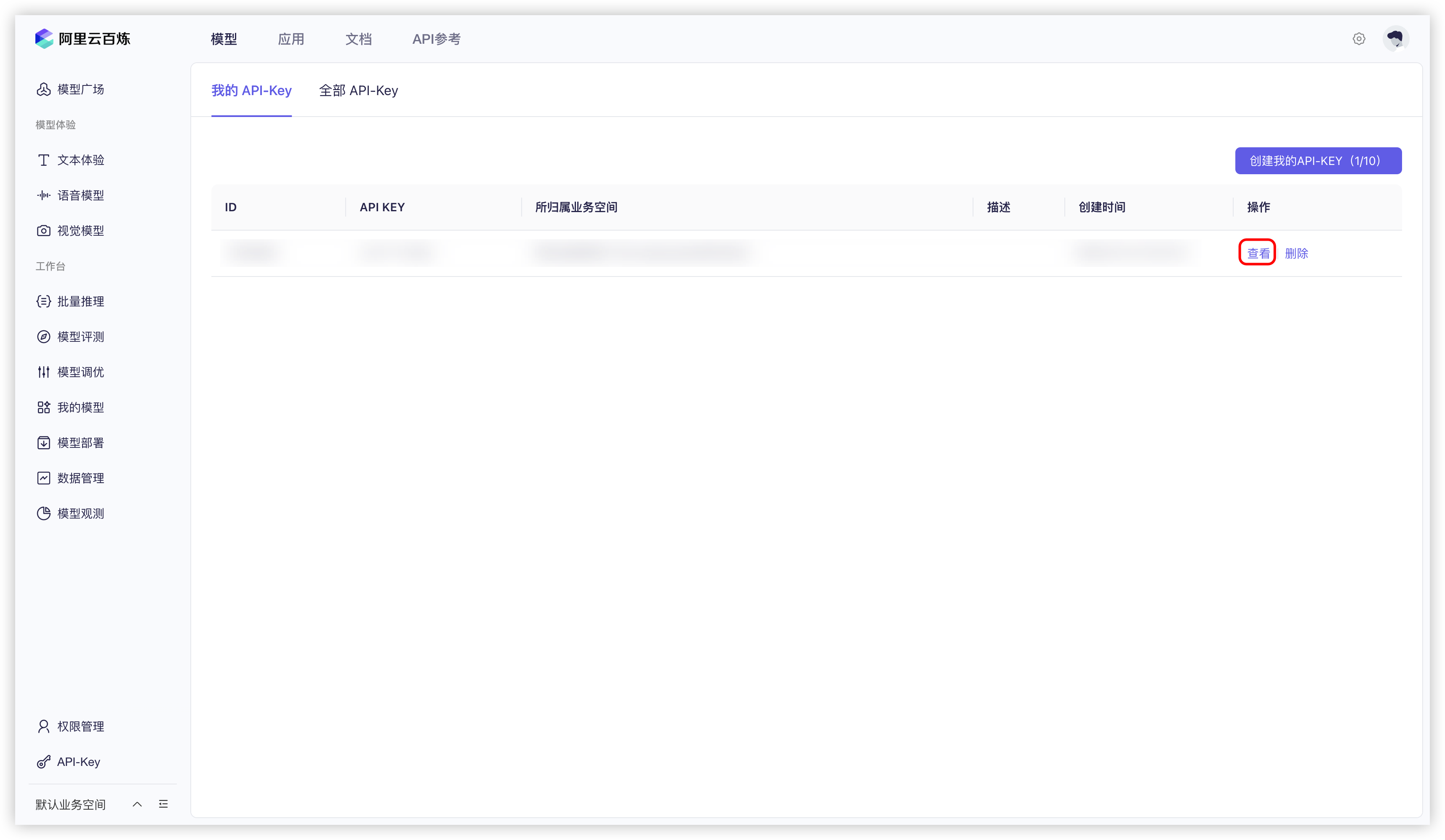
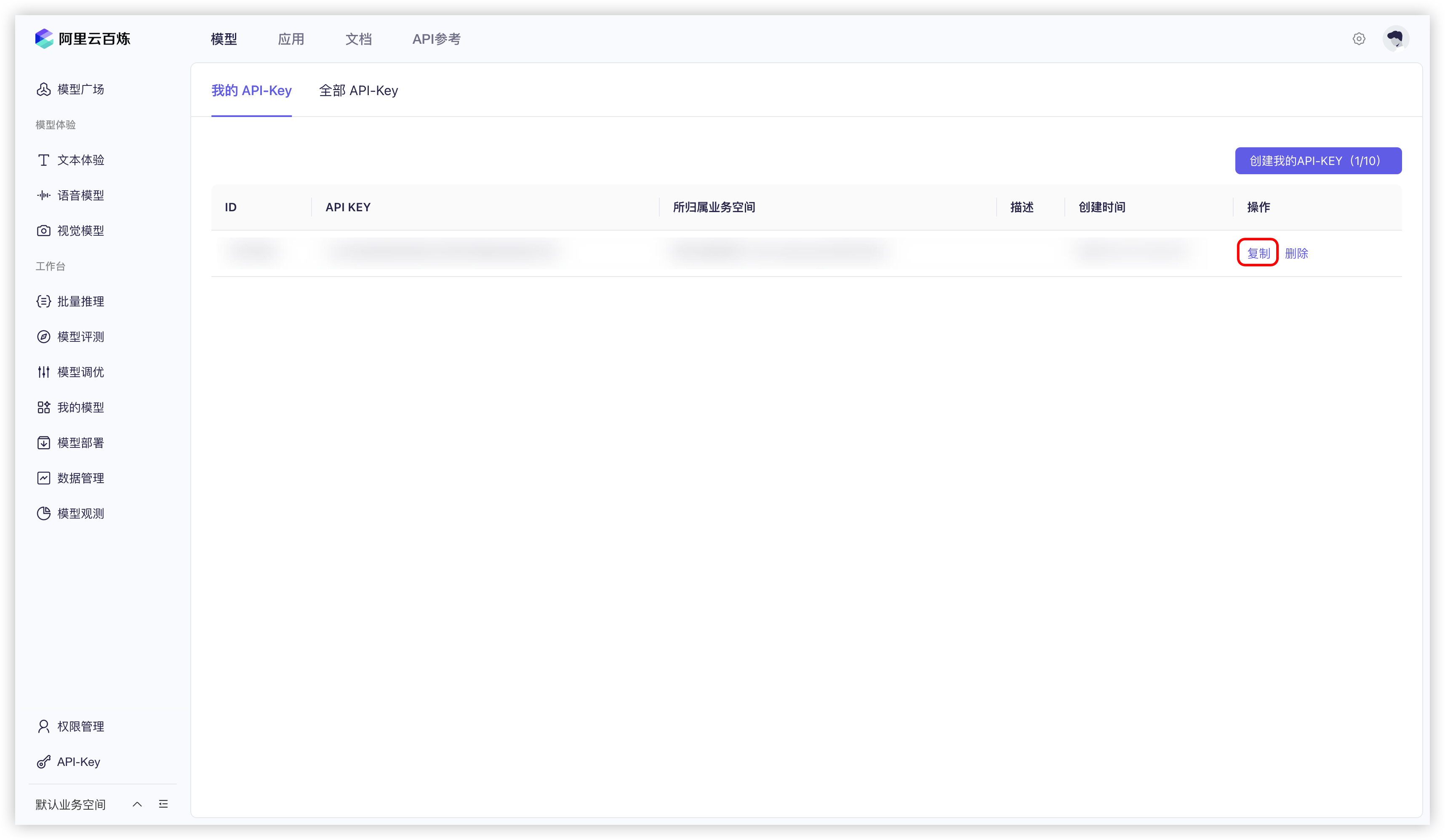
2. 右上隅の `APIキーを作成` ボタン。
8. に従って [モデルサービス](/docs/jp/pre-basic/providers/providers.md) の説明に従って関連設定を調整すれば、使用できるようになります。
## ネイティブのネット接続とURL読み取り
Alibaba Cloud 百錬でネット接続機能をサポートするモデルは、ネイティブの検索を使用できます。一部の Qwen モデルは URL コンテンツの読み取りもサポートしています。モデルを選ぶ際は、名前の横の 🌐 アイコンを基準にしてください。具体的な機能は百錬モデルの更新により変わる場合があります。
会話中で 🌐 をオンにした後、【設定】→【ネットワーク検索】の【設定済みの検索サービスを優先的に使用】がオンのままなら、Cherry Studio は設定済みの検索サービスを優先して使用します。このオプションをオフにすると、モデルのネイティブ機能が優先されます。詳細は ネット接続モード を参照してください。
{% hint style="info" %}
モデル一覧に Alibaba Cloud 百錬 のモデルがない場合は、 [モデルサービス](/docs/jp/pre-basic/providers/providers.md) の説明に従ってモデルを追加し、このプロバイダーを有効にしていることを確認してください。
{% endhint %}
***
### ヘルプの取得とフィードバックの送信
設定または使用中に不明点、バグ、機能改善の提案がある場合は、 [フィードバックと提案](/docs/jp/question-contact/suggestions.md) に記載の公式チャネルをご参照ください。
---
# Agent Instructions
This documentation is published with GitBook. GitBook is the documentation platform designed so that both humans and AI agents can read, navigate, and reason over technical content effectively. Learn more at gitbook.com.
## Querying This Documentation
If you need additional information that is not directly available in this page, you can query the documentation dynamically by asking a question.
Perform an HTTP GET request on the current page URL with the `ask` query parameter, and the optional `goal` query parameter:
```
GET https://docs.cherryai.com.cn/docs/jp/pre-basic/providers/a-li-yun-bai-lian.md?ask=&goal=
```
`ask` is the immediate question: it should be specific, self-contained, and written in natural language.
`goal` is optional and describes the broader end goal you are ultimately trying to accomplish on behalf of the user. GitBook uses it to tailor the answer towards what is most useful for that goal.
The response will contain a direct answer to the question and relevant excerpts and sources from the documentation.
Use this mechanism when the answer is not explicitly present in the current page, you need clarification or additional context, or you want to retrieve related documentation sections.