> For the complete documentation index, see [llms.txt](https://docs.cherryai.com.cn/llms.txt). Markdown versions of documentation pages are available by appending `.md` to page URLs; this page is available as [Markdown](https://docs.cherryai.com.cn/docs/jp/cherry-studio/preview/knowledge-base.md).
# ナレッジベース
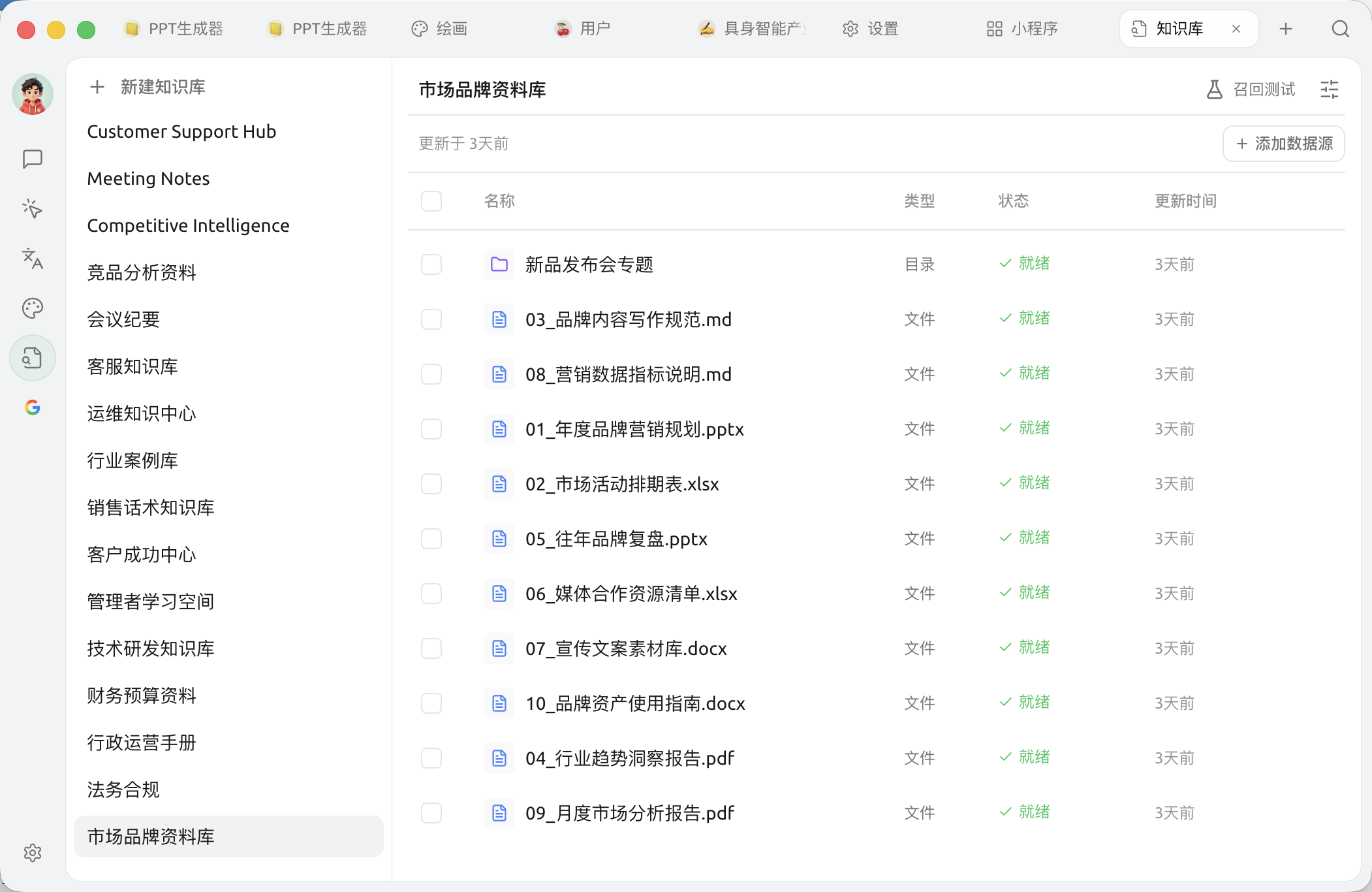
ナレッジベースは、AIに1冊の **専用の参考書**:自分の文書、ノート、URLを放り込んでおき、あとでチャットするときにAIにこの本を引かせて質問に答えさせる。
## ナレッジベースで何ができる?
実際のシーンをいくつか挙げると:
* **社内ナレッジアシスタント**:製品マニュアル、APIドキュメント、社内規程を全部入れておき、社員が質問するとAIが自動で回答する
* **個人資料マネージャー**:これまでの仕事のメモ、読書の抜き書き、メールのアーカイブを入れておき、AIに「去年どのPPTでその分析フレームワークに触れた?」と聞く
* **学習の伴走役**:講義資料や論文を入れて、AIに章ごとの問題作成や疑問解消を手伝ってもらう
* **契約 / 法規の素早い参照**:法令や契約テンプレートを入れて、AIに具体的な条項の適用を尋ねる
## なぜナレッジベースを使うのか、直接AIにファイルを投げないのか?
ファイルを直接投げる場合の制約:
* 毎回質問のたびに再アップロードが必要で面倒
* 1回の対話には長さ制限があり、長文書は収まらない
* 会話をまたいで再利用できない
**ナレッジベースは上の問題をすべて解決する**:一度アップロードすれば、その後はどんな会話でも呼び出せ、しかも大量の資料から「関連する箇所を的確に抜き出して」AIに渡せる。
## どう使う?
* 初めて使うなら: [ナレッジベース完全ガイド](/docs/jp/knowledge-base/knowledge-base.md)
* 画像 / スキャンPDFを追加したいなら:まず [ドキュメント前処理](/docs/jp/knowledge-base/document-preprocessing.md)、AIが画像内の文字を「読める」ようにする
* 埋め込みモデルの選び方を知りたいなら: [埋め込みモデルの参考](/docs/jp/knowledge-base/emb-models-info.md)
* オフラインで使いたくて、クラウド埋め込みを使わないなら:内蔵の [ローカル埋め込みモデル](/docs/jp/pre-basic/settings/local-models.md)を使えば、ナレッジベースはネット接続なしでインデックス作成と検索ができる
* データの保存先を知りたいなら: [ナレッジベースのデータ](/docs/jp/knowledge-base/data.md)
## 他の機能との組み合わせ
* **ナレッジベース + アシスタント**:あるアシスタントにナレッジベースを「接続」すると、その分野に特化する
* **ナレッジベース +** [**エージェント**](/docs/jp/cherry-studio/preview/agent.md):エージェントがタスクの途中で自分でナレッジベースを調べるようにする
* **ナレッジベース +** [**チャンネル**](/docs/jp/advanced-basic/automation/channels.md):"社内文書を検索できる"エージェントをFeishuグループに派遣して当番させる
{% hint style="info" %}
まず読むのがおすすめ [応用機能マップ](/docs/jp/advanced-basic/capability-map.md)、ナレッジベースとエージェント、MCP、チャンネルなどの機能がどう連携するかを理解する。
{% endhint %}
***
### ヘルプの取得とフィードバックの送信
設定または使用中に不明点、バグ、機能改善の提案がある場合は、 [フィードバックと提案](/docs/jp/question-contact/suggestions.md) に記載の公式チャネルをご参照ください。
---
# Agent Instructions
This documentation is published with GitBook. GitBook is the documentation platform designed so that both humans and AI agents can read, navigate, and reason over technical content effectively. Learn more at gitbook.com.
## Querying This Documentation
If you need additional information that is not directly available in this page, you can query the documentation dynamically by asking a question.
Perform an HTTP GET request on the current page URL with the `ask` query parameter, and the optional `goal` query parameter:
```
GET https://docs.cherryai.com.cn/docs/jp/cherry-studio/preview/knowledge-base.md?ask=&goal=
```
`ask` is the immediate question: it should be specific, self-contained, and written in natural language.
`goal` is optional and describes the broader end goal you are ultimately trying to accomplish on behalf of the user. GitBook uses it to tailor the answer towards what is most useful for that goal.
The response will contain a direct answer to the question and relevant excerpts and sources from the documentation.
Use this mechanism when the answer is not explicitly present in the current page, you need clarification or additional context, or you want to retrieve related documentation sections.