> For the complete documentation index, see [llms.txt](https://docs.cherryai.com.cn/llms.txt). Markdown versions of documentation pages are available by appending `.md` to page URLs; this page is available as [Markdown](https://docs.cherryai.com.cn/docs/jp/advanced-basic/extensions/skills.md).

# スキルと能力ライブラリ

スキルは、再利用可能な作業指示と付随リソースのセットです。外部システムを接続するものではなく、タスクを完了するために Agent がどのような手順、基準、形式に従うべきかを示します。

{% hint style="success" %}
何らかの作業方法が必要なときは、まず【作業】で Agent に目的を伝え、適切なスキルを探すかインストールするのを手伝ってもらってください。ソースの確認、一括管理、ローカルからのインポートが必要な場合にのみ、【設定】→【スキル】を開きます。
{% endhint %}

<figure><img src="/files/b6beb2514fff587db11871f8a59ffdfe859c1947" alt="根据任务需要选择知识库、技能、内置工具或 MCP 的关系图"><figcaption><p>繰り返し使う方法はスキルとして蓄積するのに適しており、資料・組み込み操作・外部システムはそれぞれ対応する入口を使います。</p></figcaption></figure>

## スキルをインストール

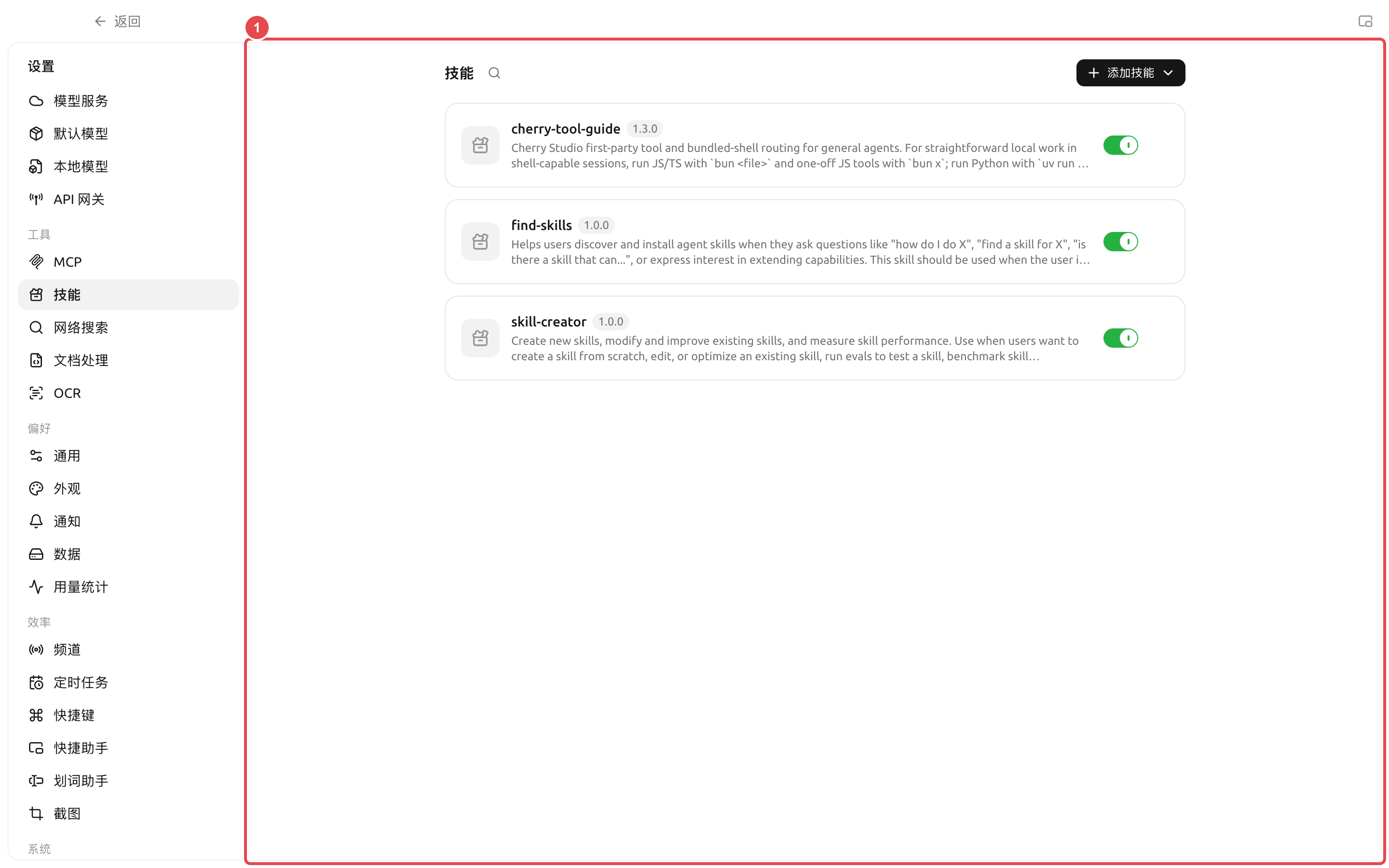
手動の手順: 【設定】→【スキル】。

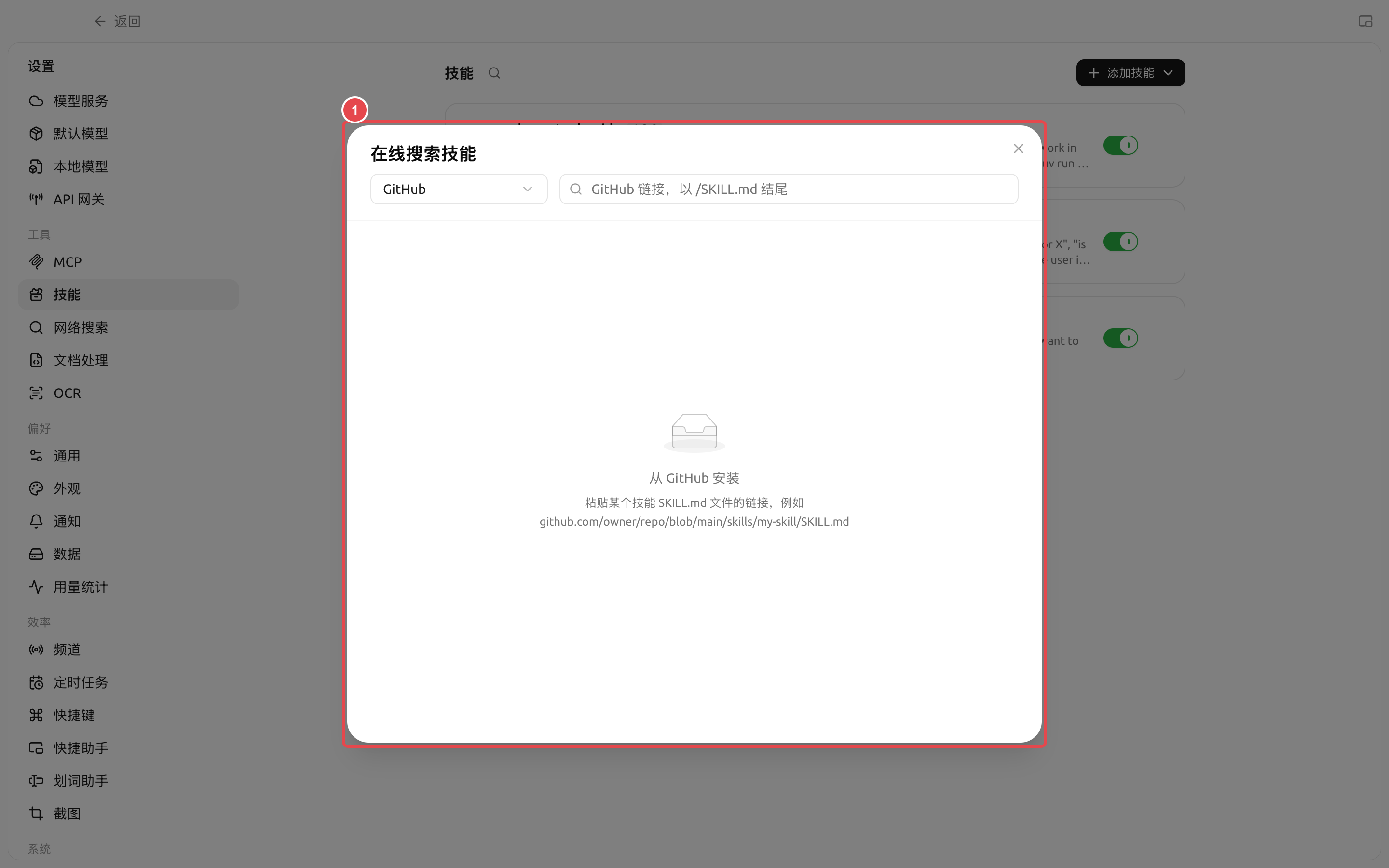
このページは3つのソースに対応しています:

* オンラインでスキルレジストリを検索する；
* ローカルのZIPファイルからインストールする；
* 次を含む `SKILL.md` フォルダーからインストールする。

{% stepper %}
{% step %}

### 1. まず用途を確認する

スキルに解決してほしい問題を1文で説明してください。たとえば「会議メモを決定事項・担当者・期限に整理する」。名前が似ていても手順が同じとは限らないので、インストール前に説明を確認してください。
{% endstep %}

{% step %}

### 2. ソースと内容を確認する

スキルの詳細を開き、Agent に何をさせるのか、スクリプトが含まれているか、追加ツールや外部アカウントが必要かを確認してください。出所が不明なスキルは、機密性の高いディレクトリで直接使用しないでください。
{% endstep %}

{% step %}

### 3. Agent に紐づける

【作業】→ Agent メニュー→【編集】→【スキル】を開き、必要なスキルを有効にします。スキルの切り替えは Agent の設定とともに自動保存され、次のメッセージから有効になります。
{% endstep %}

{% step %}

### 4. 実際のタスクで検証する

Agent に小さなサンプルを渡し、手順・出力形式・境界条件が期待どおりか確認してから、バッチ処理や定時処理に使ってください。
{% endstep %}
{% endstepper %}

## スキル、プロンプト、MCP の選び方

| 必要なのは                | 選ぶべきもの           | 理由                       |
| -------------------- | ---------------- | ------------------------ |
| 一度だけの一時的な依頼          | 現在のタスクのプロンプト     | 長期設定を追加する必要はない           |
| 同じワークフローを何度も再利用する    | スキル              | 説明、テンプレート、リソースをまとめて保存できる |
| Agent の長期的な役割を設定する   | Agent のシステムプロンプト | すべてのタスクで守る必要がある          |
| データベースや外部サービスにアクセスする | MCP              | スキル自体には接続機能はない           |

## ユーザー事例: チーム週報スキル

チームは週報の項目、文体、データチェック、禁止表現をスキルとしてまとめ、「週報整理」Agent に紐づけました。毎週は今週の資料を渡すだけで、Agent はスキルに従って固定構成で出力します。データが外部システム由来の場合は、アカウントやAPIの詳細をスキル本文に書き込むのではなく、MCP を組み合わせます。

{% hint style="danger" %}
スキルをアンインストールすると、グローバル能力ライブラリから削除され、Agent ワークスペース内の関連付けも消去されます。実行前に、そのスキルを使用中のタスクがないことを確認してください。チーム独自のスキルは、復元可能な元ファイルを保持しておくべきです。
{% endhint %}

<details>

<summary>インストール後、なぜ Agent はスキルを使わないのですか？</summary>

インストールしただけでは、スキルはグローバル能力ライブラリに追加されるだけです。Agent の編集画面の【スキル】で有効化するか、Agent に紐づけを手伝ってもらう必要があります。その後、新しいメッセージを送ってテストしてください。

</details>

<details>

<summary>スキルにプログラムを含められますか？</summary>

スキルパッケージには、説明、リソース、スクリプトを含めることができます。スクリプトを実行できるかどうかは、Agent のツール、作業ディレクトリ、環境依存関係、権限モードにも左右されます。

</details>


---

# Agent Instructions
This documentation is published with GitBook. GitBook is the documentation platform designed so that both humans and AI agents can read, navigate, and reason over technical content effectively. Learn more at gitbook.com.

## Querying This Documentation
If you need additional information that is not directly available in this page, you can query the documentation dynamically by asking a question.

Perform an HTTP GET request on the current page URL with the `ask` query parameter, and the optional `goal` query parameter:

```
GET https://docs.cherryai.com.cn/docs/jp/advanced-basic/extensions/skills.md?ask=<question>&goal=<endgoal>
```

`ask` is the immediate question: it should be specific, self-contained, and written in natural language.
`goal` is optional and describes the broader end goal you are ultimately trying to accomplish on behalf of the user. GitBook uses it to tailor the answer towards what is most useful for that goal.

The response will contain a direct answer to the question and relevant excerpts and sources from the documentation.

Use this mechanism when the answer is not explicitly present in the current page, you need clarification or additional context, or you want to retrieve related documentation sections.