> For the complete documentation index, see [llms.txt](https://docs.cherryai.com.cn/llms.txt). Markdown versions of documentation pages are available by appending `.md` to page URLs; this page is available as [Markdown](https://docs.cherryai.com.cn/docs/jp/advanced-basic/cases/multilingual-materials.md).
# 多言語資料の整理
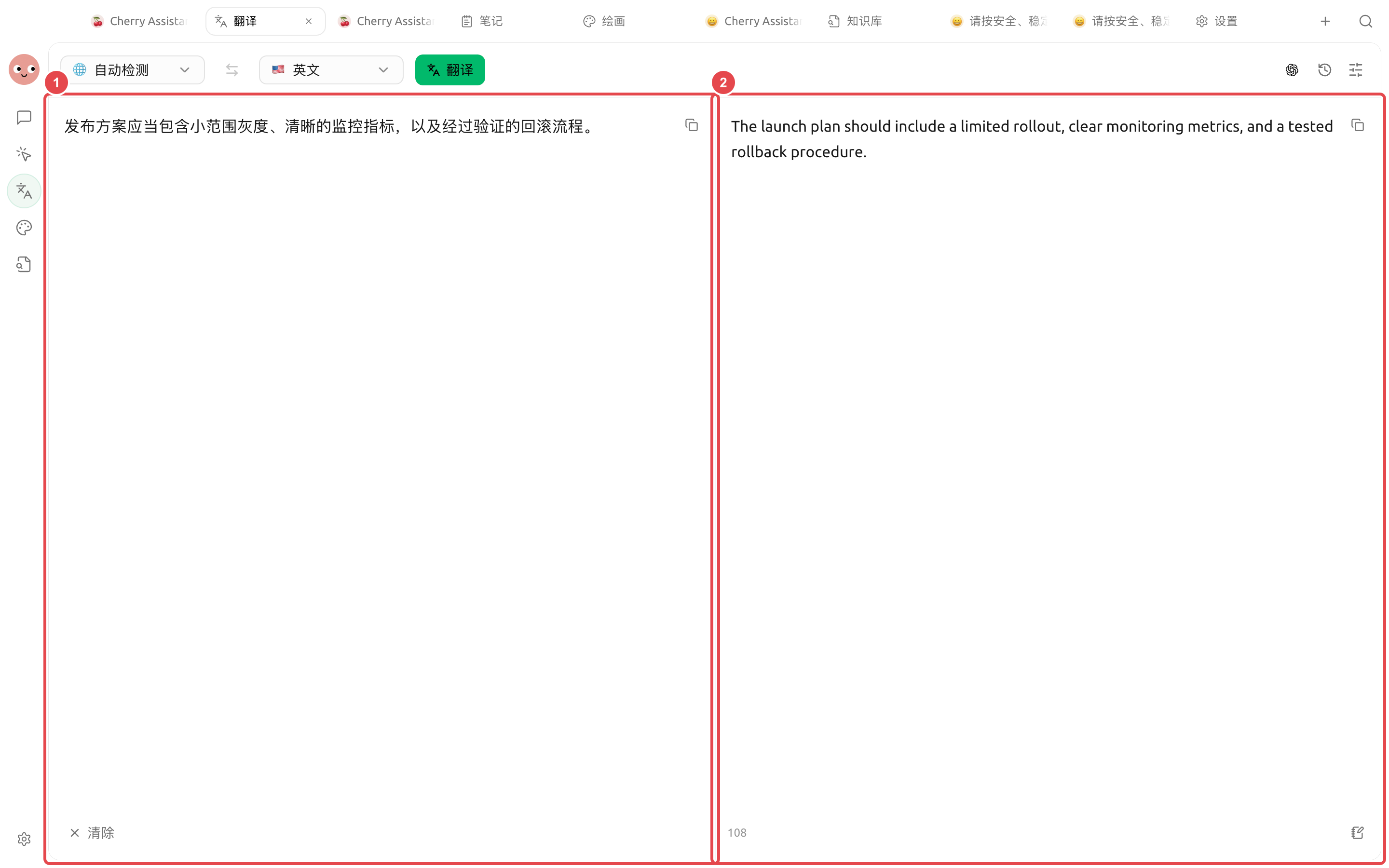
マーケティングチームは、文書、スクリーンショット、製品用語を含む資料一式を受け取り、名称、数字、形式を一致させたまま別の言語に翻訳する必要があります。用語集と小規模な試訳は、資料全体の手戻りを減らせます。
## 操作手順
{% stepper %}
{% step %}
### 1. まず用語集を作成する
製品名、機能名、人名、単位、変更不可の法的表現を列挙します。各語について、対象言語での使い方を明記します。
{% endstep %}
{% step %}
### 2. 短い文章で文体を調整する
【翻訳】ではまず代表的な1章を処理し、正式さの度合い、見出しの書き方、用語を確認してから、文書全体を翻訳します。
{% endstep %}
{% step %}
### 3. 画像はOCRで個別に確認する
スクリーンショットをアップロードしたら、まず認識された文字を確認します。特に数字、ボタン名、表を重点的に見ます。認識ミスは翻訳前に修正します。
{% endstep %}
{% step %}
### 4. Agent に一貫性チェックをさせる
原文、訳文、用語集を作業ディレクトリに入れ、Agent に用語の不一致、訳漏れ、数字の差異、リンクの問題を洗い出させます。法務内容は直接置き換えません。
{% endstep %}
{% endstepper %}
## 納品前チェック
* 製品名と画面パスが実際の画面と一致している;
* 数字、日付、通貨、単位に変更がない;
* Markdown のリンク、コードブロック、画像説明が保持されている;
* 法務、医療、または安全に関する内容が専門家の校閲を受けている。
## 推奨の組み合わせと完成基準
| 項目 | 推奨方法 |
| ----- | ------------------------------------------------------------ |
| 翻訳の入口 | 短文とスクリーンショットは【翻訳】を使い、複数ファイルの整理は Agent に任せる |
| 用語 | まず製品名、固有名詞、翻訳しない語のリストを提示する |
| ファイル | 原文と訳文は別々のフォルダに保存し、元ファイル名の対応関係を保持する |
| 完了基準 | 数字、リンク、固有名詞が一致していること;画像内テキストをサンプル確認済みであること;レイアウト変更は納品メモに記載する |
{% hint style="warning" %}
履歴は再利用に便利ですが、翻訳内容も保存されます。機密資料を扱った後は、あなたのデータ管理要件に従って記録を確認し、消去してください。
{% endhint %}
---
# Agent Instructions
This documentation is published with GitBook. GitBook is the documentation platform designed so that both humans and AI agents can read, navigate, and reason over technical content effectively. Learn more at gitbook.com.
## Querying This Documentation
If you need additional information that is not directly available in this page, you can query the documentation dynamically by asking a question.
Perform an HTTP GET request on the current page URL with the `ask` query parameter, and the optional `goal` query parameter:
```
GET https://docs.cherryai.com.cn/docs/jp/advanced-basic/cases/multilingual-materials.md?ask=&goal=
```
`ask` is the immediate question: it should be specific, self-contained, and written in natural language.
`goal` is optional and describes the broader end goal you are ultimately trying to accomplish on behalf of the user. GitBook uses it to tailor the answer towards what is most useful for that goal.
The response will contain a direct answer to the question and relevant excerpts and sources from the documentation.
Use this mechanism when the answer is not explicitly present in the current page, you need clarification or additional context, or you want to retrieve related documentation sections.