MiniMax Coding Plan
Coding Plan is a cost-effective coding subscription service launched by MiniMax (such as the Starter/Plus plans). By configuring this plan in Cherry Studio, you can use it at a very low fixed cost (as low as ¥29/month) MiniMax-M2.1 model.
Core advantages
Who it's for: Users who have a MiniMax Coding Plan subscription (Starter / Plus / Max).
Billing model: The quota refreshes by time period (e.g. 40 prompts every 5 hours) rather than being billed by token, so you don't have to worry about usage being consumed too quickly.
1. Preparation
Before you begin, make sure you've purchased the plan and obtained the key:
Log in MiniMax Open Platform.
Enter Coding Plan page, to make sure the plan has taken effect.

in Coding Plan copy your exclusive
API Key(starting withsk-prefix).

2. Configuration steps
Step 1: Locate the provider
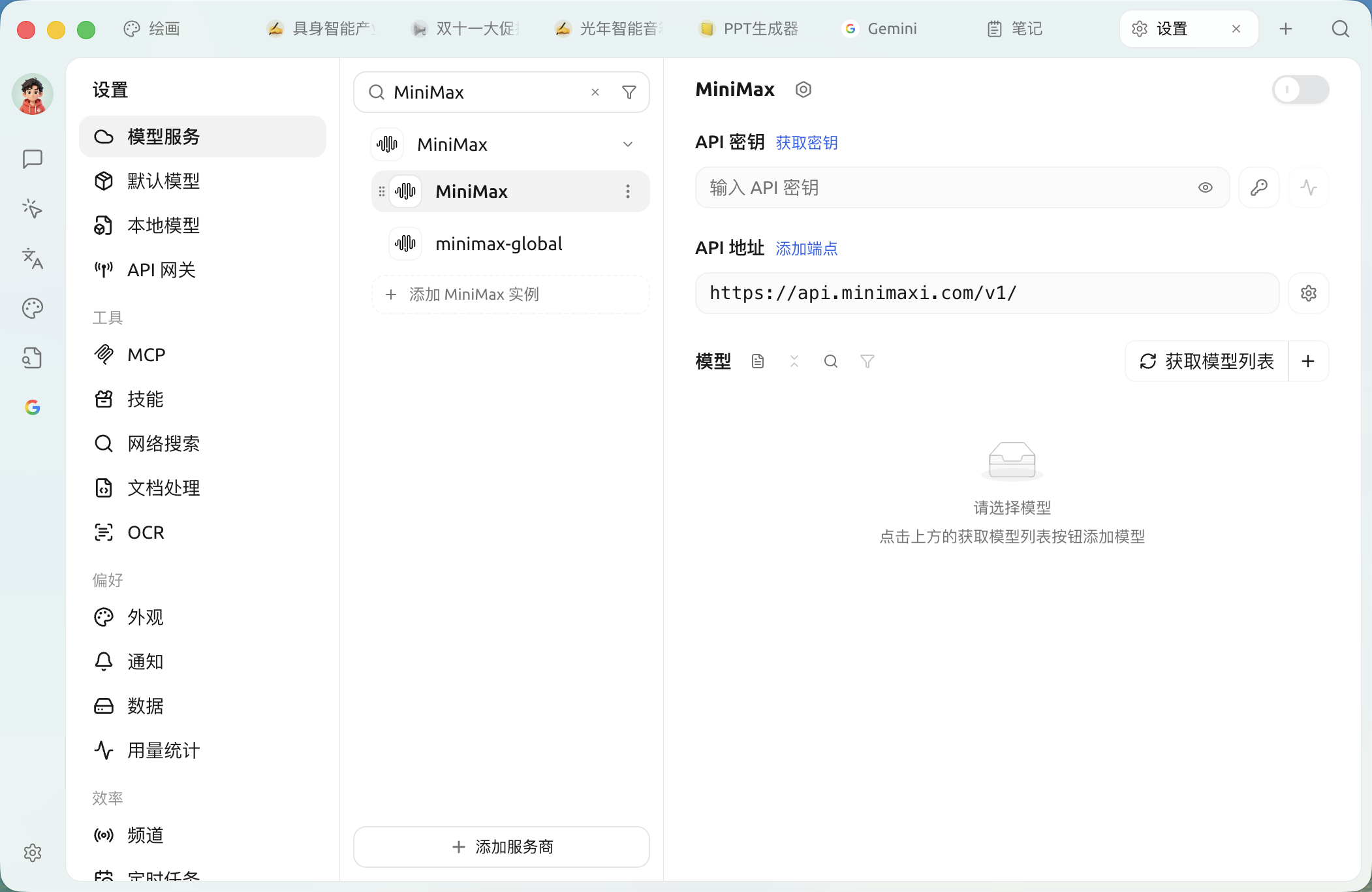
In Cherry Studio, click the Settings > Model Services, then find MiniMax.
If the list is long, you can enter mini to quickly locate it.

Step 2: Fill in the configuration
does not requireNo need to modify the complex API address; just use the default configuration. Please fill in according to the instructions below:
API Key
Paste your exclusive Coding Plan key (Note: It must be the key generated after purchasing the plan; do not include extra spaces)
API address
Keep default https://api.minimaxi.com/v1
switch
Click the switch in the upper-right corner to make sure it is green (ON)

Step 3: Add the specified model (key step)
The Coding Plan plan only supports specific models; choosing the wrong model will make it unusable or incur additional charges.
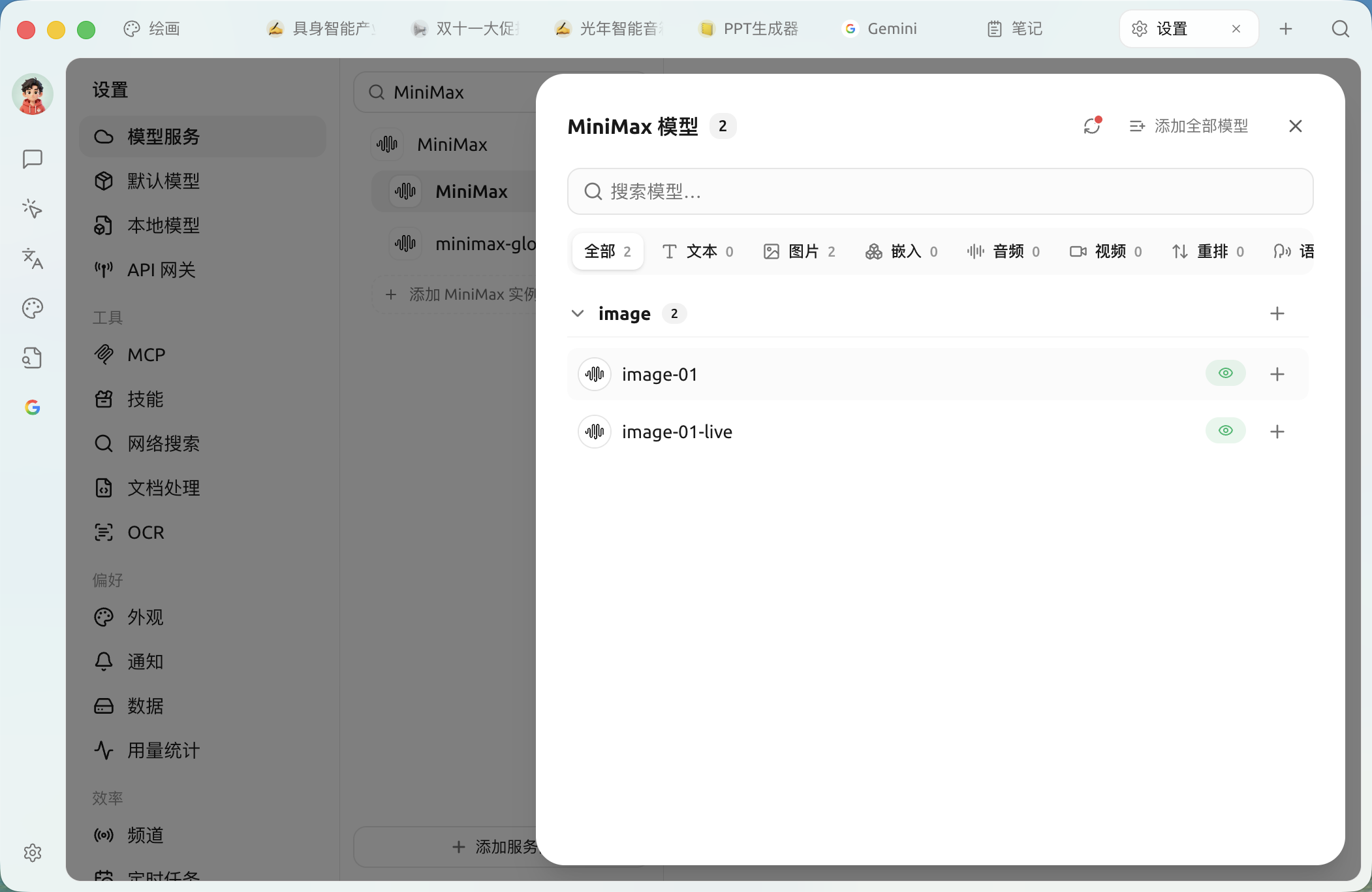
Click the Manage (Manage) button.

Find and add in the list
MiniMax M2.1.
Be sure to choose the correct model!
✅ Recommended:
MiniMax M2.1(the main model specified by Coding Plan).

Step 4: Save and verify
Click the Check (Check) button.

If it shows green Success, it means your Coding Plan plan has been successfully connected!

3. Usage and limitations
The billing model of Coding Plan is completely different from that of a normal API, so be sure to understand the following mechanisms:
Quota refresh mechanism The quota of Coding Plan isrefreshed periodically. For example, the Starter plan:every 5 hours provides 40 times conversation quota.
If it stops responding: it means your current 5-hour quota has been exhausted.
Solution: Take a break for a few hours and wait for the quota to automatically replenish; no extra payment is needed.
4. Common troubleshooting
Encountered 429 Too Many Requests error?
This is not a software malfunction, but rather it triggered the Coding Plan rate limiting.
This means your current period's number of 'messages sent' has been used up.
Please patiently wait for the next 5-hour cycle to refresh.
Encountered 401 Unauthorized error?
Check whether the API key has extra spaces.
Log in to the MiniMax official website to confirm whether your Coding Plan subscription has expired.
💡 Get help and submit feedback
If you encounter any questions, bugs, or have suggestions for feature improvements during configuration or use, please refer to Feedback and Suggestions the official channels provided there.
Last updated
Was this helpful?