> For the complete documentation index, see [llms.txt](https://docs.cherryai.com.cn/llms.txt). Markdown versions of documentation pages are available by appending `.md` to page URLs; this page is available as [Markdown](https://docs.cherryai.com.cn/docs/en-us/pre-basic/providers/a-li-yun-bai-lian.md).
# Alibaba Cloud Bailian
1. Log in [Alibaba Cloud Bailian](https://bailian.console.aliyun.com/?tab=model#/api-key), if you don't have an Alibaba Cloud account, you need to register.
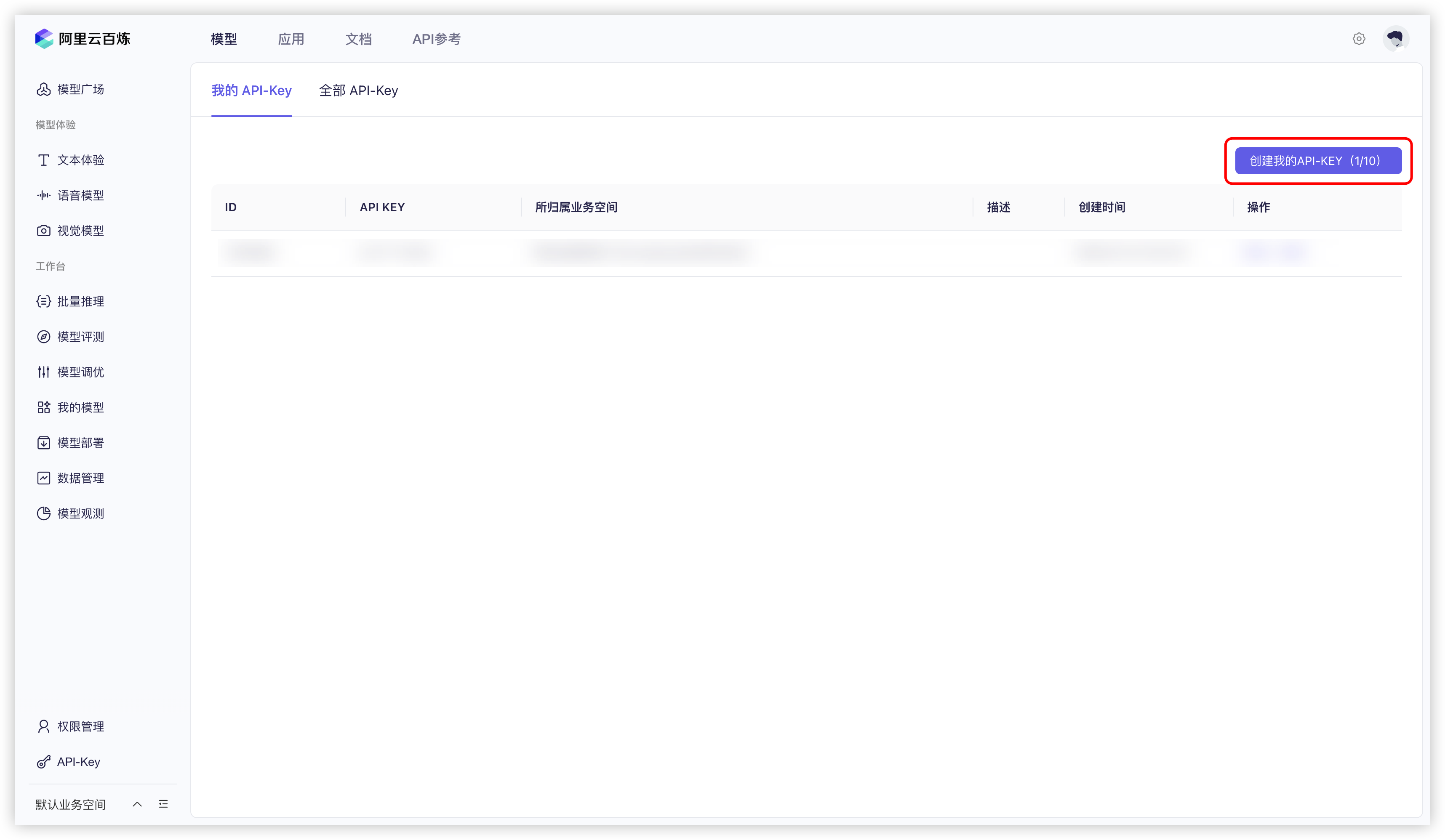
2. Click the `Create my API-KEY` button.
Alibaba Cloud Bailian Create API Key
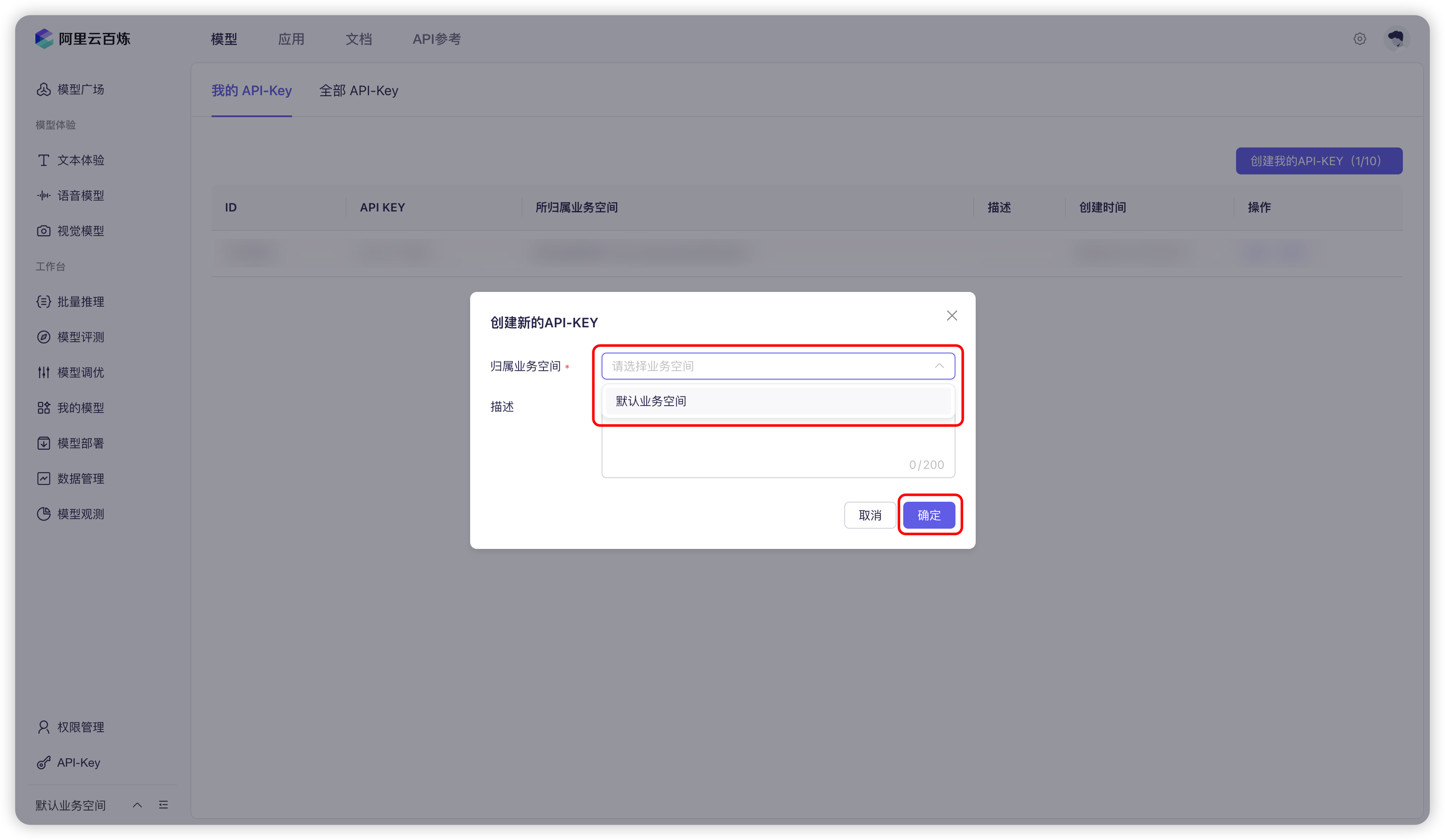
3. In the pop-up window, select the default business space (or you can customize it), and if you want, you can enter a description.
Alibaba Cloud Bailian Create API Key pop-up
4. Click the `Confirm` button.
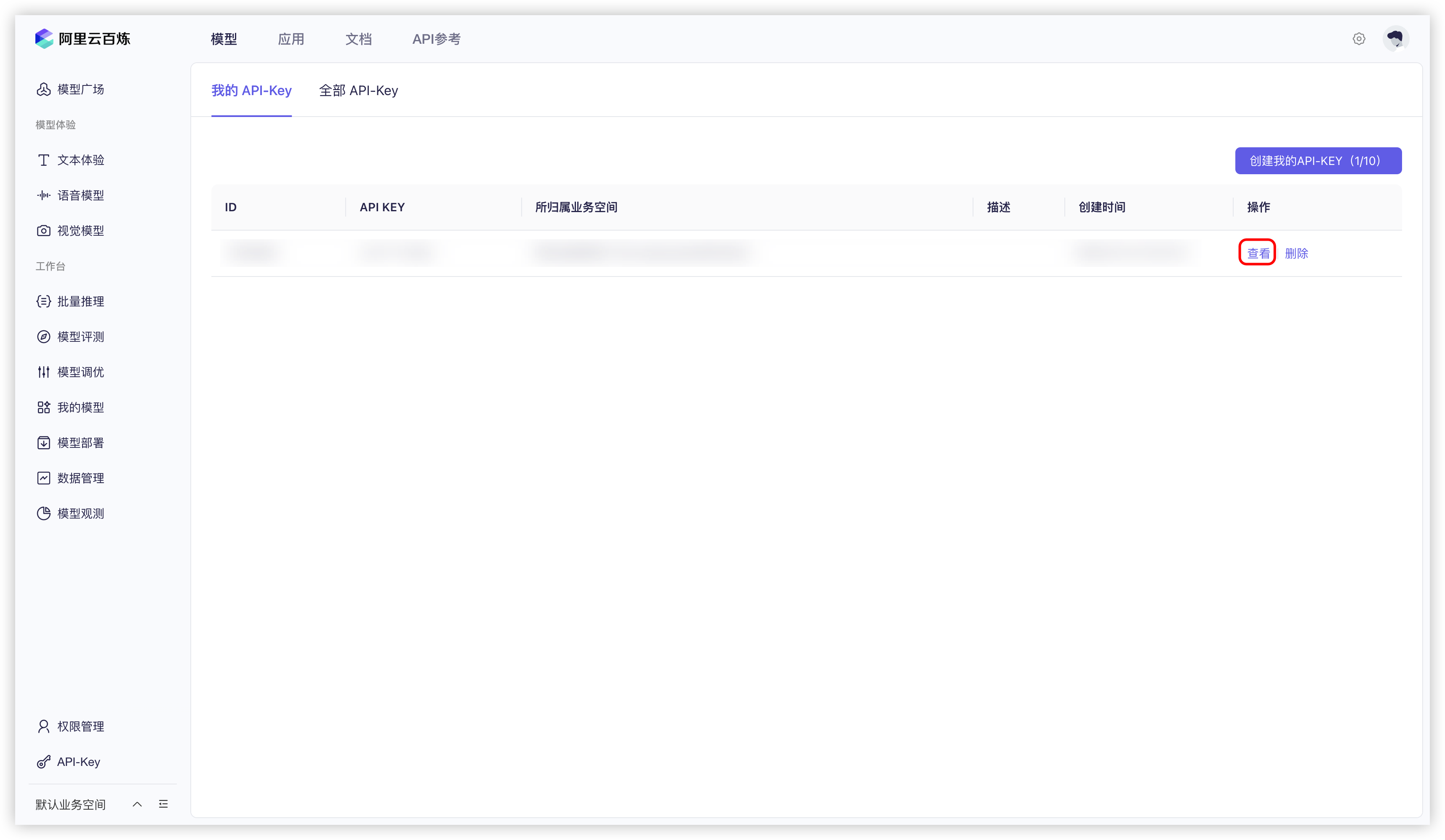
5. Then, you should see a new row added to the list; click the `View` button.
Alibaba Cloud Bailian View API Key
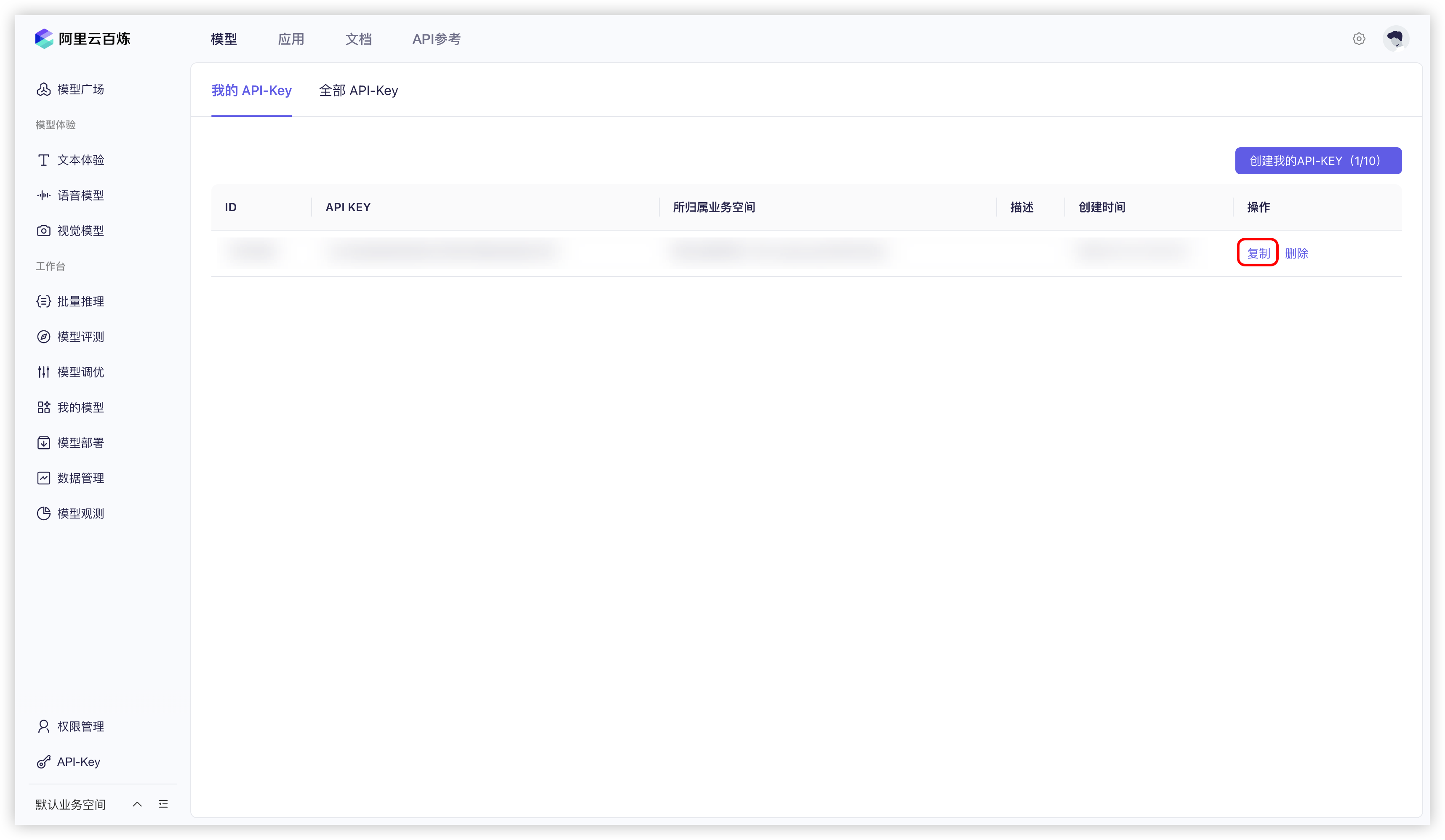
6. Click `Copy` button.
Alibaba Cloud Bailian Copy API Key
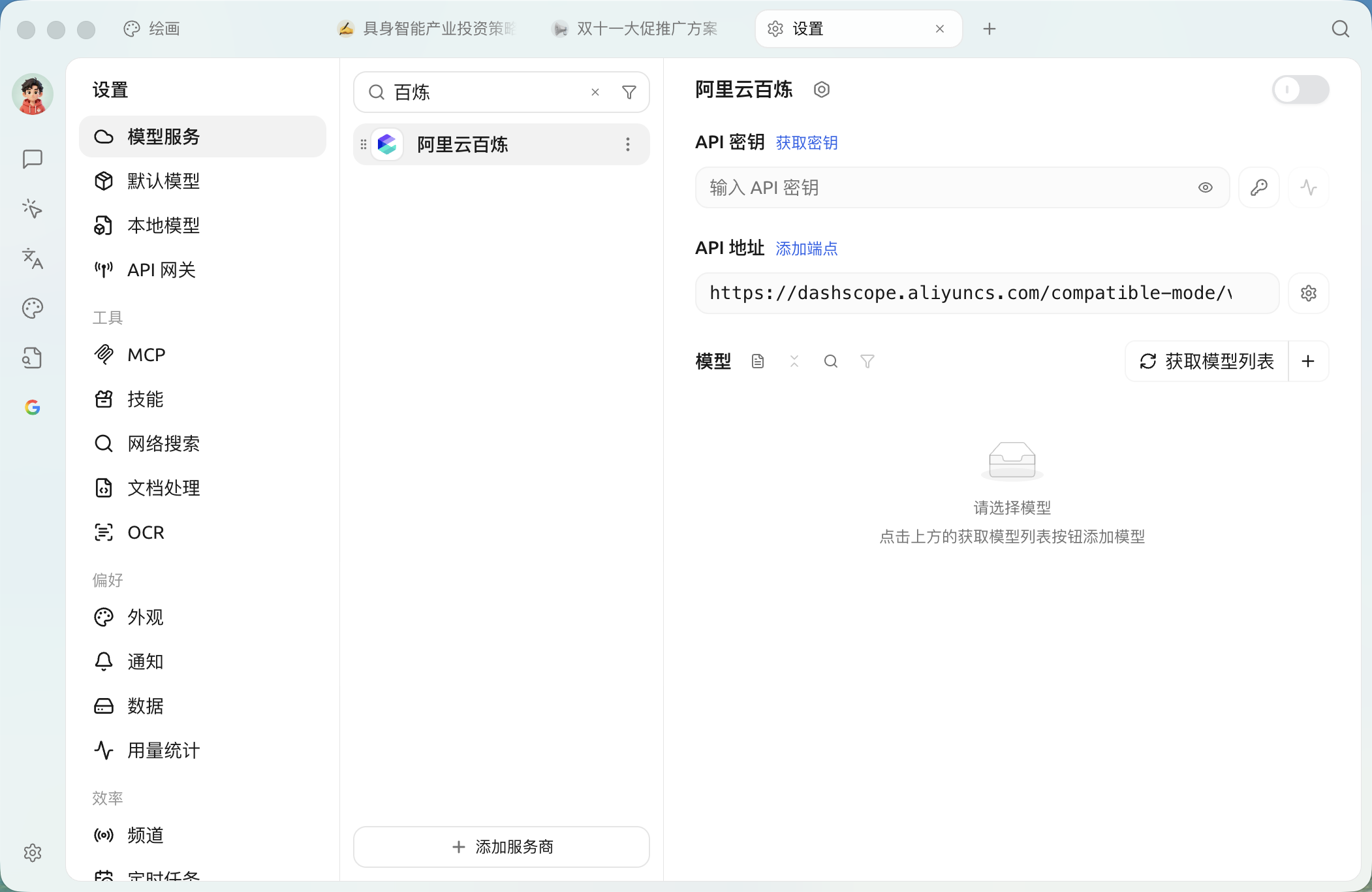
7. Go to Cherry Studio, and in `Settings` → `Model services` → `Alibaba Cloud Bailian` find `API key` , paste the copied API key here.
Alibaba Cloud Bailian Fill in API Key
8. You can follow [Model services](/docs/en-us/pre-basic/providers/providers.md) the instructions to adjust the relevant settings, and then you can use it.
## Native web access and URL reading
Models in Alibaba Cloud Bailian that support web access can use native web search, and some Qwen models also support URL content reading. When selecting a model, use the 🌐 icon next to its name as the reference; the specific capabilities may change with Bailian model updates.
After turning on 🌐 in the conversation, if 【Settings】→【Web Search】's 【Prefer configured search services】 remains enabled, Cherry Studio will prioritize the configured search service; only after turning off that option will it prioritize the model's native capabilities. See Online mode for details.
{% hint style="info" %}
If you find that there are no Alibaba Cloud Bailian models in the model list, please confirm that you have added the models according to [Model services](/docs/en-us/pre-basic/providers/providers.md) the instructions and enabled this provider.
{% endhint %}
***
### Get help and submit feedback
If you encounter any questions, bugs, or have suggestions for feature improvements during configuration or use, please refer to [Feedback and Suggestions](/docs/en-us/question-contact/suggestions.md) for the official channels provided.
---
# Agent Instructions
This documentation is published with GitBook. GitBook is the documentation platform designed so that both humans and AI agents can read, navigate, and reason over technical content effectively. Learn more at gitbook.com.
## Querying This Documentation
If you need additional information that is not directly available in this page, you can query the documentation dynamically by asking a question.
Perform an HTTP GET request on the current page URL with the `ask` query parameter, and the optional `goal` query parameter:
```
GET https://docs.cherryai.com.cn/docs/en-us/pre-basic/providers/a-li-yun-bai-lian.md?ask=&goal=
```
`ask` is the immediate question: it should be specific, self-contained, and written in natural language.
`goal` is optional and describes the broader end goal you are ultimately trying to accomplish on behalf of the user. GitBook uses it to tailor the answer towards what is most useful for that goal.
The response will contain a direct answer to the question and relevant excerpts and sources from the documentation.
Use this mechanism when the answer is not explicitly present in the current page, you need clarification or additional context, or you want to retrieve related documentation sections.