> For the complete documentation index, see [llms.txt](https://docs.cherryai.com.cn/llms.txt). Markdown versions of documentation pages are available by appending `.md` to page URLs; this page is available as [Markdown](https://docs.cherryai.com.cn/docs/en-us/advanced-basic/cases/project-delivery.md).

# Agent Project File Delivery

Operations colleagues need to organize a batch of scattered materials into an index, summary, and delivery files. To avoid accidentally changing the originals, make the Agent's working directory, editable scope, and acceptance method clear in advance.

## Suitable tasks

* Organize scattered materials into a table of contents and index;
* Generate multiple documents based on a template;
* Modify code and leave change notes;
* Batch rename, convert, or check files.

<figure><img src="/files/aecf93d13d04d1712557ff1141528696395346ee" alt="Agent 工作区中的 Agent、模型、工作目录和右侧面板"><figcaption><p>The Agent workspace puts the task, model, working directory, and deliverables on the same page.</p></figcaption></figure>

<figure><img src="/files/cde6077f074e8ee59ce67e0bd26d30a8aa55bfa5" alt="Agent 状态面板中的子任务、后台命令和上下文用量"><figcaption><p>For long tasks, first check whether the [Status] panel is running, waiting for approval, or already completed.</p></figcaption></figure>

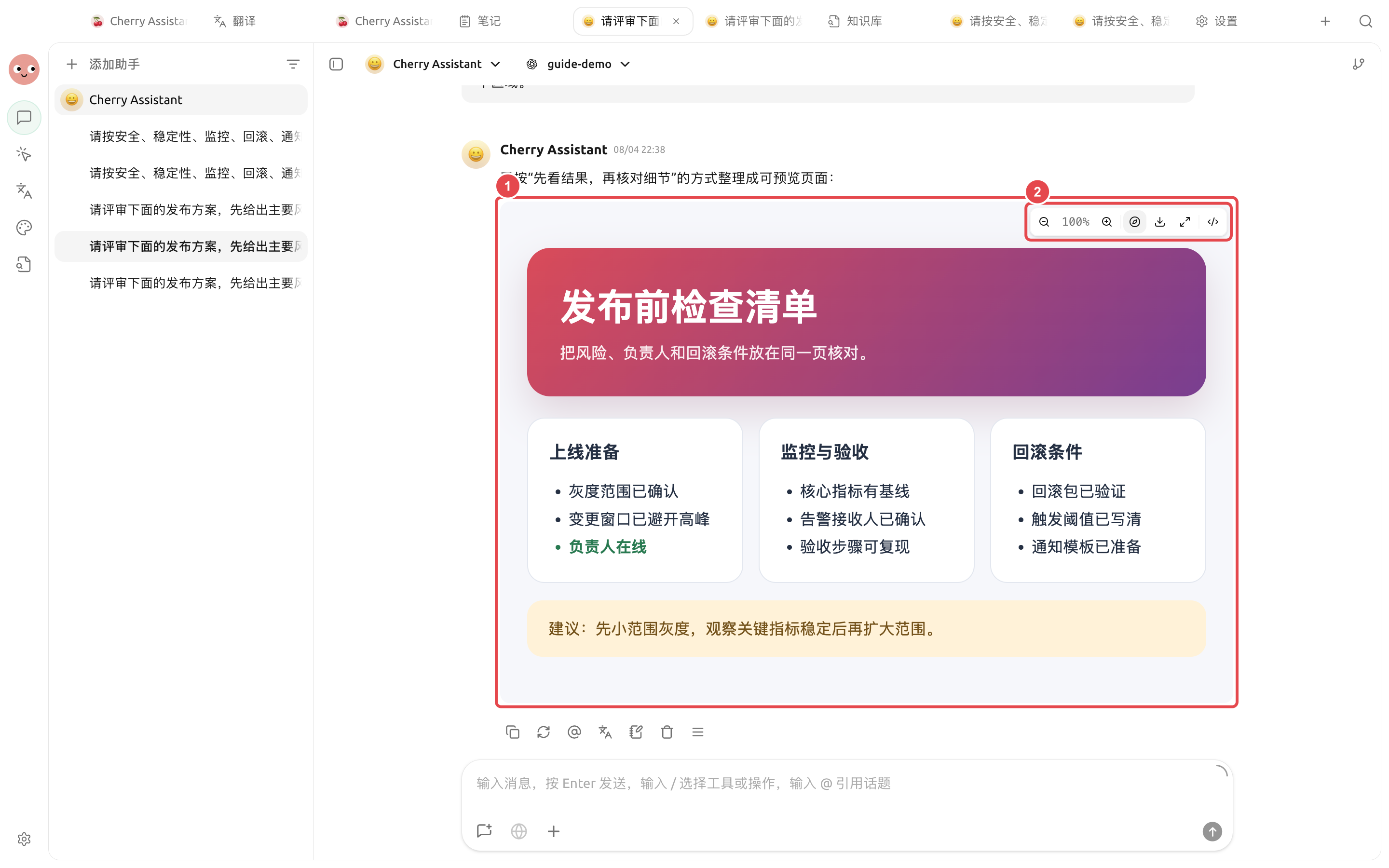
<figure><img src="https://3562065924-files.gitbook.io/~/files/v0/b/gitbook-x-prod.appspot.com/o/spaces%2F0Ut5BptC3t8CtSU1UWpM%2Fuploads%2Fgit-blob-f5bee1202b5aed4675a5537b57f3a1fd9147cf23%2Fcherry-v2-guide-artifact-preview.png?alt=media" alt="Cherry Assistant 生成的发布前检查清单已经在对话中打开为网页预览"><figcaption><p>After the deliverables are generated, actually open them and check. The webpage preview in the image already shows the title, check items, and suggestions, not an empty placeholder.</p></figcaption></figure>

## Workflow

{% stepper %}
{% step %}

### 1. Choose the smallest working directory

Only select the current project directory. Important files should first have backups or version records, and permissions should start with \[confirm each time].
{% endstep %}

{% step %}

### 2. Clearly define what can and cannot be changed

Specify which files are read-only, where outputs should be placed, which operations must be confirmed first, and the completion criteria.
{% endstep %}

{% step %}

### 3. Let the Agent list a plan first

For high-risk tasks, you can use \[planning only]. After confirming the file list and steps, switch to a mode that allows editing to execute.
{% endstep %}

{% step %}

### 4. Check status and files on the right

For long tasks, first check whether \[Status] is waiting for approval; after outputs are generated, preview them in \[Files]. Only hand them over after confirming they are correct; do not use 'task completed' instead of acceptance.
{% endstep %}
{% endstepper %}

## Example task

```
Organize the current directory. Files in raw/ are read-only; create an index, summary, and missing-materials list under deliverables/. Any deletion, overwrite, or batch renaming must first be confirmed. Finally, list the newly added and modified files.
```

## Recommended combination

| Capability        | Recommended usage                                    | Why                                                                     |
| ----------------- | ---------------------------------------------------- | ----------------------------------------------------------------------- |
| Working directory | Use a separate directory for each project            | File boundaries and delivery locations are clear                        |
| Permissions       | Keep file modifications in \[confirm each time]      | Helps detect accidental deletion, overwriting, and out-of-bounds writes |
| Status panel      | Check outputs and failed steps before finishing      | Do not rely solely on 'the Agent said it was done'                      |
| New task          | Open a separate task for a new phase or a new client | Avoid historical requirements affecting current delivery                |

{% hint style="danger" %}
\[Full access] will reduce confirmations, but it will also increase the impact of misoperation. Consider using it temporarily only in isolated, trusted, and recoverable directories.
{% endhint %}


---

# Agent Instructions
This documentation is published with GitBook. GitBook is the documentation platform designed so that both humans and AI agents can read, navigate, and reason over technical content effectively. Learn more at gitbook.com.

## Querying This Documentation
If you need additional information that is not directly available in this page, you can query the documentation dynamically by asking a question.

Perform an HTTP GET request on the current page URL with the `ask` query parameter, and the optional `goal` query parameter:

```
GET https://docs.cherryai.com.cn/docs/en-us/advanced-basic/cases/project-delivery.md?ask=<question>&goal=<endgoal>
```

`ask` is the immediate question: it should be specific, self-contained, and written in natural language.
`goal` is optional and describes the broader end goal you are ultimately trying to accomplish on behalf of the user. GitBook uses it to tailor the answer towards what is most useful for that goal.

The response will contain a direct answer to the question and relevant excerpts and sources from the documentation.

Use this mechanism when the answer is not explicitly present in the current page, you need clarification or additional context, or you want to retrieve related documentation sections.