> For the complete documentation index, see [llms.txt](https://docs.cherryai.com.cn/llms.txt). Markdown versions of documentation pages are available by appending `.md` to page URLs; this page is available as [Markdown](https://docs.cherryai.com.cn/cherry-studio/preview/files.md).
# 文件
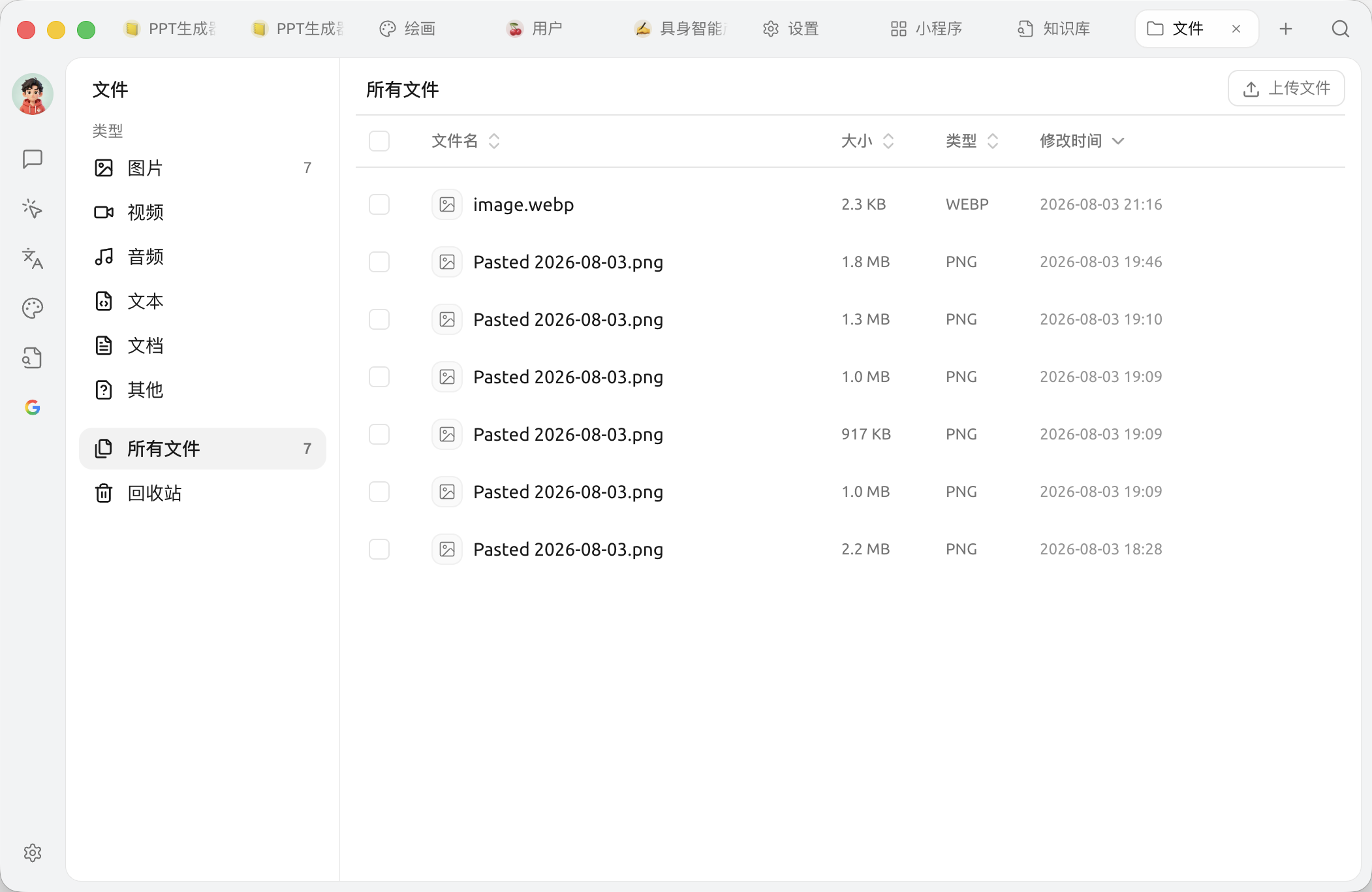
文件页面是 Cherry Studio 的 **附件总仓库** —— 你在对话中拖进来的图片、PDF、文档,在绘画中生成的图,在知识库中导入的资料,都能在这里集中查看与管理。
可以理解成 Cherry Studio 内部的"我的电脑"。
## 进入文件页面
顶部 Tab 的 `+` →【启动台】→ 点击【文件】。
{% hint style="warning" %}
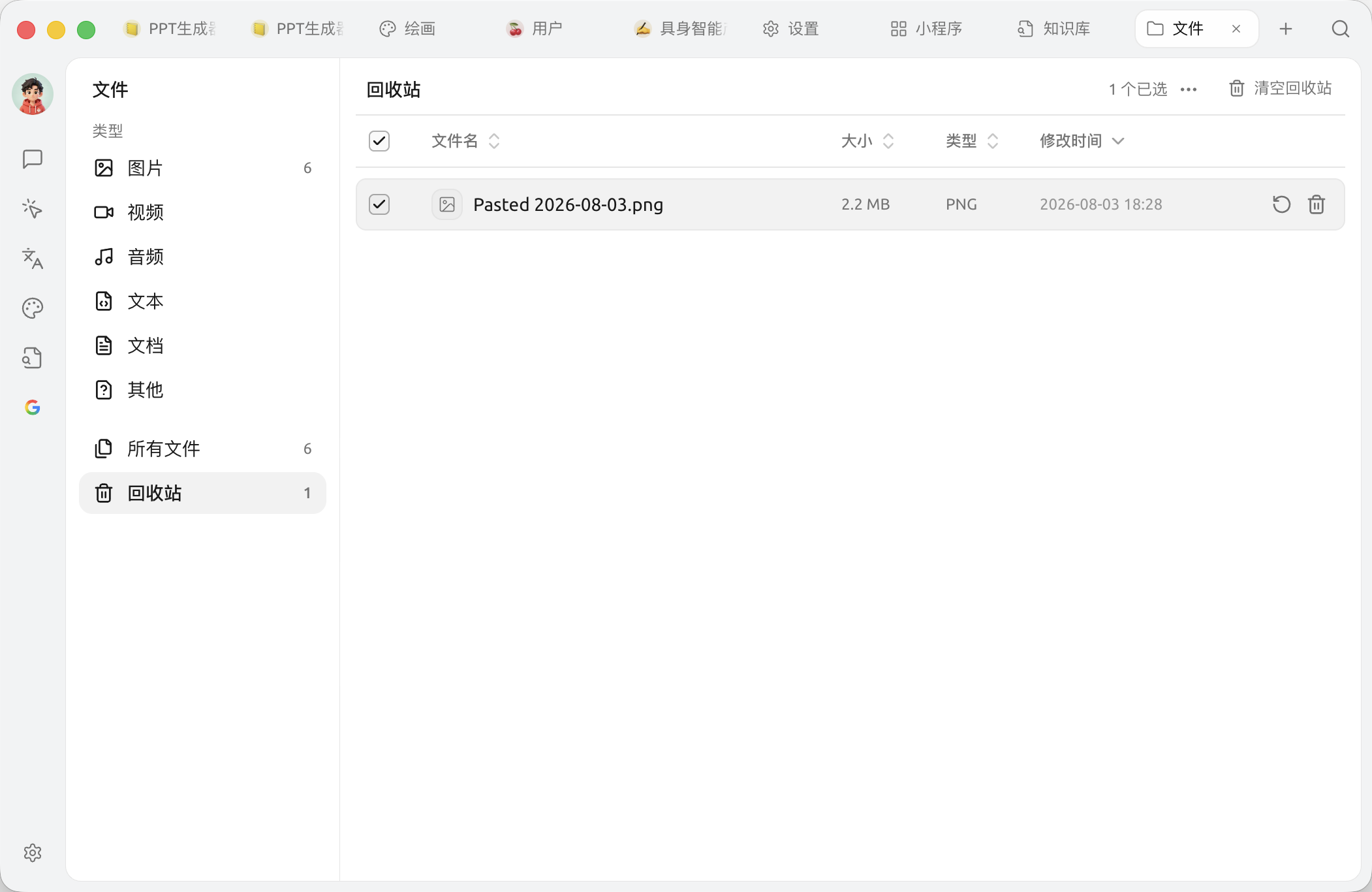
**永久删除无法撤销。** 删除文件也会同时移除它在所有相关消息中的引用,请确认后再操作。
{% endhint %}
## 文件存在哪?
Cherry Studio 把所有附件存在本地的应用数据目录中。具体路径:
* **macOS**:`~/Library/Application Support/CherryStudio`
* **Windows**:`%APPDATA%\CherryStudio`
* **Linux**:`~/.config/CherryStudio`
想换到别的盘?看 [修改存储位置](/pre-basic/settings/data-settings/storage.md)。
## 提示与技巧
* 长期不用的对话 / 知识库会越攒越多文件,定期到这里清一下能省不少磁盘
* 重要文件建议同时备份到云盘(WebDAV / S3 等),见 [数据设置](/pre-basic/settings/data-settings.md)
* 文件名乱码?通常是从外部拖入时编码问题,建议先重命名再用
***
### 获取帮助与提交反馈
如果您在配置或使用过程中遇到任何疑问、Bug 或有功能改进建议,请参考 [反馈与建议](/question-contact/suggestions.md) 中提供的官方渠道。
---
# Agent Instructions
This documentation is published with GitBook. GitBook is the documentation platform designed so that both humans and AI agents can read, navigate, and reason over technical content effectively. Learn more at gitbook.com.
## Querying This Documentation
If you need additional information that is not directly available in this page, you can query the documentation dynamically by asking a question.
Perform an HTTP GET request on the current page URL with the `ask` query parameter, and the optional `goal` query parameter:
```
GET https://docs.cherryai.com.cn/cherry-studio/preview/files.md?ask=&goal=
```
`ask` is the immediate question: it should be specific, self-contained, and written in natural language.
`goal` is optional and describes the broader end goal you are ultimately trying to accomplish on behalf of the user. GitBook uses it to tailor the answer towards what is most useful for that goal.
The response will contain a direct answer to the question and relevant excerpts and sources from the documentation.
Use this mechanism when the answer is not explicitly present in the current page, you need clarification or additional context, or you want to retrieve related documentation sections.