> For the complete documentation index, see [llms.txt](https://docs.cherryai.com.cn/llms.txt). Markdown versions of documentation pages are available by appending `.md` to page URLs; this page is available as [Markdown](https://docs.cherryai.com.cn/advanced-basic/cases/multilingual-materials.md).
# 多语言资料整理
市场团队收到一套包含文档、截图和产品术语的资料,需要翻译成另一种语言,同时保持名称、数字和格式一致。术语表和小范围试译能减少整份材料返工。
先确认资料检索准确,再由 Agent 统一术语和输出格式,最后人工核对关键内容。
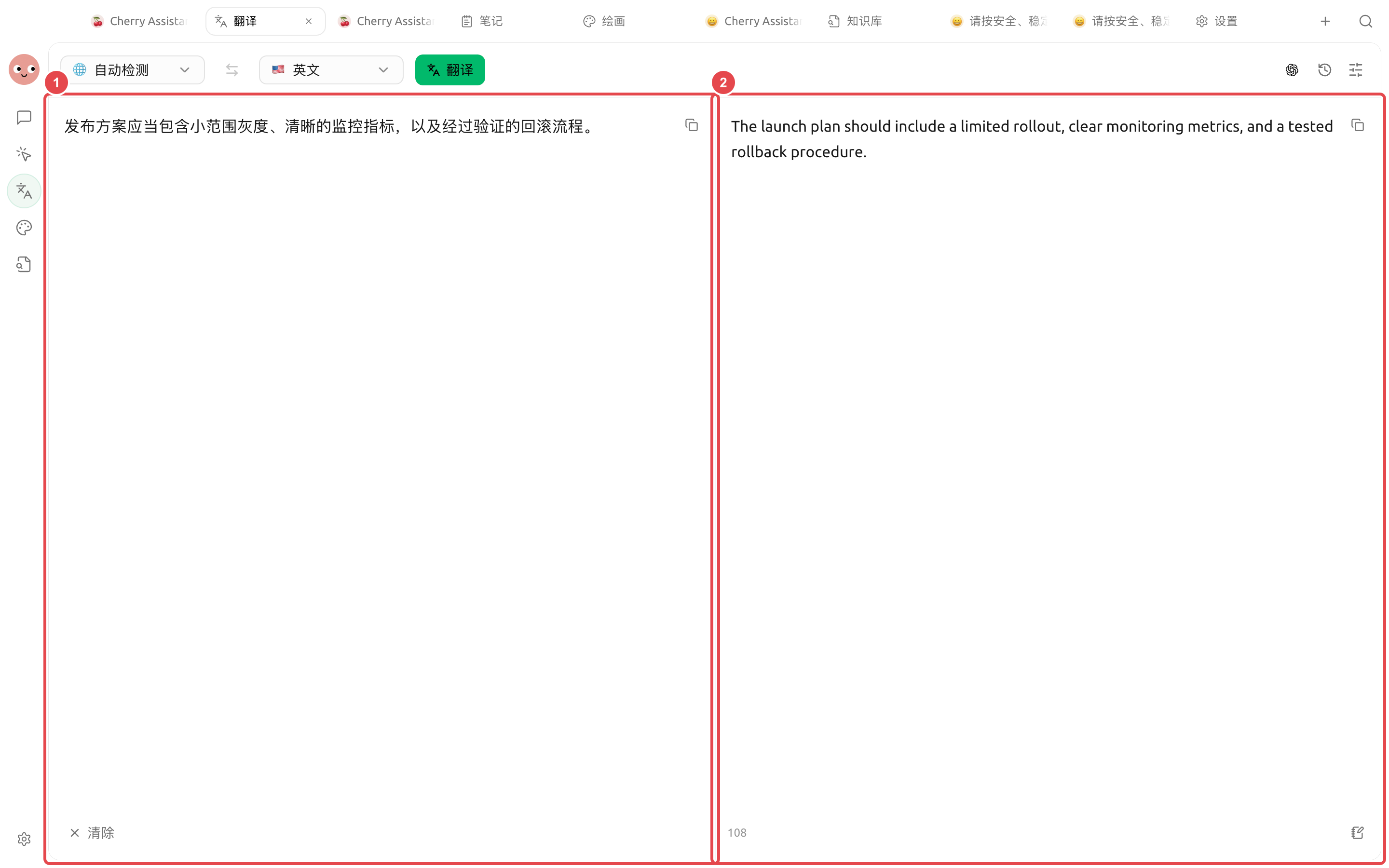
左侧保留原文,右侧显示实际译文。交付前可逐句核对灰度、监控指标和回滚流程等关键术语。
## 操作流程
{% stepper %}
{% step %}
### 1. 先建立术语表
列出产品名、功能名、人名、单位和不可改写的法律表述。为每个词写明目标语言用法。
{% endstep %}
{% step %}
### 2. 用一小段校准风格
在【翻译】中先处理一个代表性章节,确认正式程度、标题写法和术语,再翻译整份文件。
{% endstep %}
{% step %}
### 3. 图片单独做 OCR 检查
上传截图后先核对识别文字,尤其是数字、按钮名和表格。识别错误要在翻译前修正。
{% endstep %}
{% step %}
### 4. 让 Agent 做一致性检查
把原文、译文和术语表放入工作目录,让 Agent 列出术语不一致、漏译、数字差异和链接问题,不直接替换法务内容。
{% endstep %}
{% endstepper %}
## 交付前检查
* 产品名称和界面路径与实际界面一致;
* 数字、日期、货币和单位没有变化;
* Markdown 链接、代码块和图片说明保留;
* 法律、医疗或安全内容经过专业审校。
## 推荐组合与完成标准
| 项目 | 建议做法 |
| ---- | --------------------------------- |
| 翻译入口 | 短文本和截图用【翻译】,多文件整理交给 Agent |
| 术语 | 先提供产品名、专有名词和不翻译词表 |
| 文件 | 原文与译文分目录保存,保留原文件名对应关系 |
| 完成标准 | 数字、链接和专有名词一致;图片文字已抽查;版式变化在交付说明中标记 |
{% hint style="warning" %}
历史记录便于复用,但也会保存翻译内容。处理敏感材料后,按照你的数据管理要求检查并清理记录。
{% endhint %}
---
# Agent Instructions
This documentation is published with GitBook. GitBook is the documentation platform designed so that both humans and AI agents can read, navigate, and reason over technical content effectively. Learn more at gitbook.com.
## Querying This Documentation
If you need additional information that is not directly available in this page, you can query the documentation dynamically by asking a question.
Perform an HTTP GET request on the current page URL with the `ask` query parameter, and the optional `goal` query parameter:
```
GET https://docs.cherryai.com.cn/advanced-basic/cases/multilingual-materials.md?ask=&goal=
```
`ask` is the immediate question: it should be specific, self-contained, and written in natural language.
`goal` is optional and describes the broader end goal you are ultimately trying to accomplish on behalf of the user. GitBook uses it to tailor the answer towards what is most useful for that goal.
The response will contain a direct answer to the question and relevant excerpts and sources from the documentation.
Use this mechanism when the answer is not explicitly present in the current page, you need clarification or additional context, or you want to retrieve related documentation sections.