> For the complete documentation index, see [llms.txt](https://docs.cherryai.com.cn/llms.txt). Markdown versions of documentation pages are available by appending `.md` to page URLs; this page is available as [Markdown](https://docs.cherryai.com.cn/advanced-basic/cases/brand-image-kit.md).
# 品牌配图套件
内容团队要为同一场活动制作横版、方形和竖版配图,并保持主体、色调和品牌规则一致。先确定主视觉,再扩展尺寸,比每张图从头生成更容易保持统一。
先配置并验证绘画模型,Agent 的【生成图片】和【绘画】工作流才有可用连接。
先让 Agent 生成一张样图确认方向,再进入批量制作。
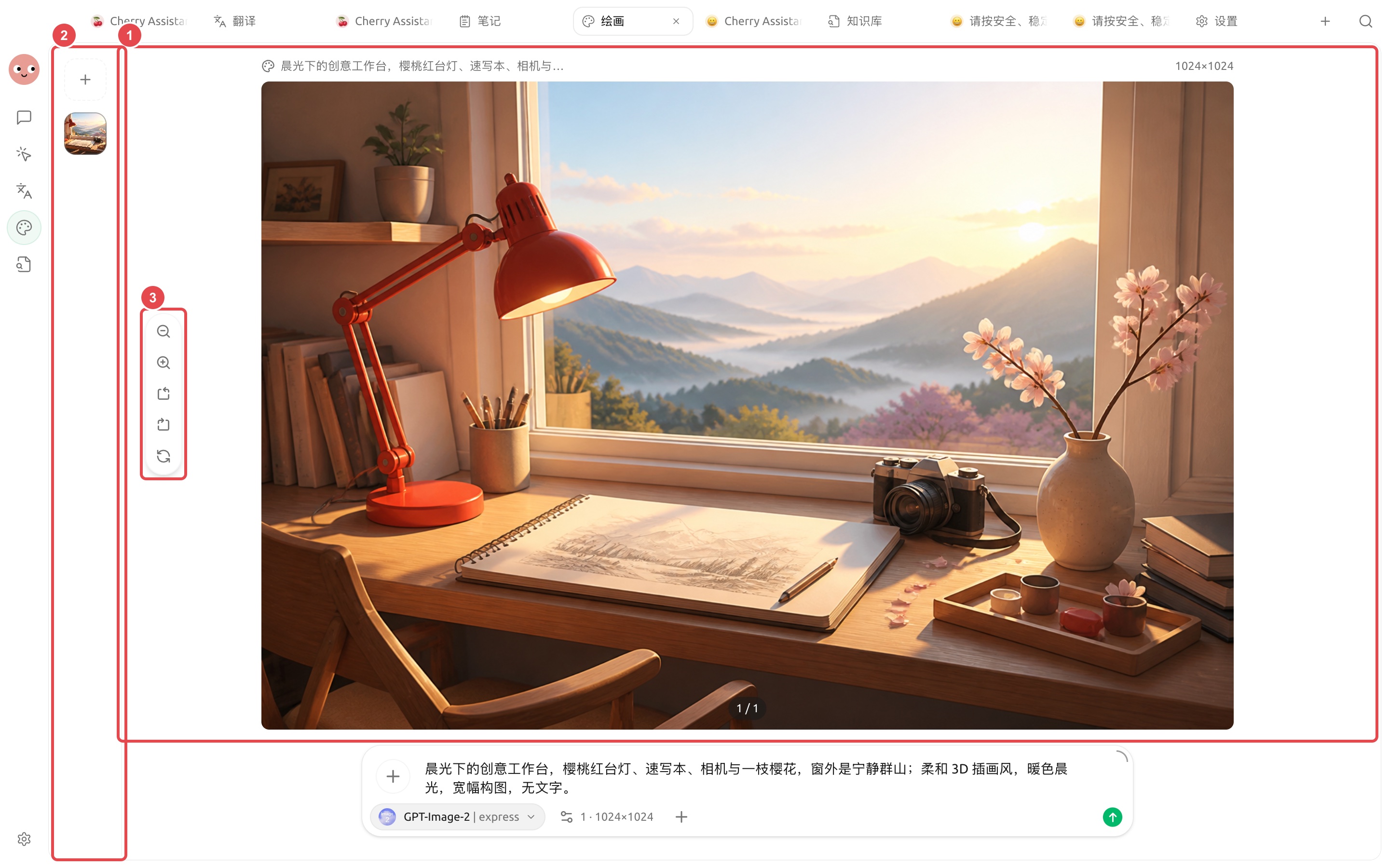
先把这张实际成图作为主视觉样稿,确认主体、光线和色调后,再扩展方形与竖版尺寸。
## 准备材料
* 内容主题与使用平台;
* 允许使用的品牌色和参考图;
* 不可出现的文字、标志和元素;
* 三种图片比例与留白要求。
## 操作流程
{% stepper %}
{% step %}
### 1. 让 Agent 提炼视觉方向
把文章或活动说明放入工作目录,让 Agent 只输出主体、场景、色调、镜头和留白建议,先不生成图片。
{% endstep %}
{% step %}
### 2. 在【绘画】中验证主视觉
选择合适模板和模型,先生成横版小样。检查产品外观、人物细节和品牌风险。
{% endstep %}
{% step %}
### 3. 用参考图扩展尺寸
选定主视觉后,将它作为参考,分别生成方形和竖版。每次说明必须保留的主体与可调整的构图。
{% endstep %}
{% step %}
### 4. 局部修正并增强
只对问题区域使用编辑或蒙版,最终版本再做增强。文件名包含用途和比例,避免混淆。
{% endstep %}
{% endstepper %}
## 结果检查
* 三张图的色调与主体一致;
* 不包含模型生成的错误文字;
* 不意外出现品牌标志、人物或敏感信息;
* 尺寸满足发布平台要求;
* 参考图的使用得到许可。
## 推荐组合与完成标准
| 项目 | 建议做法 |
| ---- | ------------------------------- |
| 绘画模型 | 先用 Agent 生成一张样图验证连接,再保存绘画模板 |
| 输入材料 | 品牌色、字体、尺寸、参考图和禁用元素放在同一项目目录 |
| 批量方式 | 先确认一张,再生成同系列图片 |
| 完成标准 | 尺寸正确、文字可读、品牌元素一致、没有多余标识,原参考图仍保留 |
适合文章封面、社交媒体配图和活动素材;需要精确排版的最终海报,建议在设计工具中做最后校对。
{% hint style="info" %}
如果希望直接在 Agent 对话中出图,先配置全局【绘画模型】并启用 Agent 的【生成图片】工具。需要细致编辑时,仍建议回到【绘画】页面。
{% endhint %}
---
# Agent Instructions
This documentation is published with GitBook. GitBook is the documentation platform designed so that both humans and AI agents can read, navigate, and reason over technical content effectively. Learn more at gitbook.com.
## Querying This Documentation
If you need additional information that is not directly available in this page, you can query the documentation dynamically by asking a question.
Perform an HTTP GET request on the current page URL with the `ask` query parameter, and the optional `goal` query parameter:
```
GET https://docs.cherryai.com.cn/advanced-basic/cases/brand-image-kit.md?ask=&goal=
```
`ask` is the immediate question: it should be specific, self-contained, and written in natural language.
`goal` is optional and describes the broader end goal you are ultimately trying to accomplish on behalf of the user. GitBook uses it to tailor the answer towards what is most useful for that goal.
The response will contain a direct answer to the question and relevant excerpts and sources from the documentation.
Use this mechanism when the answer is not explicitly present in the current page, you need clarification or additional context, or you want to retrieve related documentation sections.