> For the complete documentation index, see [llms.txt](https://docs.cherryai.com.cn/llms.txt). Markdown versions of documentation pages are available by appending `.md` to page URLs; this page is available as [Markdown](https://docs.cherryai.com.cn/advanced-basic/cases.md).

# 应用案例

这些案例展示怎样把对话、Agent、知识库、笔记、绘画、翻译、频道、定时任务和多窗口组合成真正能交付的流程。案例中的配置是起点，实际使用时仍要按资料敏感度、用量和团队规则调整。

<figure><img src="/files/JF2YrUnCqLRl5xi4cB0j" alt="从人工跑通到沉淀方法、连接外部能力和自动运行的工作流成熟路径图"><figcaption><p>先用真实材料人工跑通，再逐步加入知识库、技能、MCP、频道和定时任务。</p></figcaption></figure>

## 选择一个案例

<table data-view="cards"><thead><tr><th></th><th></th><th data-hidden data-card-target data-type="content-ref"></th></tr></thead><tbody><tr><td><strong>多模型研究复盘</strong></td><td>内部资料、外部来源与冲突核对</td><td><a href="/pages/DuUy49WcgCjdRVTeWbHp">/pages/DuUy49WcgCjdRVTeWbHp</a></td></tr><tr><td><strong>长文档审阅</strong></td><td>按章节检查并生成修订稿</td><td><a href="/pages/otUkQpFu2743oyiPTUqG">/pages/otUkQpFu2743oyiPTUqG</a></td></tr><tr><td><strong>Agent 项目文件交付</strong></td><td>控制目录、权限与产物范围</td><td><a href="/pages/XjRFk41NSsnm4FTS1VAc">/pages/XjRFk41NSsnm4FTS1VAc</a></td></tr><tr><td><strong>品牌配图套件</strong></td><td>从视觉方向到多尺寸成图</td><td><a href="/pages/Ede6ViGJVleRwXqWzYQi">/pages/Ede6ViGJVleRwXqWzYQi</a></td></tr><tr><td><strong>私有知识库问答</strong></td><td>限定资料范围并拒绝猜测</td><td><a href="/pages/zjcX3Bnms5zYm6G0TUcI">/pages/zjcX3Bnms5zYm6G0TUcI</a></td></tr><tr><td><strong>笔记生成周报</strong></td><td>从日常记录到可核对周报</td><td><a href="/pages/ts9tRb6GoCqggQ2Vtd4H">/pages/ts9tRb6GoCqggQ2Vtd4H</a></td></tr><tr><td><strong>多语言资料整理</strong></td><td>术语、OCR、文档与一致性检查</td><td><a href="/pages/sVgPEEo05yK5i6TdwrNr">/pages/sVgPEEo05yK5i6TdwrNr</a></td></tr><tr><td><strong>频道与定时日报</strong></td><td>Agent、频道、计划和运行记录</td><td><a href="/pages/SDukRtHkdu2Dwlmb6Lwc">/pages/SDukRtHkdu2Dwlmb6Lwc</a></td></tr><tr><td><strong>多窗口研究工作台</strong></td><td>同时保留资料、对比和执行任务</td><td><a href="/pages/egrioYBTAG1n4Lt3aLmd">/pages/egrioYBTAG1n4Lt3aLmd</a></td></tr></tbody></table>

## 通用搭建顺序

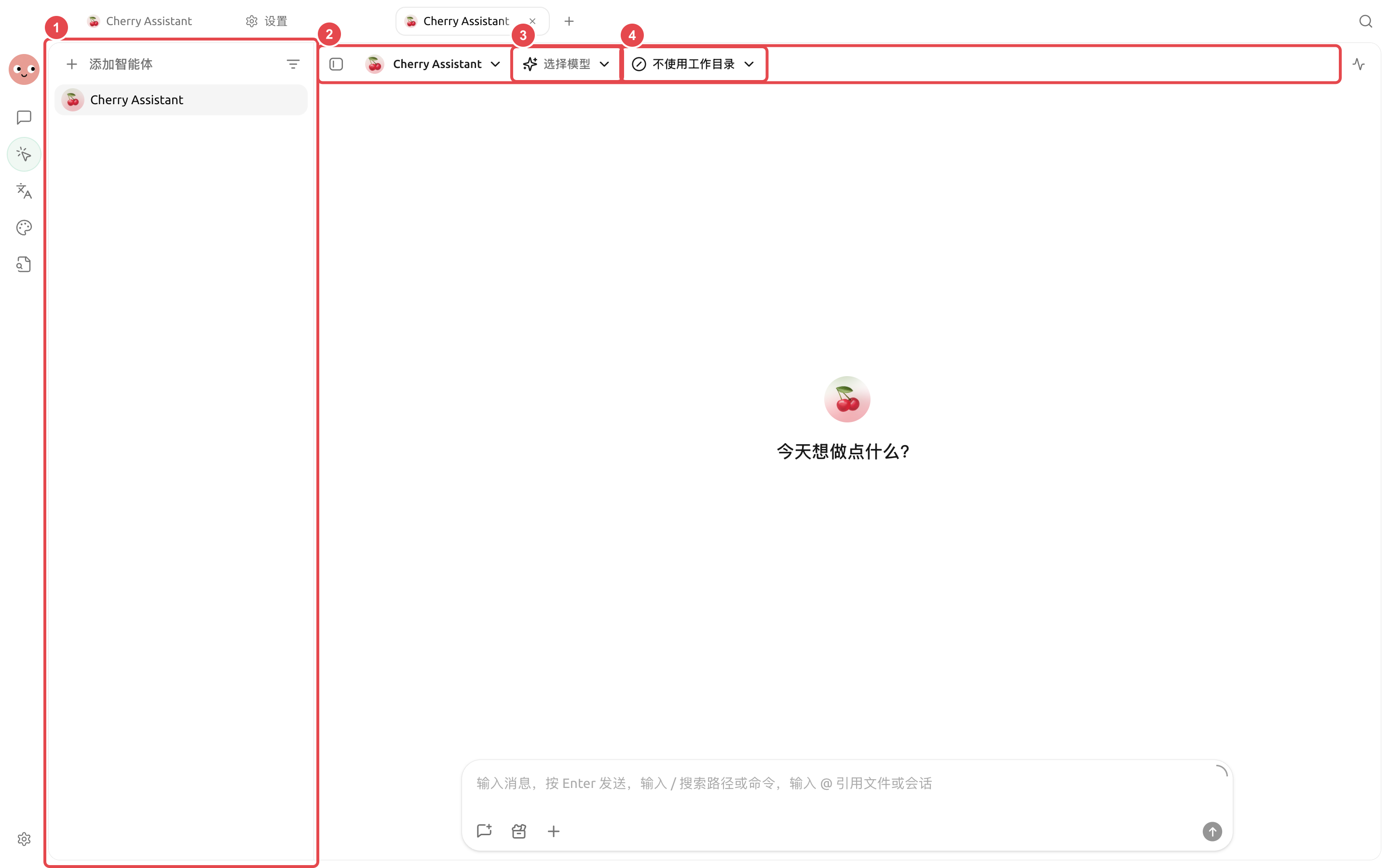
<figure><img src="/files/TasWLajyXW8HPnIMV4LR" alt="Agent 工作区用于组合任务、文件、工具和交付结果"><figcaption><p>案例不是一组孤立设置，而是从输入、执行、复核到交付的完整工作流。</p></figcaption></figure>

## 按工作选择案例

| 你的任务        | 建议先看           | 主要能力           |
| ----------- | -------------- | -------------- |
| 比较观点并保留研究过程 | 【多模型研究复盘】      | 对话、分支、笔记       |
| 审阅大份资料并输出意见 | 【长文档审阅】        | Agent、工作目录、文件  |
| 交付项目文档和产物   | 【Agent 项目文件交付】 | Agent、状态、文件    |
| 生成一组风格统一的图片 | 【品牌配图套件】       | Agent 绘画、绘画模板  |
| 只按内部资料回答    | 【私有知识库问答】      | 知识库、召回测试、Agent |
| 从零散记录整理周报   | 【笔记生成周报】       | 笔记、Agent、文件    |
| 整理多语言文件     | 【多语言资料整理】      | 翻译、Agent、工作目录  |
| 定时发送固定报告    | 【频道与定时日报】      | Agent、频道、定时任务  |
| 同时观察资料与长任务  | 【多窗口研究工作台】     | 标签页、多窗口、全局搜索   |

{% stepper %}
{% step %}

### 1. 先定义交付物

说明最后要得到哪个文件、表格、图片或消息，以及怎样算完成。
{% endstep %}

{% step %}

### 2. 在【工作】中手动跑通

验证模型、提示词、工作目录和资料是否足够。需要批准的操作逐项检查。
{% endstep %}

{% step %}

### 3. 只沉淀稳定部分

重复步骤做成技能，长期资料放知识库，临时要求留在任务提示词。
{% endstep %}

{% step %}

### 4. 最后增加外部连接和自动化

完成一次人工验收后，再接 MCP、频道或定时任务，并保留失败时的人工处理入口。
{% endstep %}
{% endstepper %}


---

# Agent Instructions
This documentation is published with GitBook. GitBook is the documentation platform designed so that both humans and AI agents can read, navigate, and reason over technical content effectively. Learn more at gitbook.com.

## Querying This Documentation
If you need additional information that is not directly available in this page, you can query the documentation dynamically by asking a question.

Perform an HTTP GET request on the current page URL with the `ask` query parameter, and the optional `goal` query parameter:

```
GET https://docs.cherryai.com.cn/advanced-basic/cases.md?ask=<question>&goal=<endgoal>
```

`ask` is the immediate question: it should be specific, self-contained, and written in natural language.
`goal` is optional and describes the broader end goal you are ultimately trying to accomplish on behalf of the user. GitBook uses it to tailor the answer towards what is most useful for that goal.

The response will contain a direct answer to the question and relevant excerpts and sources from the documentation.

Use this mechanism when the answer is not explicitly present in the current page, you need clarification or additional context, or you want to retrieve related documentation sections.