### 创建后继续配置
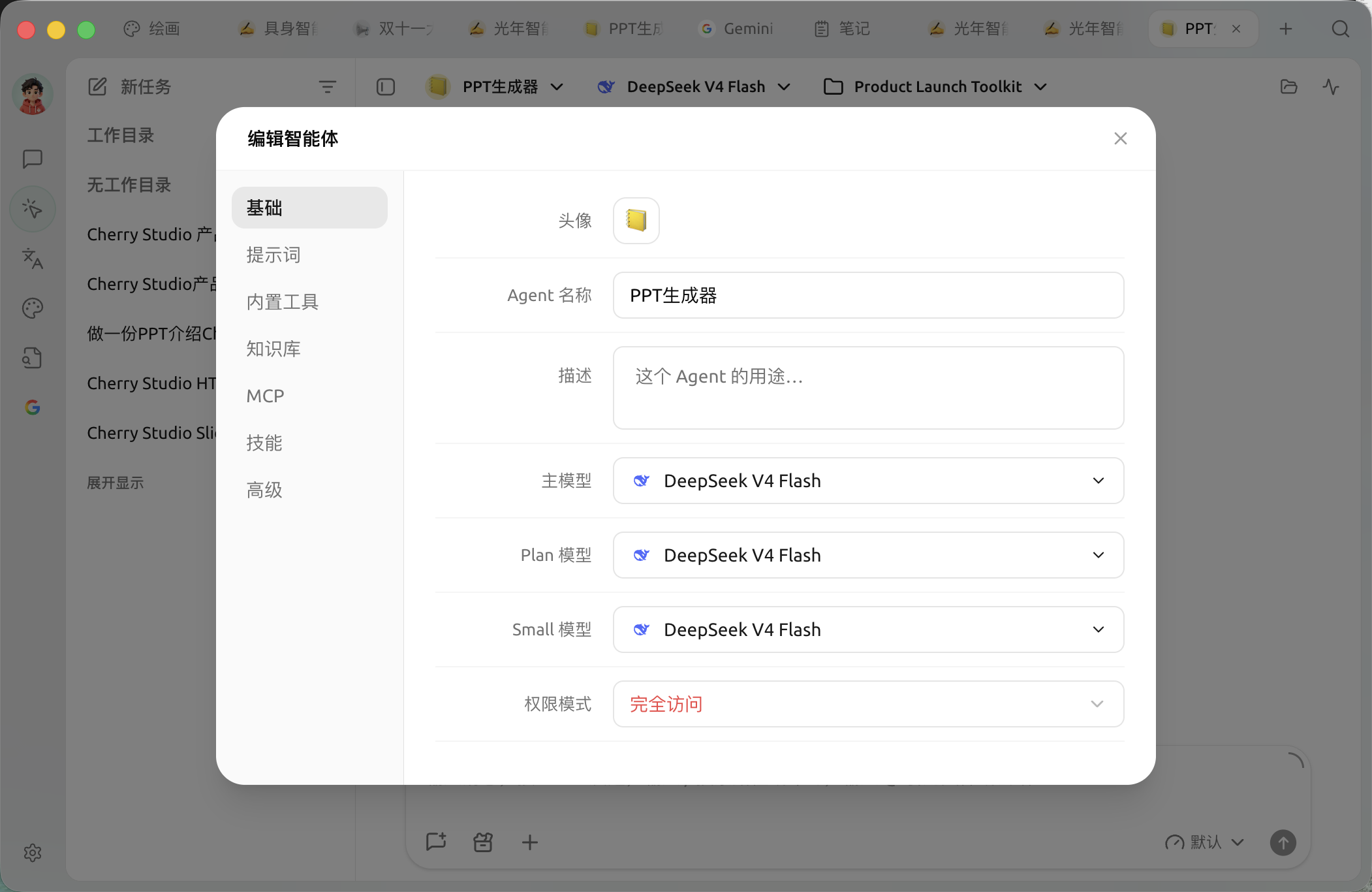
在 Agent 列表打开菜单并选择编辑,可以调整以下内容:
* 【基础】:查看运行模式,并调整该模式支持的模型、权限和心跳设置;
* 【提示词】:角色说明、处理规则和行为边界;
* 【内置工具】:文件、搜索、图片、通知、定时任务、记忆、子智能体和工作流等;
* 【知识库】:限制 Agent 可以访问的知识库;
* 【MCP】:绑定已经连接的 MCP 服务器;
* 【技能】:选择已安装技能;
* 【高级】:为确实需要的工具设置环境变量。
{% hint style="info" %}
当前编辑窗口会自动保存修改。关闭窗口前若仍有待保存内容,应用会先完成保存;保存失败时窗口会保持打开并显示错误。
{% endhint %}
### 推荐起点
| 配置项 | 产品默认值 | 建议起点 | 作用 | 适用场景 | 注意事项 |
| --------------- | ----------------------------- | ----------------------- | -------------- | ------------------ | ---------------------------------- |
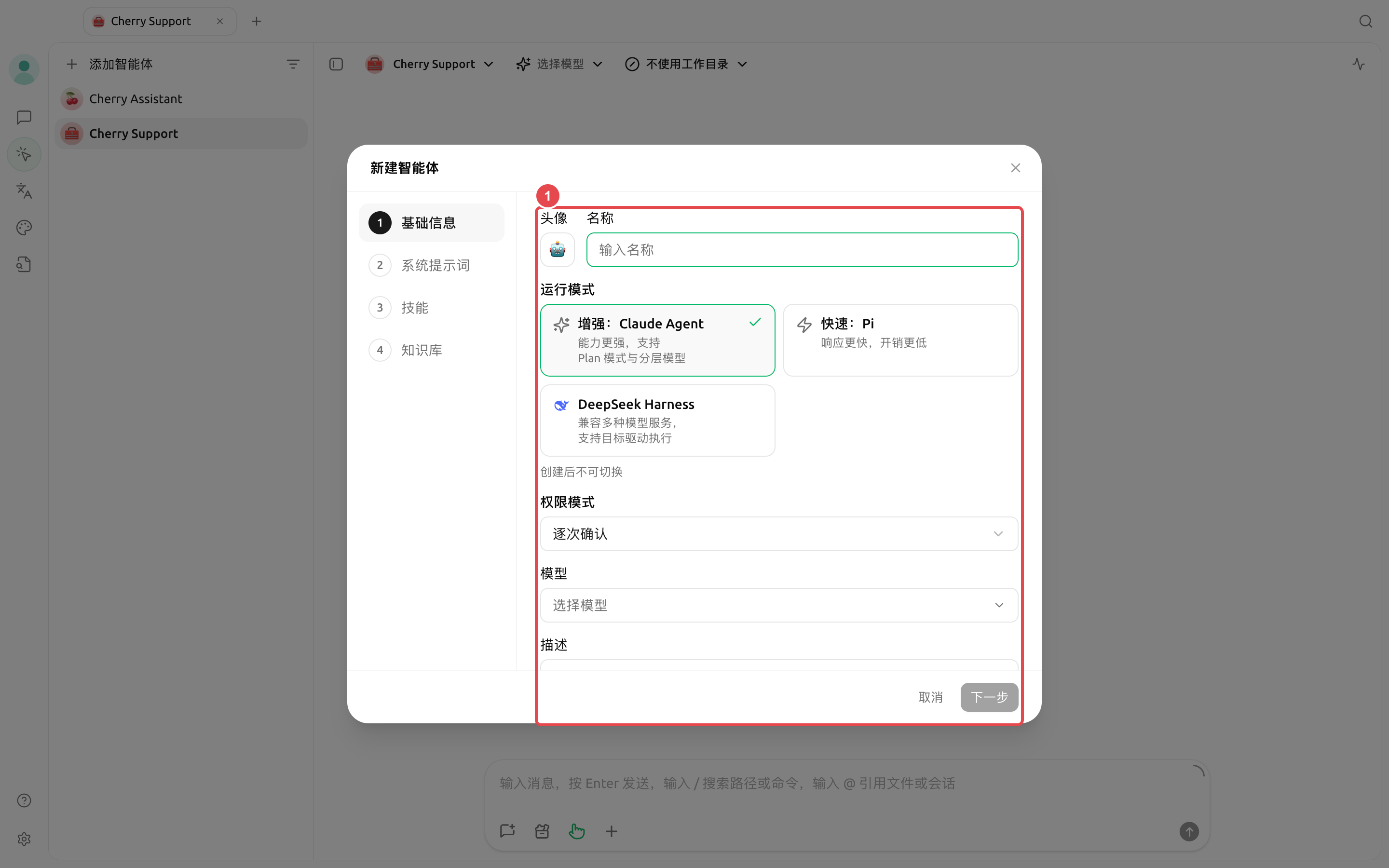
| 运行模式 | 【增强:Claude Agent】 | 不确定时先用【增强:Claude Agent】 | 决定模型分工、权限和工具范围 | 所有 Agent | 创建后不可切换 |
| 主模型 | 使用创建时选择的模型 | 选择一个已验证能稳定调用工具的模型 | 主要推理和执行 | 所有 Agent | 选择器会按运行模式过滤不兼容模型 |
| Plan / Small 模型 | 与主模型相同 | 先保持与主模型一致 | 任务拆解、简单判断和格式化 | 仅【增强:Claude Agent】 | Pi 与 DeepSeek Harness 不显示这两个字段 |
| 权限模式 | Claude/DSH 为【逐次确认】;Pi 为【智能批准】 | 真实项目目录优先使用【逐次确认】 | 决定工具是否需要批准 | 文件、终端和网络任务 | 【完全访问】可能删除文件或访问网络 |
| 心跳检测 | 支持的运行模式初始开启,间隔 30 分钟 | 没有持续任务时可关闭 | 让 Agent 定期检查工作 | Claude Agent、Pi | DeepSeek Harness 不提供心跳检测;固定时间用定时任务 |
### 用户案例:合同检查 Agent
创建“合同检查”Agent,主模型选择已经验证的模型,在提示词中要求按“风险条款、原文位置、影响、建议”输出,绑定公司制度知识库,权限保持【逐次确认】。每份合同新建一个任务并选择对应文件目录,避免不同客户资料混在同一上下文中。
为什么创建时没有看到 MCP 和权限的完整设置?
创建向导只保留常用步骤。创建完成后打开 Agent 编辑窗口,可在【基础】【内置工具】【知识库】【MCP】【技能】和【高级】中继续配置;具体标签会随运行模式能力变化。
---
# Agent Instructions
This documentation is published with GitBook. GitBook is the documentation platform designed so that both humans and AI agents can read, navigate, and reason over technical content effectively. Learn more at gitbook.com.
## Querying This Documentation
If you need additional information that is not directly available in this page, you can query the documentation by asking a question.
Perform an HTTP GET request on the following URL with the `ask` and `goal` query parameters:
```
GET https://docs.cherryai.com.cn/advanced-basic/agent-workspace/create-agent.md?ask=&goal=
```
`ask` is the immediate question: it should be specific, self-contained, and written in natural language.
`goal` is what the user is ultimately trying to achieve, the reason they need the answer. Sharing it helps GitBook give you a better, more relevant answer. A goal is most helpful when it describes the outcome the user wants rather than restating the question. For example, with `ask=how do I create an API token`, a goal like `automate deployments from our CI pipeline` lets GitBook tailor the answer to that use case.
The response will contain a direct answer to the question and relevant excerpts and sources from the documentation.
Use this mechanism when the answer is not explicitly present in the current page, you need clarification or additional context, or you want to retrieve related documentation sections.